
The Archived Advance sub-module on the eClaims Dashboard allows the user to view the advanced claim applications that have been archived either on the View/Edit Advance Applications window or the Approve/Reject Advance Applications window.
Prerequisites:
1. Ensure you have your Deskera eClaims application URL in place.
2. Ensure you are the administrator of the eClaims application
3. Ensure a good internet connectivity
Step 1: Go to Approve/Reject Advance Claims or View/Edit Advance Claims under Advance Claims 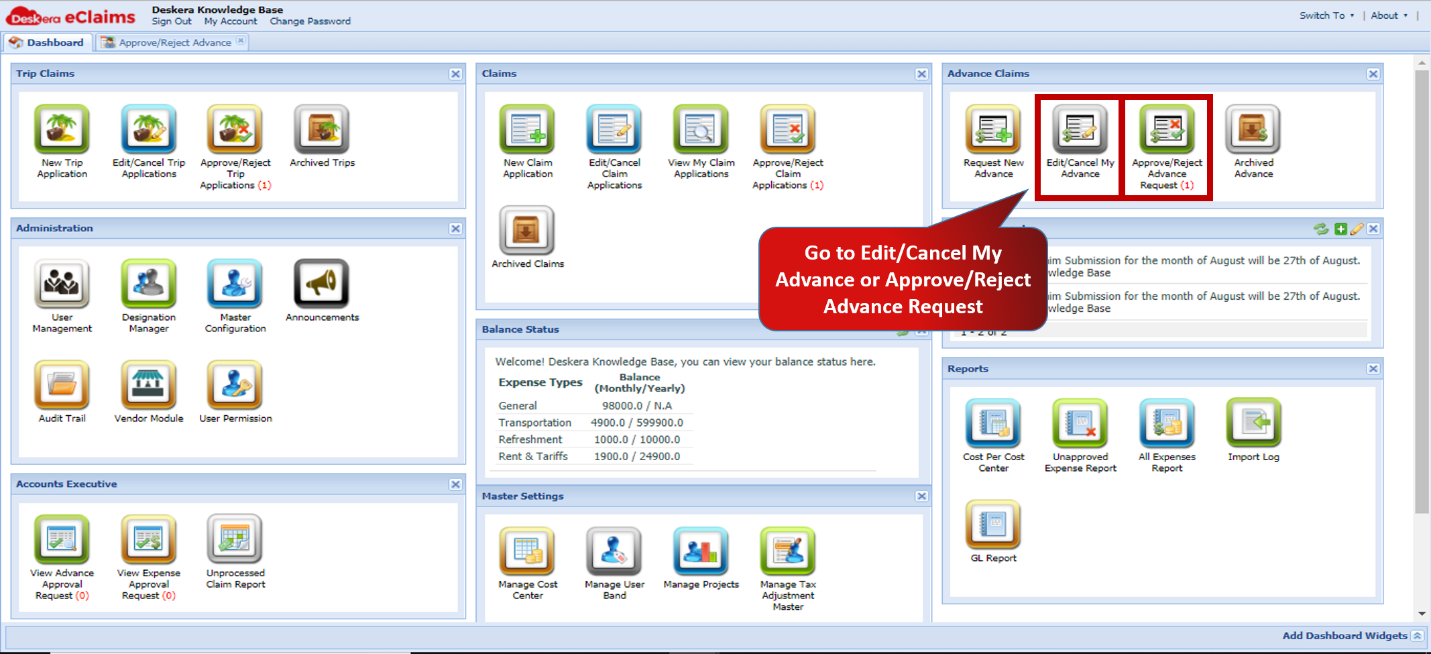 Fig.4.4.4.1 eClaims Dashboard
Step 2: Select the claim you wish to archive and click on Add to Archive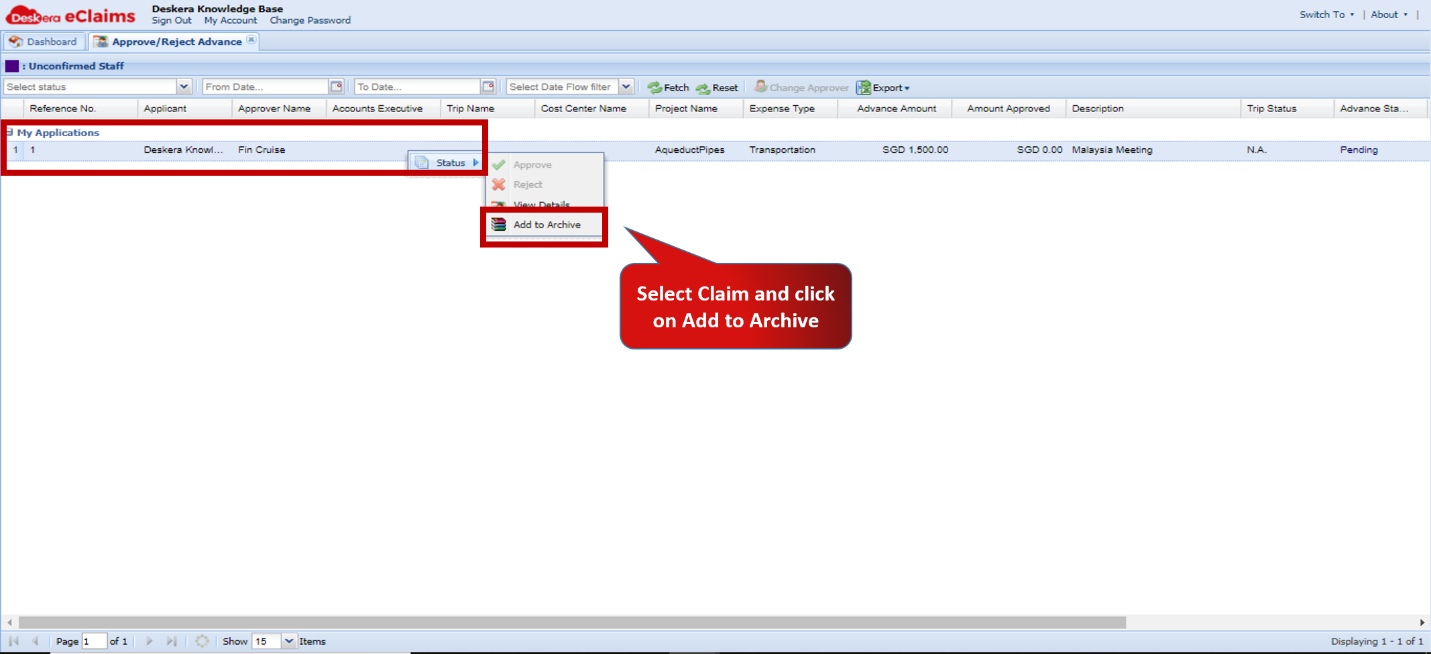 Fig.4.4.4.2 View/Edit Advance
Step 3: Go to Archived Claims under Claims on eClaims Dashboard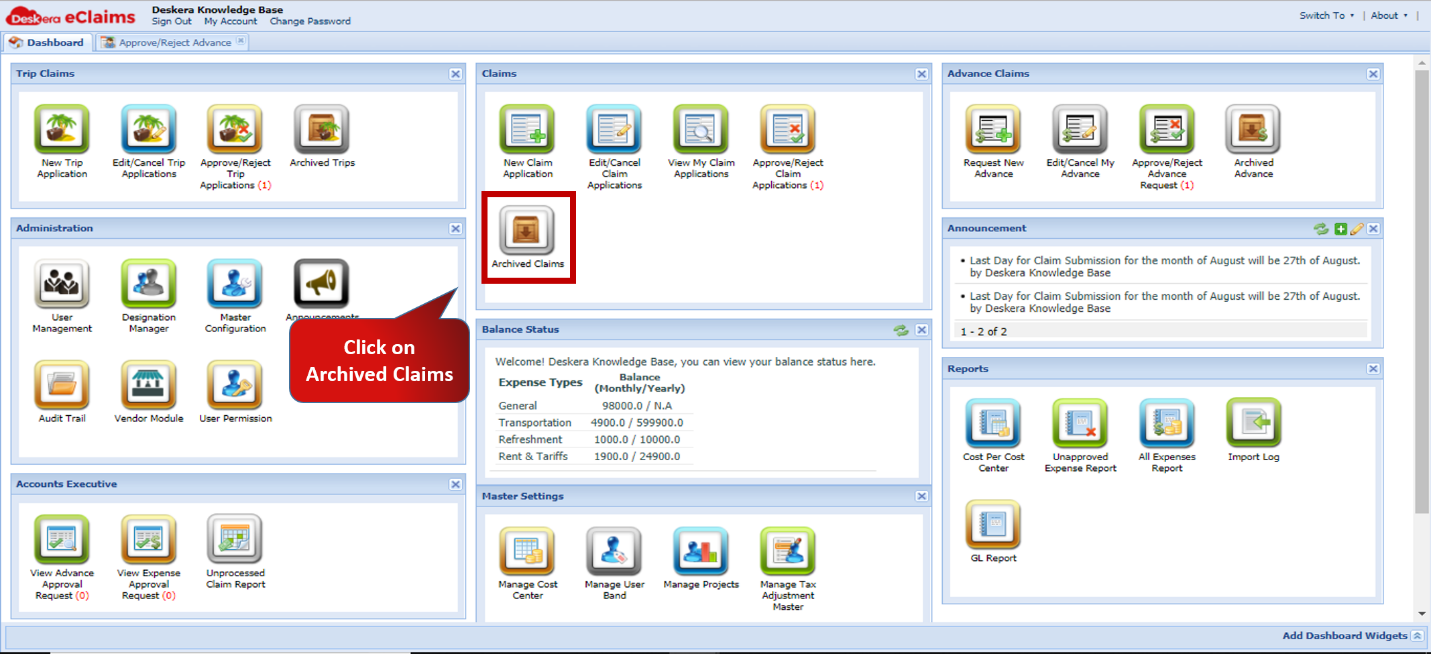 Fig.4.4.4.3 eClaims Dashboard
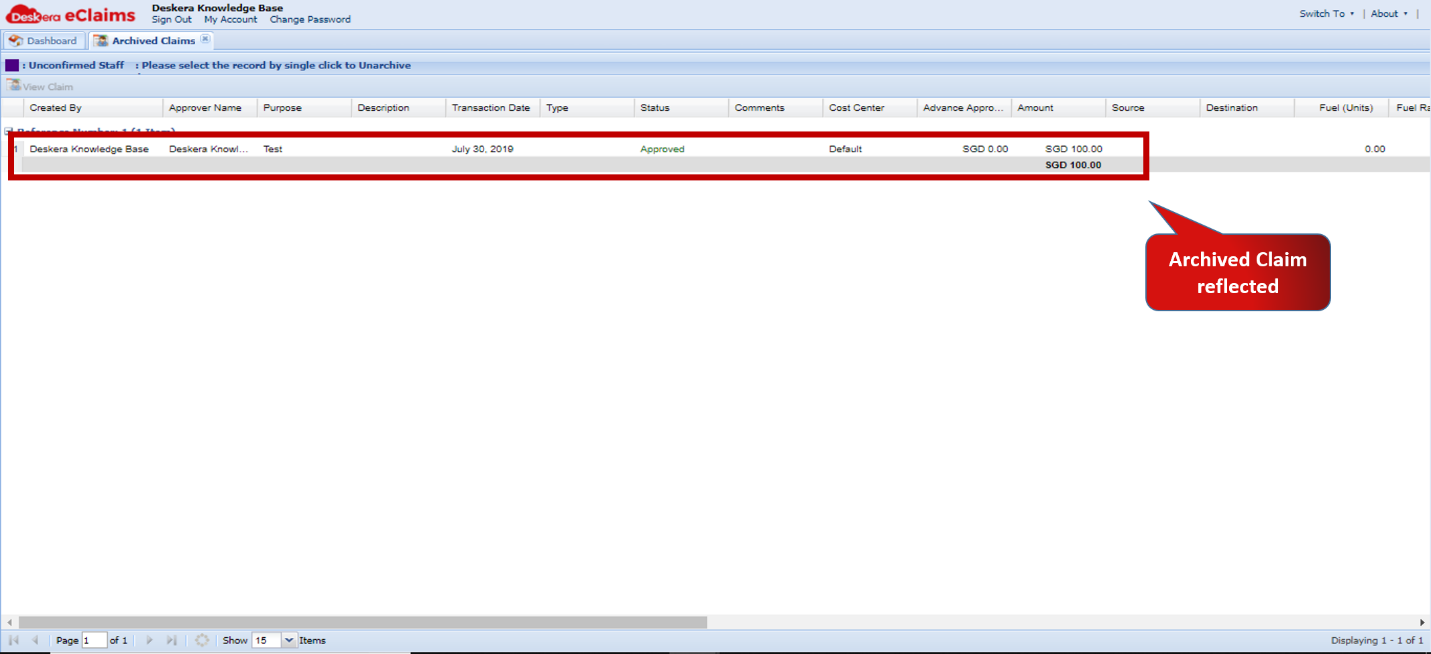 Fig.4.4.4.4 Archived Claims
Comments
0 comments
Please sign in to leave a comment.