
This article describes the steps that have to be followed by a user in order to submit a New Advance Claim Application on Deskera eClaims. An Advance can be requested for against a trip, cost center or a project.
Prerequisites:
1. Ensure you have your Deskera eClaims application URL in place.
2. Ensure a good internet connectivity
Step 1: Go to Request New Advance under Advance Claims on eClaims Dashboard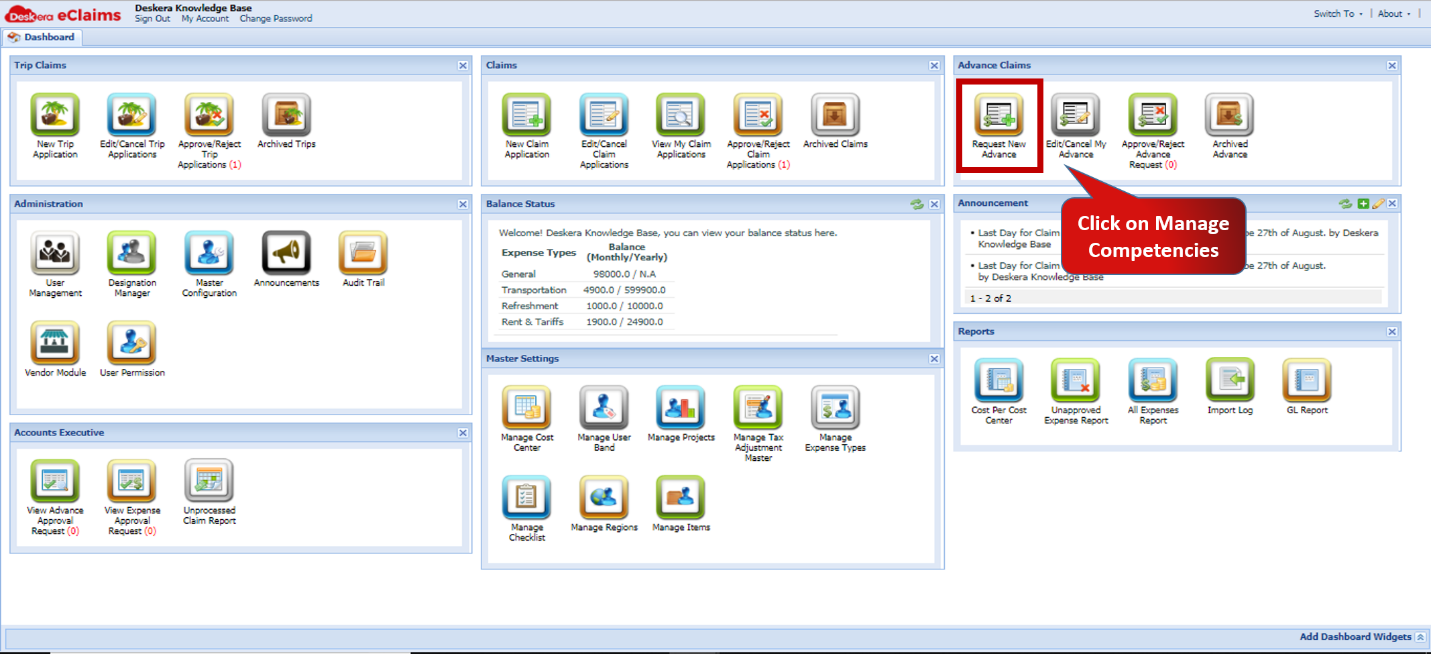 Fig.4.4.1.1 eClaims Dashboard
Step 2: Choose Cost Centre, Trip or Project and select the same from drop-down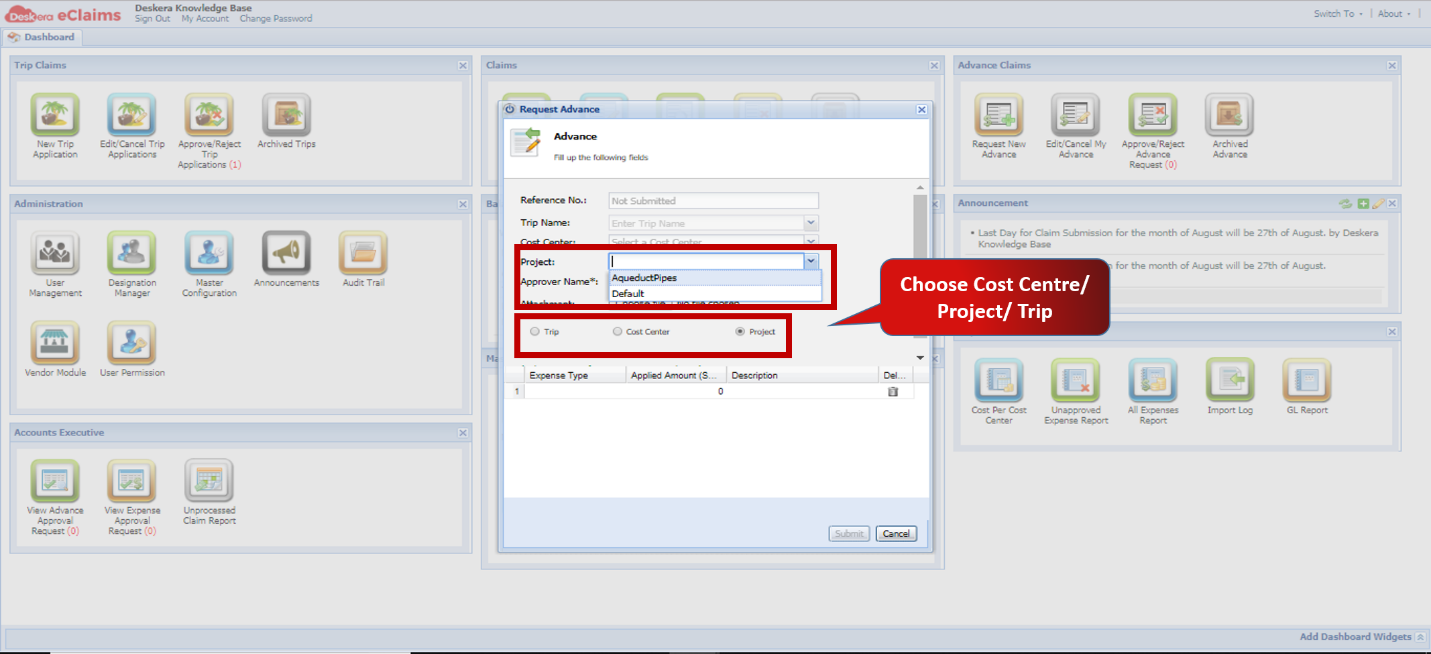 Fig.4.4.1.2 Master Configuration
Step 3: Select attachments if any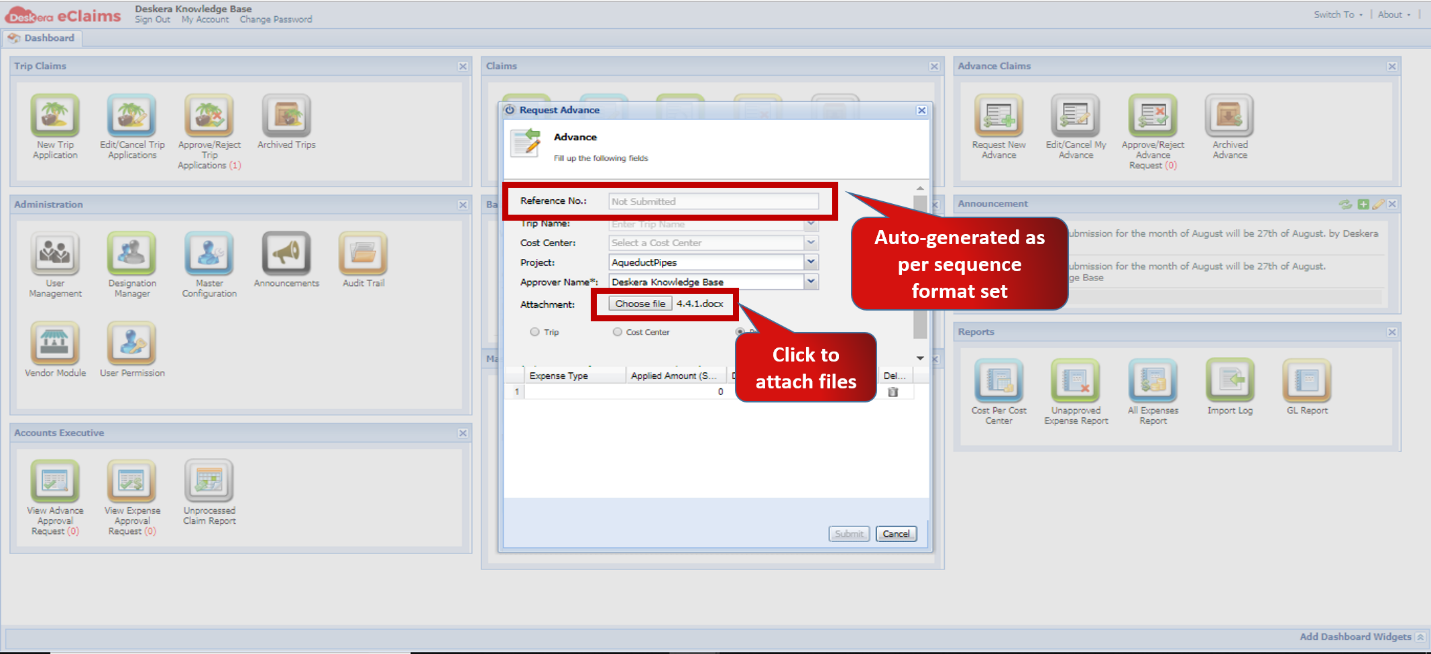 Fig.4.4.1.3 Master Configuration
Step 4: Enter Expense Details and Click on Submit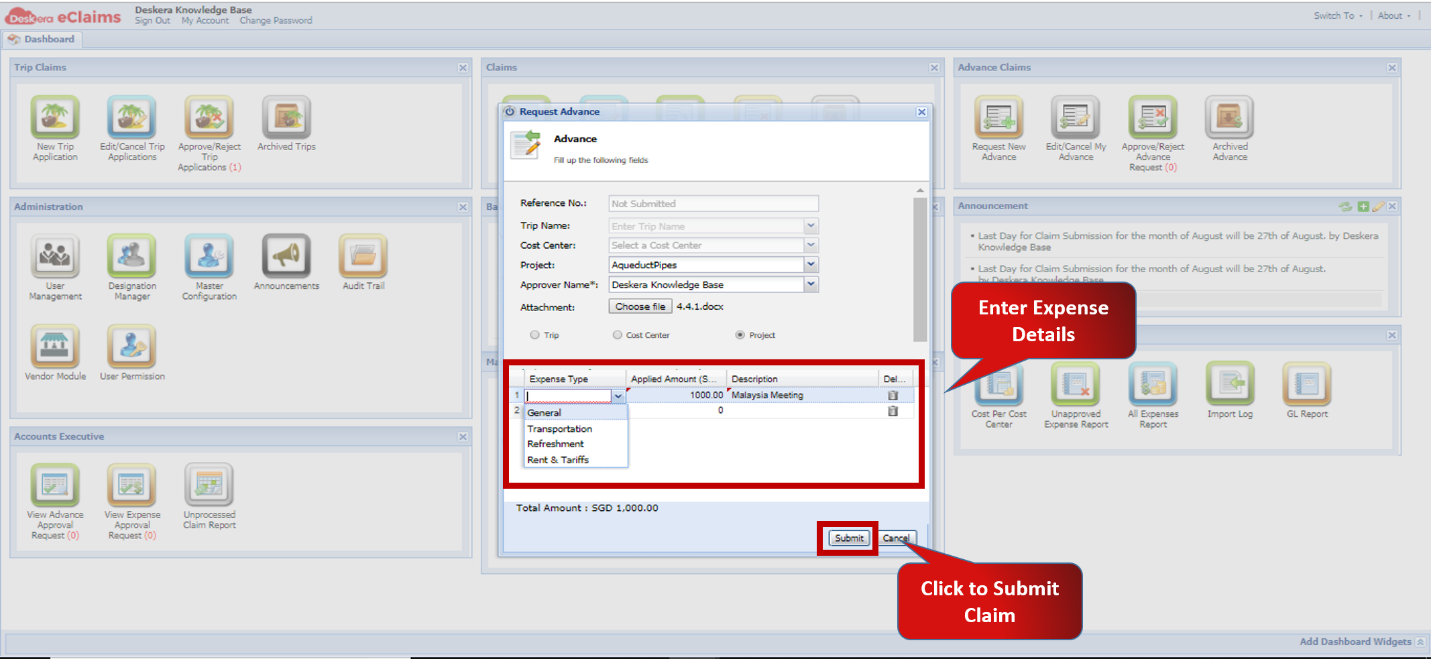 Fig.4 4.1.4 Master Configuration
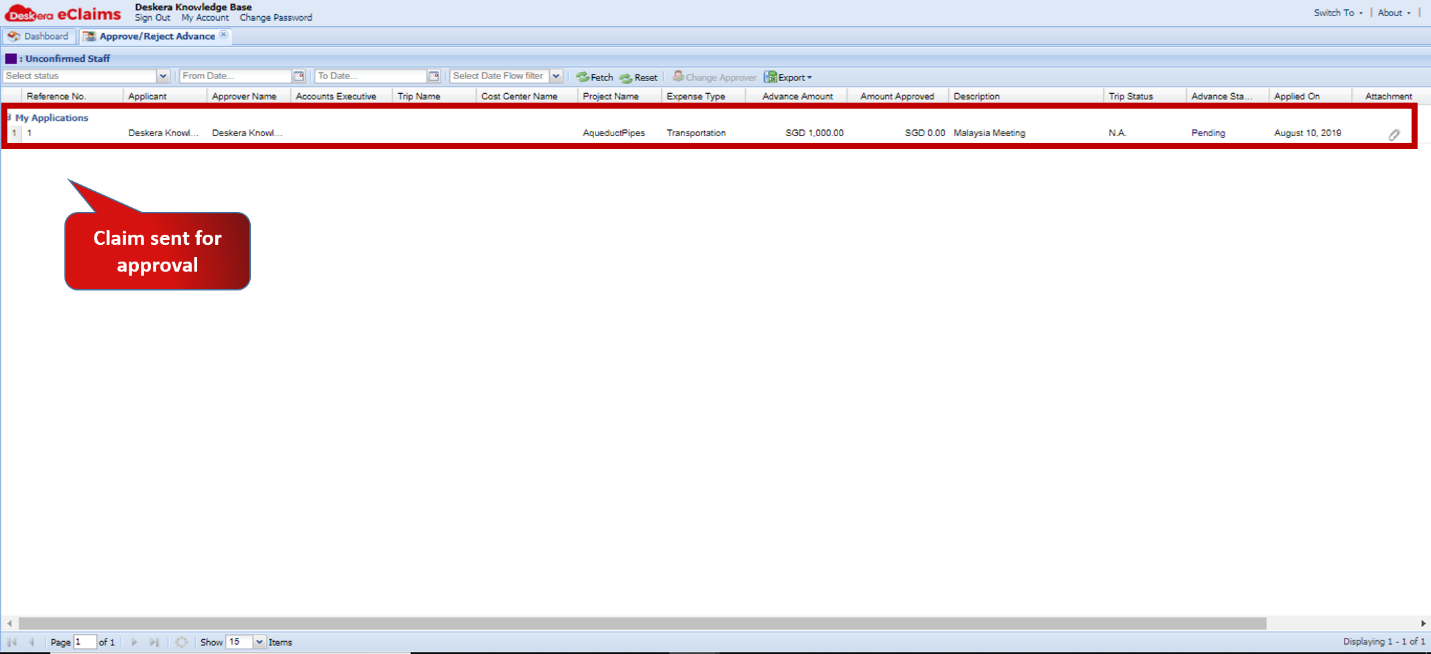 Fig.4.4.1.5 Master Configuration
Comments
0 comments
Please sign in to leave a comment.