
Import Log feature enables you to see a detailed report of all the imported files. You can see the Original and Rejected File as well.
Prerequisites:
1. You have your Deskera eClaims application URL in place.
2. You are the administrator of the eClaims application.
3. Ensure good internet connectivity.
Step 1: Go to Import Log under Reports widget in eClaims.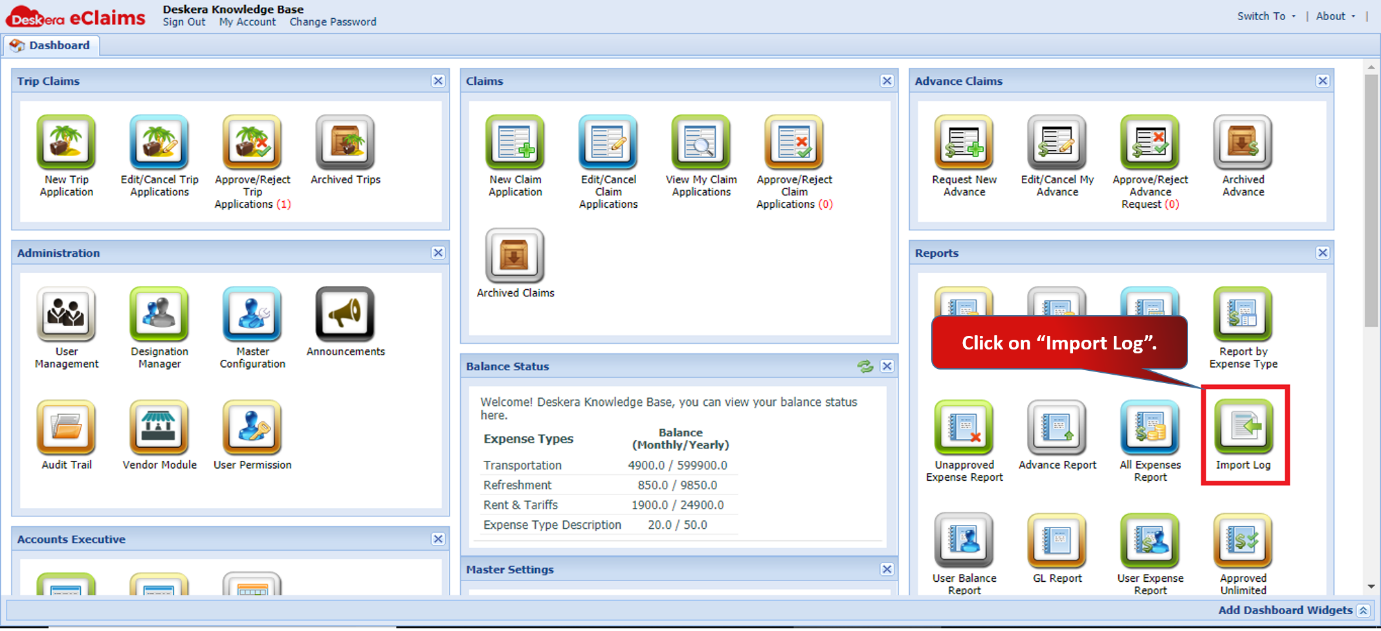 Fig 4.7.15.1 eClaims Dashboard
Step 2: You can select the dates to fetch the required data.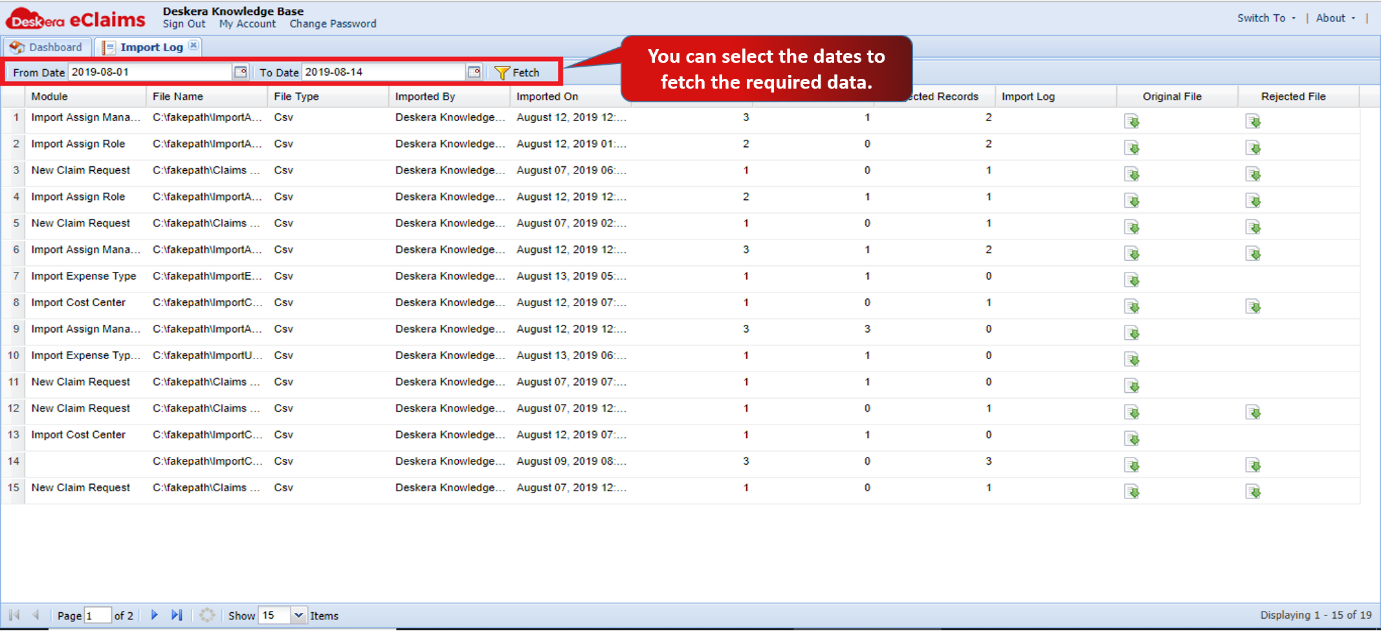 Fig 4.7.15.2 Import Log
Step 3: Import log enables you to see a detailed report of the imported file. You can see the Original and Rejected File as well.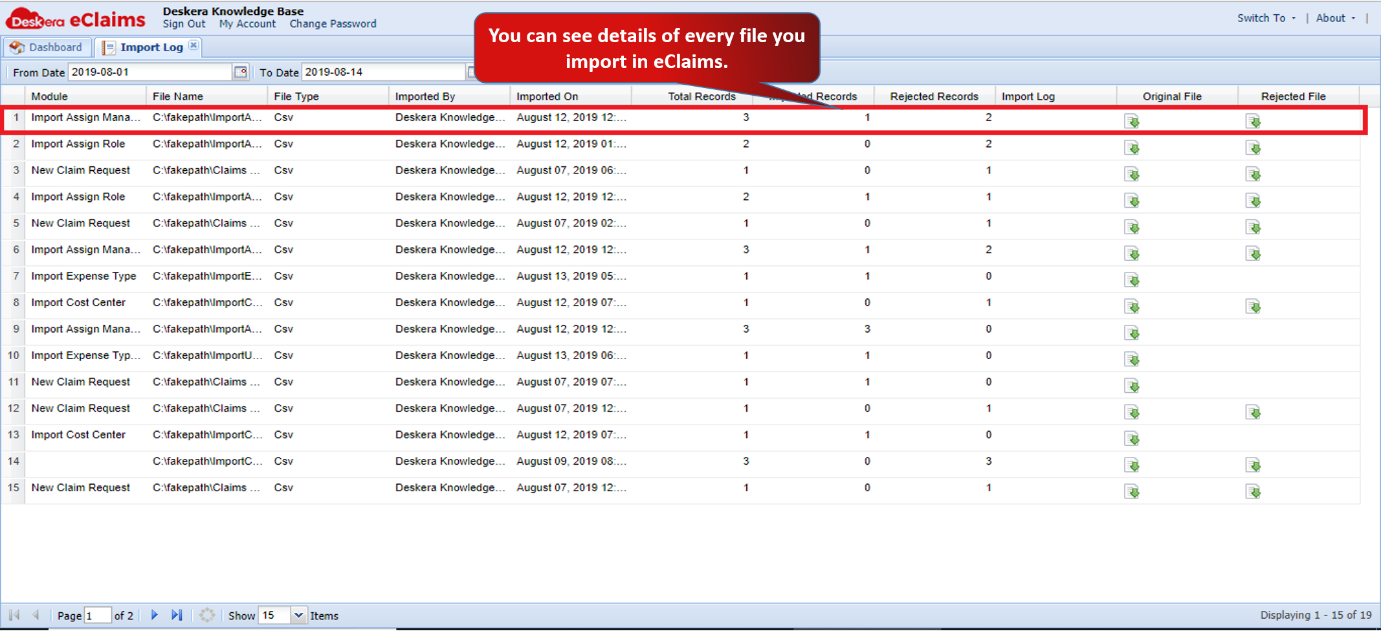 Fig 4.7.15.3 Import Log
Comments
0 comments
Please sign in to leave a comment.