
Deskera eClaims application allows the user to generate various reports from the system. The Advance Report shows the list of all advance claims made by the users that have been approved by the accounts executive and processed.
Prerequisites:
1. Ensure you have your Deskera eClaims application URL in place.
2. Ensure you are the administrator of the eClaims application
3. Ensure a good internet connectivity
Step 1: Go to Advance Report under Reports on eClaims Dashboard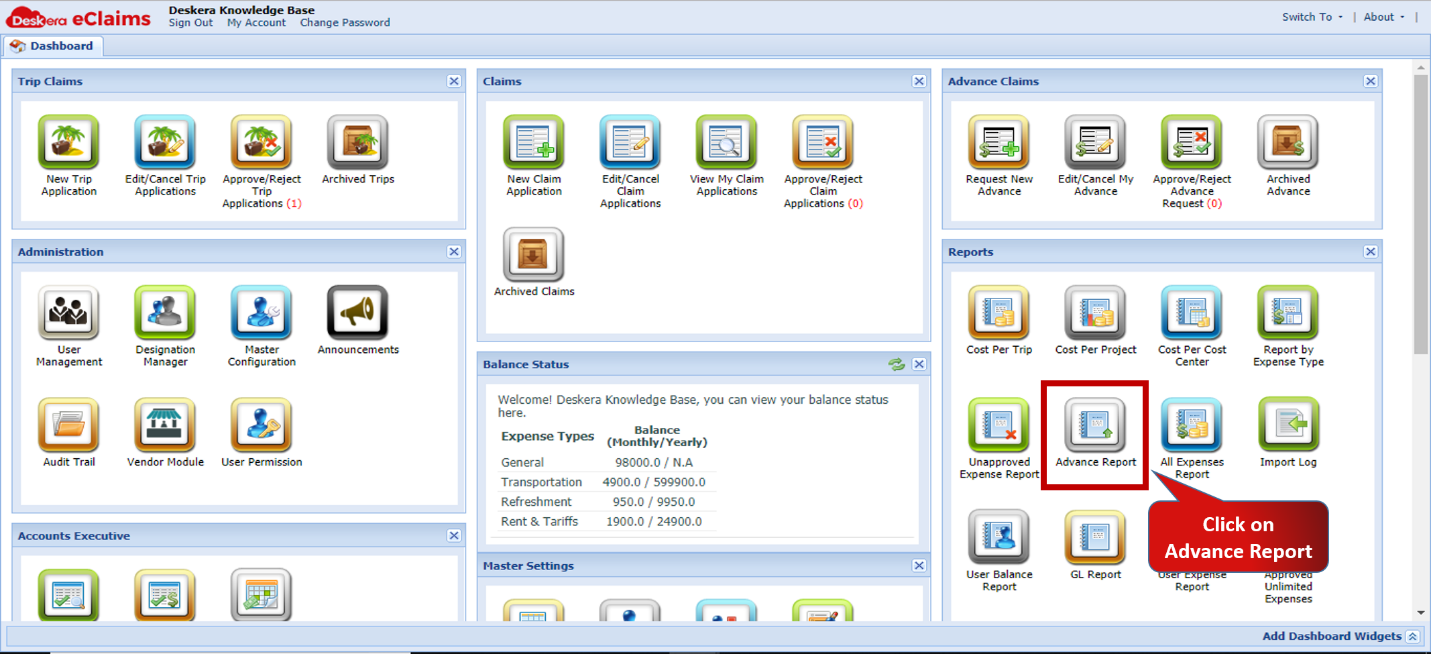 Fig.4.7.13.1 eClaims Dashboard
Step 2: Enter the time period for which the report is to be generated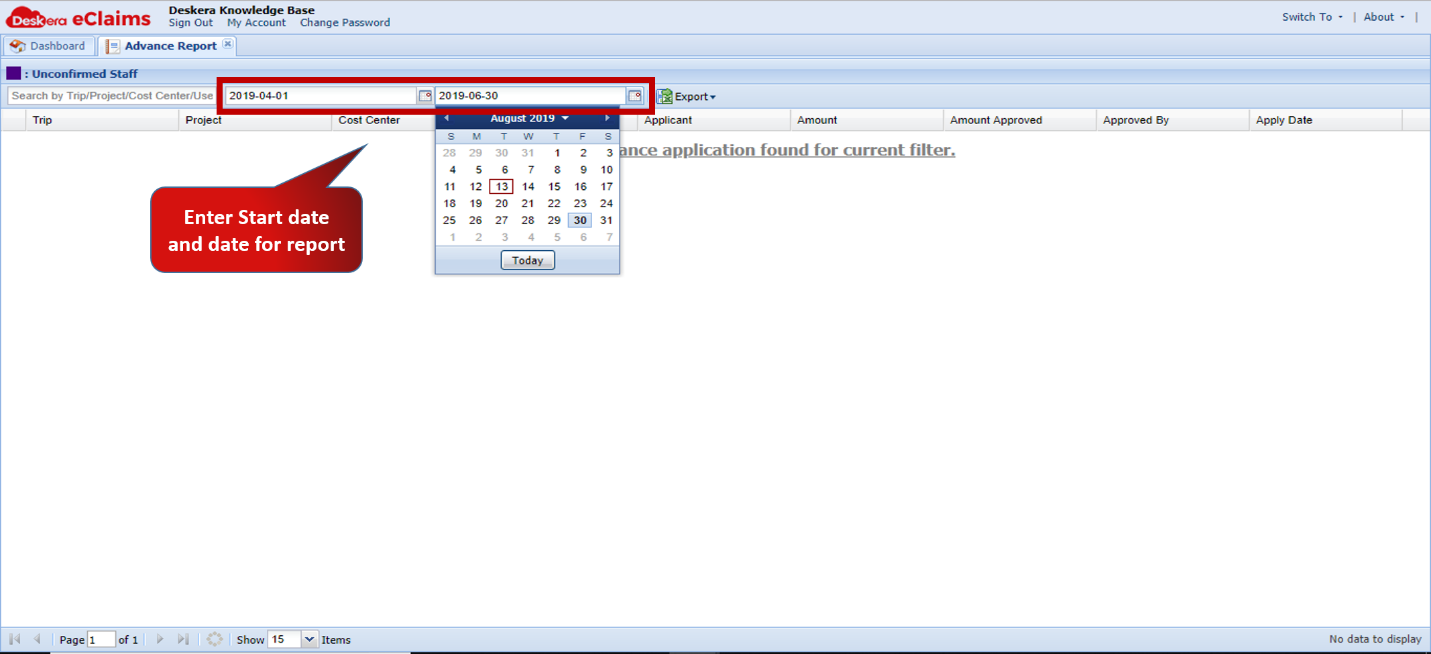 Fig. 4.7.13.2 Advance Report
Report gets generated for the time period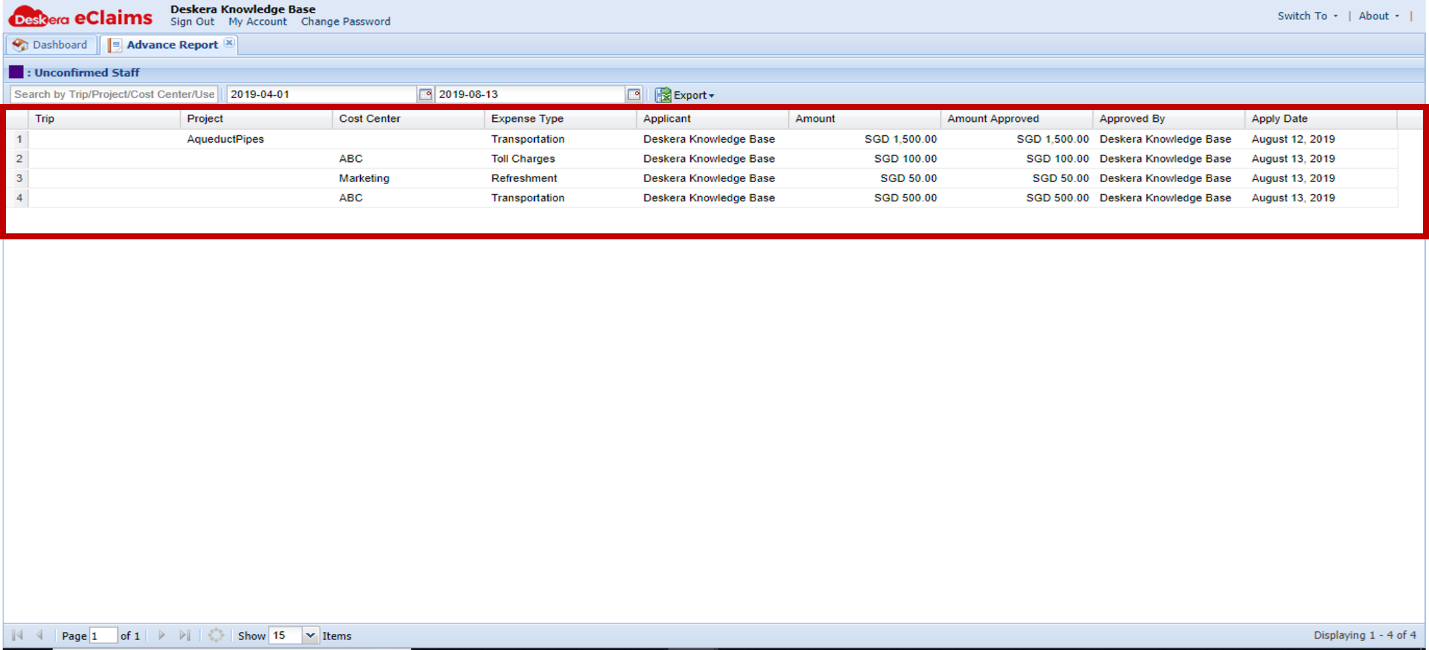 Fig. 4.7.13.3 Advance Report
Step 3: Click on Export to download report in CSV format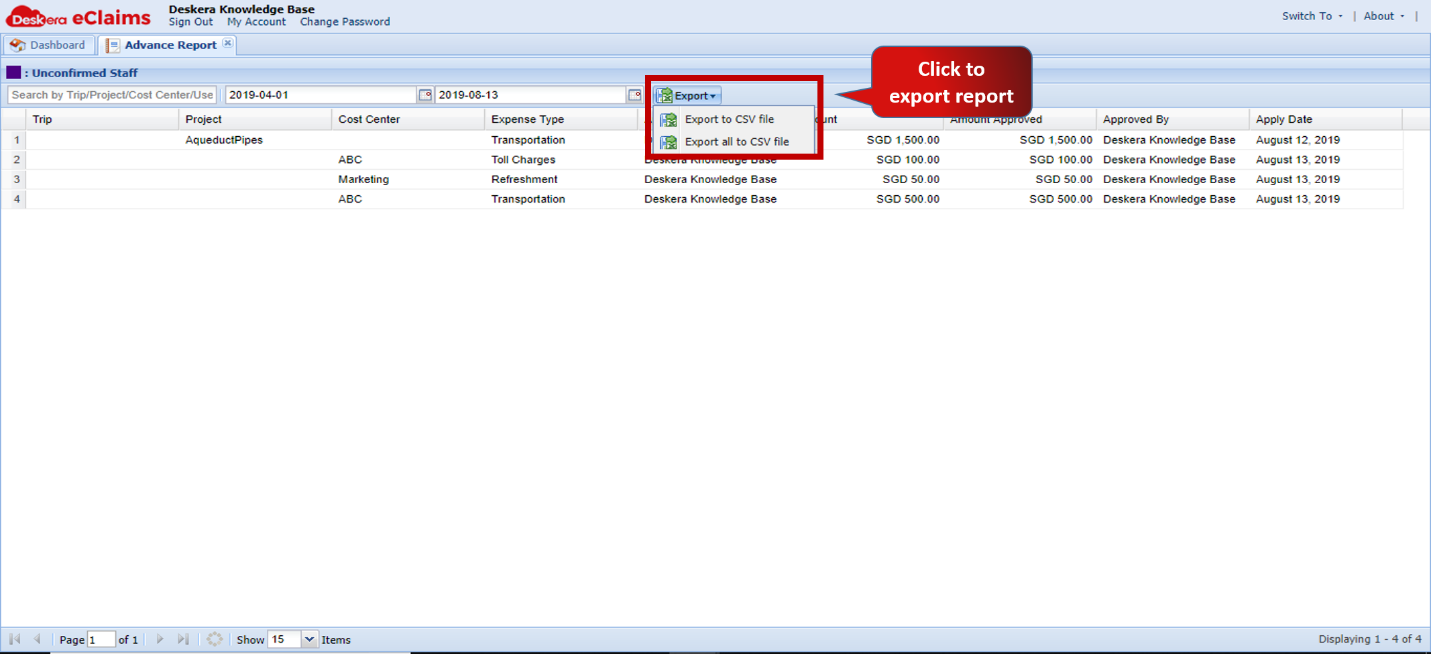 Fig. 4.7.13.4 Advance Report
Comments
0 comments
Please sign in to leave a comment.