
Cost Per Trip feature enables you to see a detailed report of a selected trip and its associated claims and its cost.
Prerequisites:
1. You have your Deskera eClaims application URL in place.
2. You are the administrator of the eClaims application.
3. Ensure good internet connectivity.
Step 1: Go to Cost Per Trip under Reports widget in eClaims.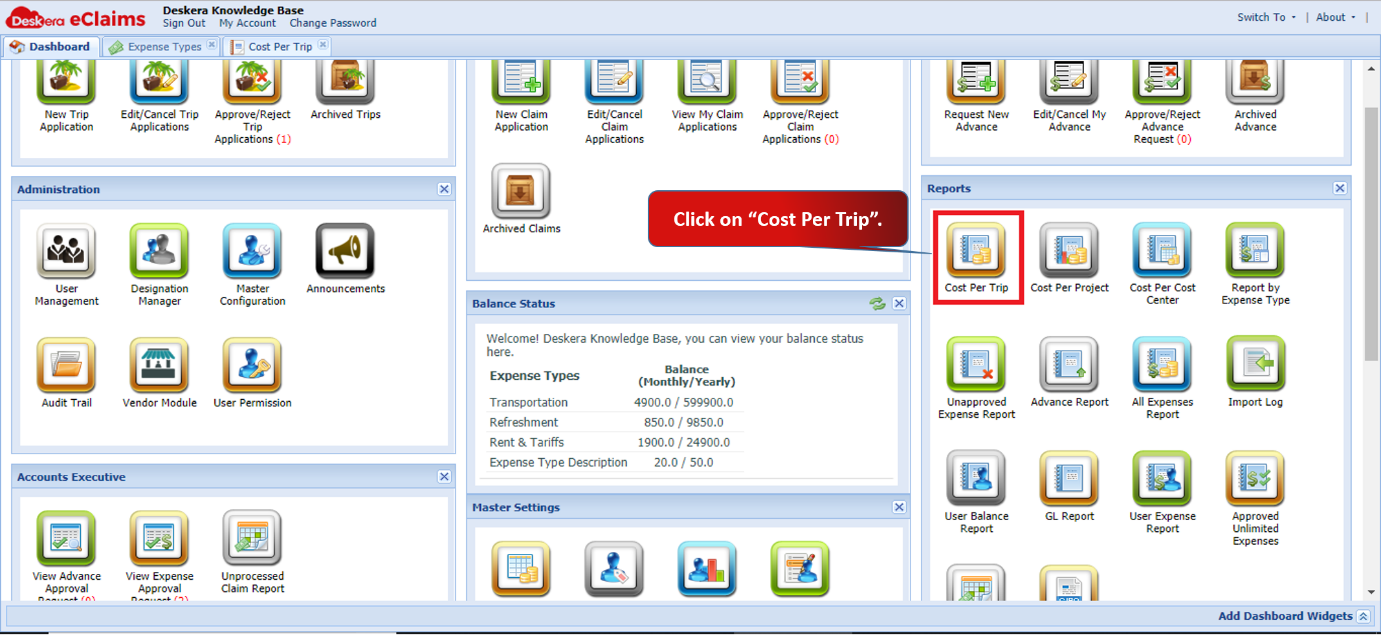 Fig 4.7.1.1 eClaims Dashboard
Step 2: You can search either by Reference No. of the trip claim or by the Trip Name to fetch the required data.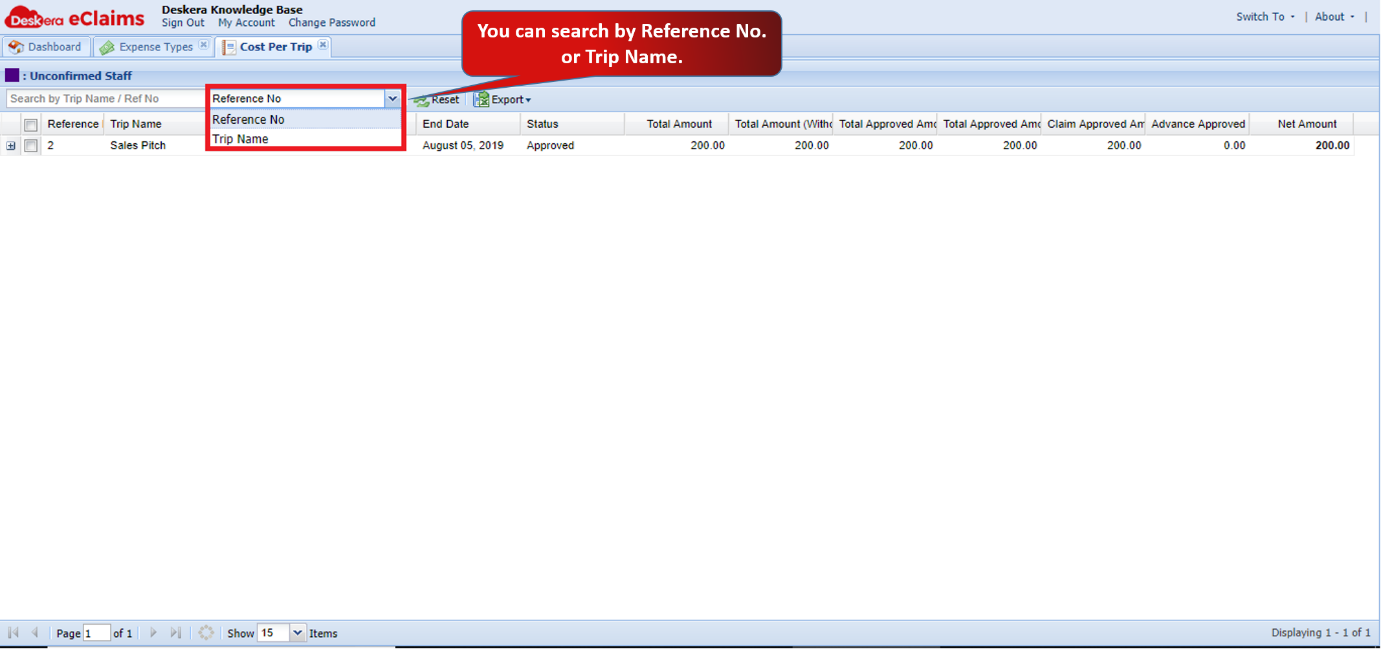 Fig 4.7.1.2 Cost Per Trip
Step 3: You can see a detailed report once you fetch the data. You can see the different claims and its cost associated with one trip.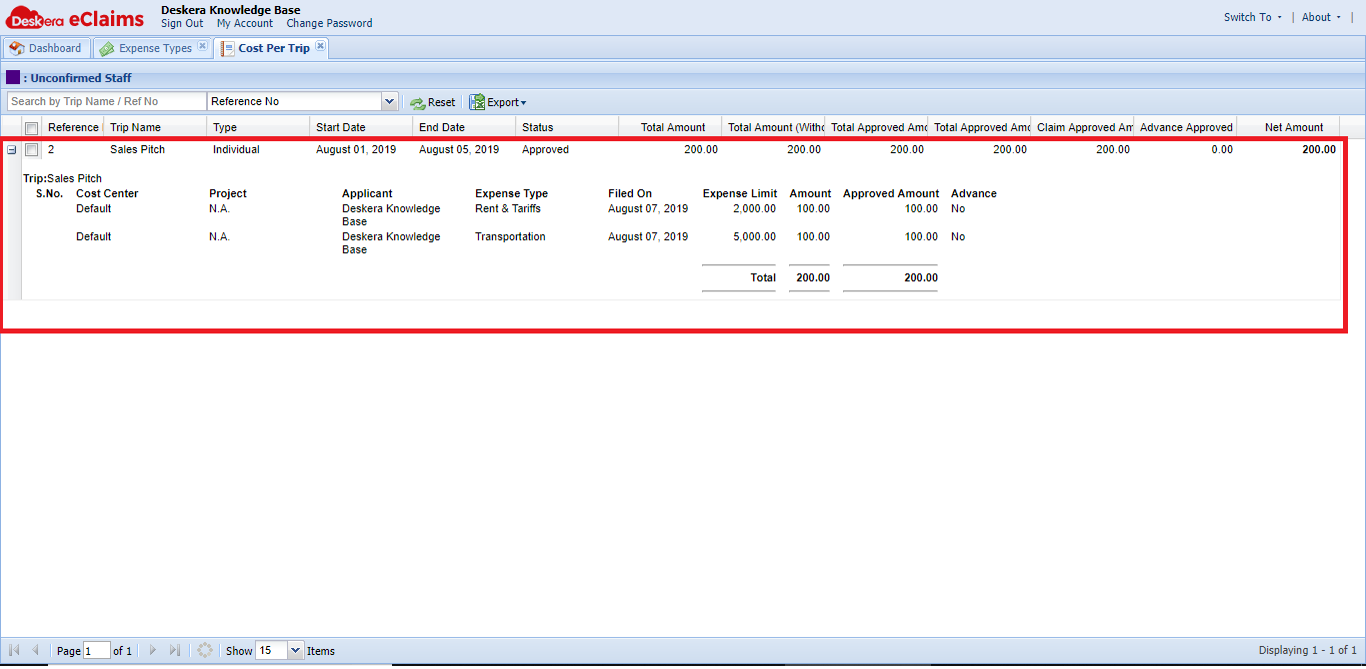 Fig 4.7.1.3 Cost Per Trip
Comments
0 comments
Please sign in to leave a comment.