
Deskera CRM allows the user to record, track and manage contact to efficiently convert business opportunities. This article focuses on the steps to be followed by the user to add a new contact and access the contact from the contact list.
Prerequisites:
1. Ensure you have your Deskera CRM application URL in place.
2. Ensure a good internet connectivity
Step 1: Go to Contacts under My Links on the CRM dashboard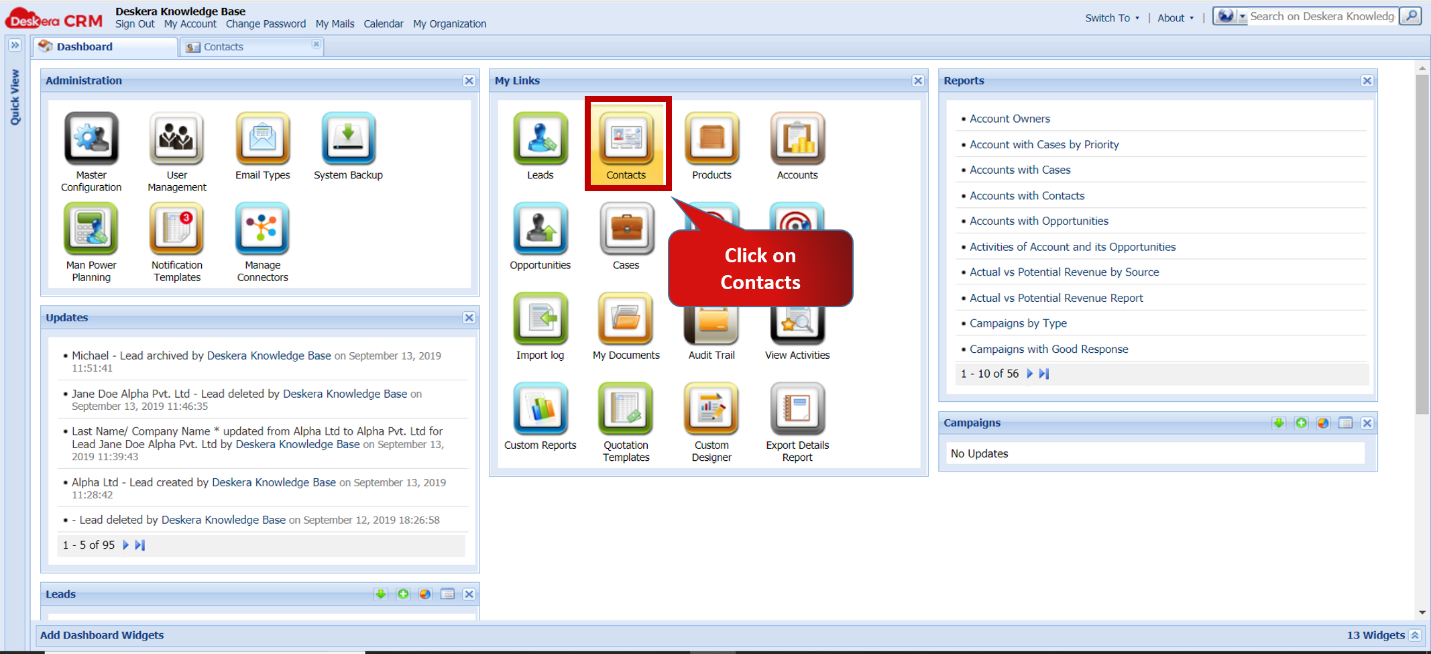 Fig 5.4.1.1 CRM Dashboard
Step 2: Click on Add Records option to open new window.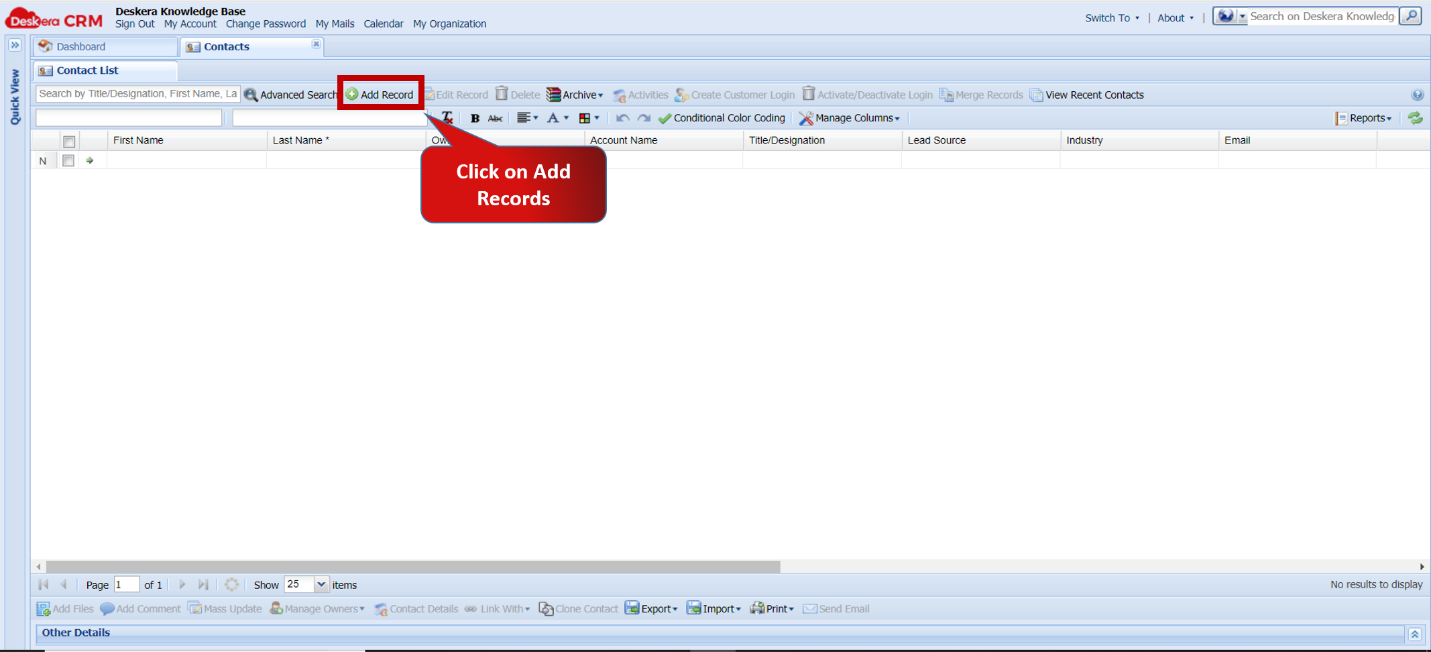 Fig 5.4.1.2 Add records - Contacts
Step 3: Enter the necessary contact Details and Click on Submit.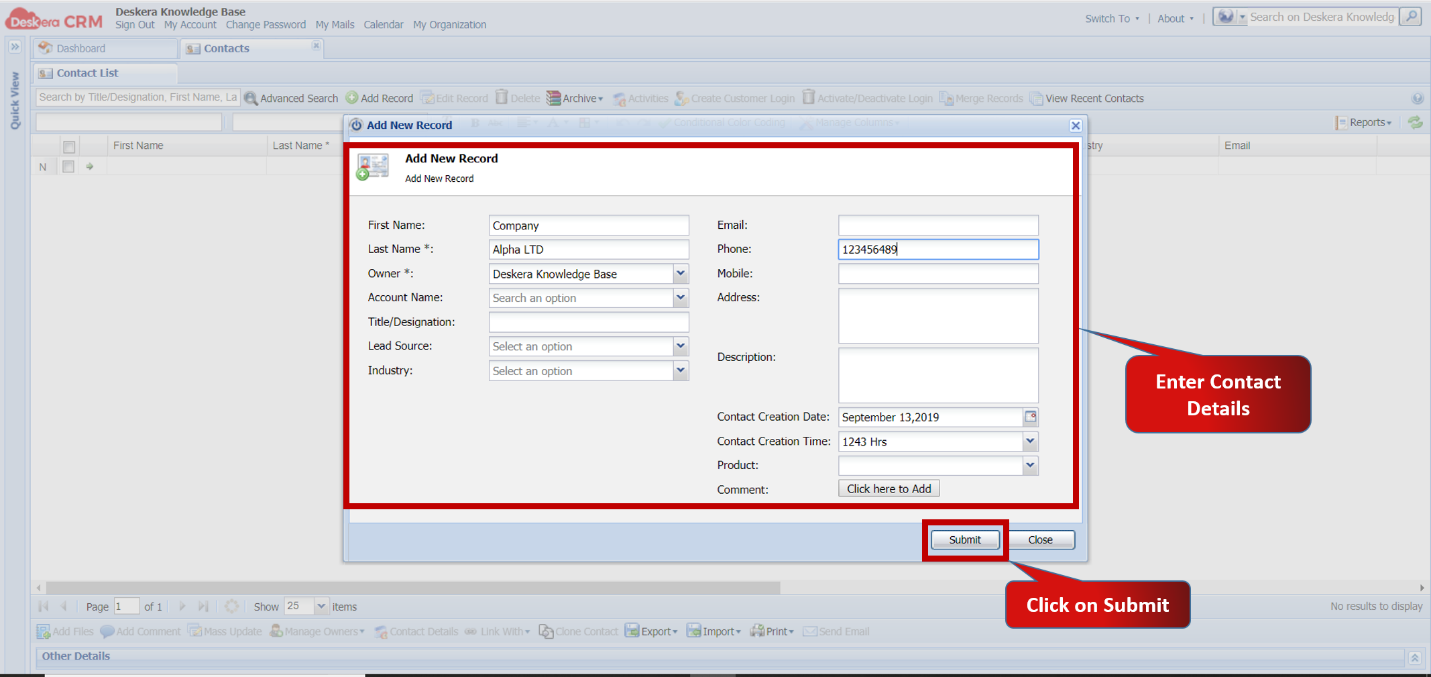 Fig 5.4.1.3 Add new record
Step 4: New Contact appear in the Contact list.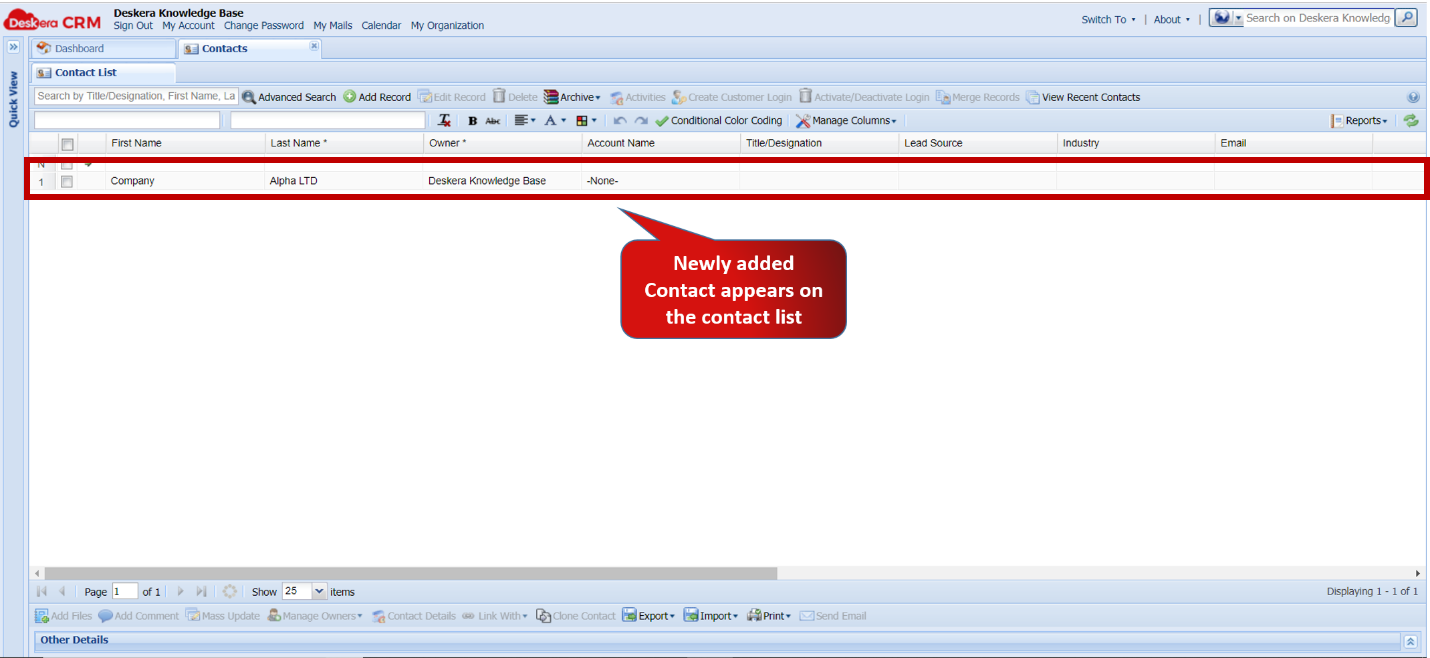 Fig 5.4.1.4 Contact list
Comments
0 comments
Please sign in to leave a comment.