
Deskera CRM allows the user to link the Contacts with Account. This article focuses on the steps to be followed by the user to link contact with account.
Prerequisites:
1. Ensure you have your Deskera CRM application URL in place.
2. Ensure you are the administrator/ assigned user of the CRM application.
3. Ensure a good internet connectivity.
Link Accounts
Step 1: Go to Contacts from CRM dashboard.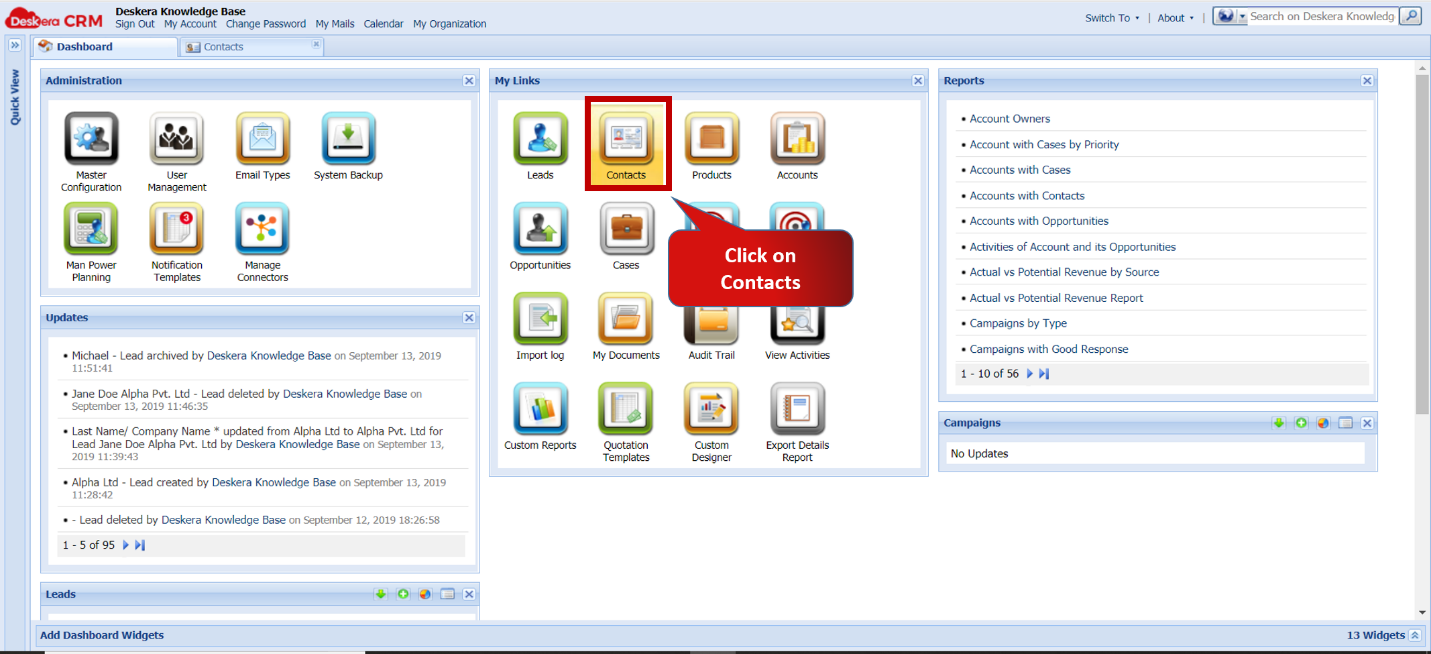 Fig 5.4.5.1 CRM dashboard
Step 2: Select the record and click on Link With – Account.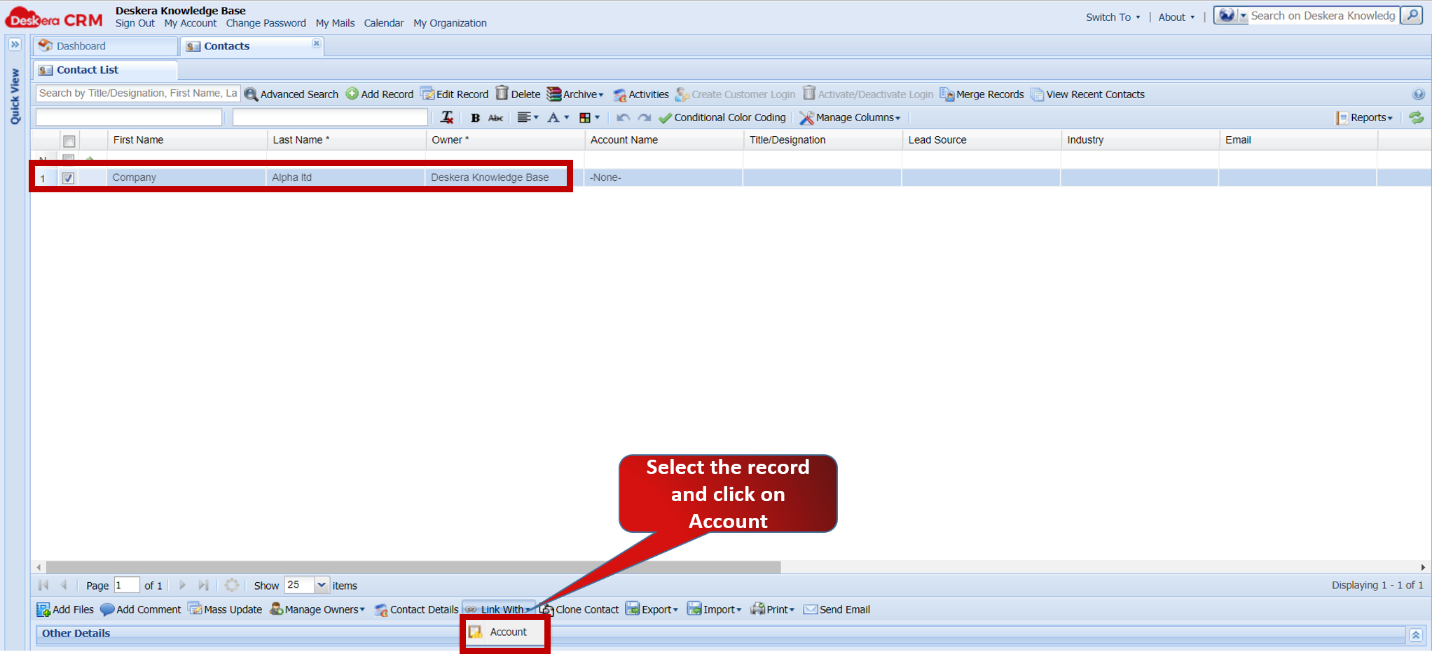 Fig 5.4.5.2 Link with - Contacts
Step 3: Select the Account from the new window.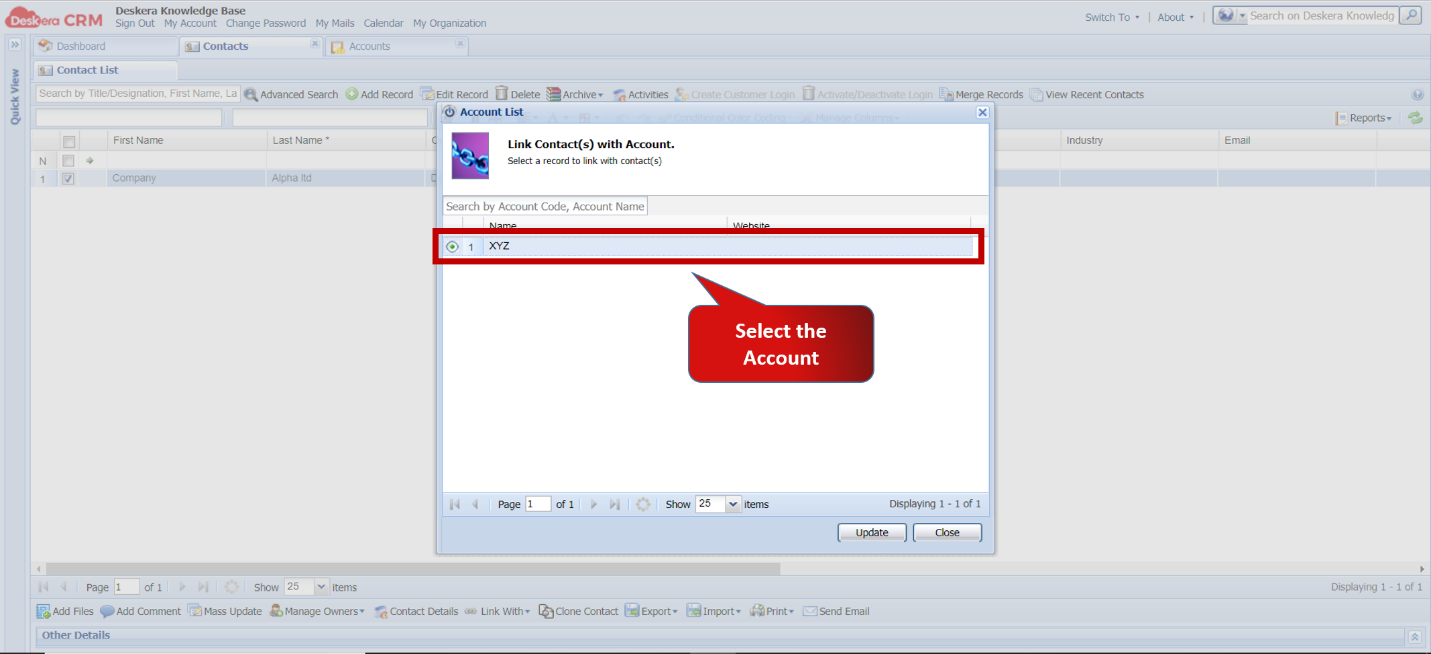 Fig 5.4.5.3 Account link
Step 4: Click on update to link with Account.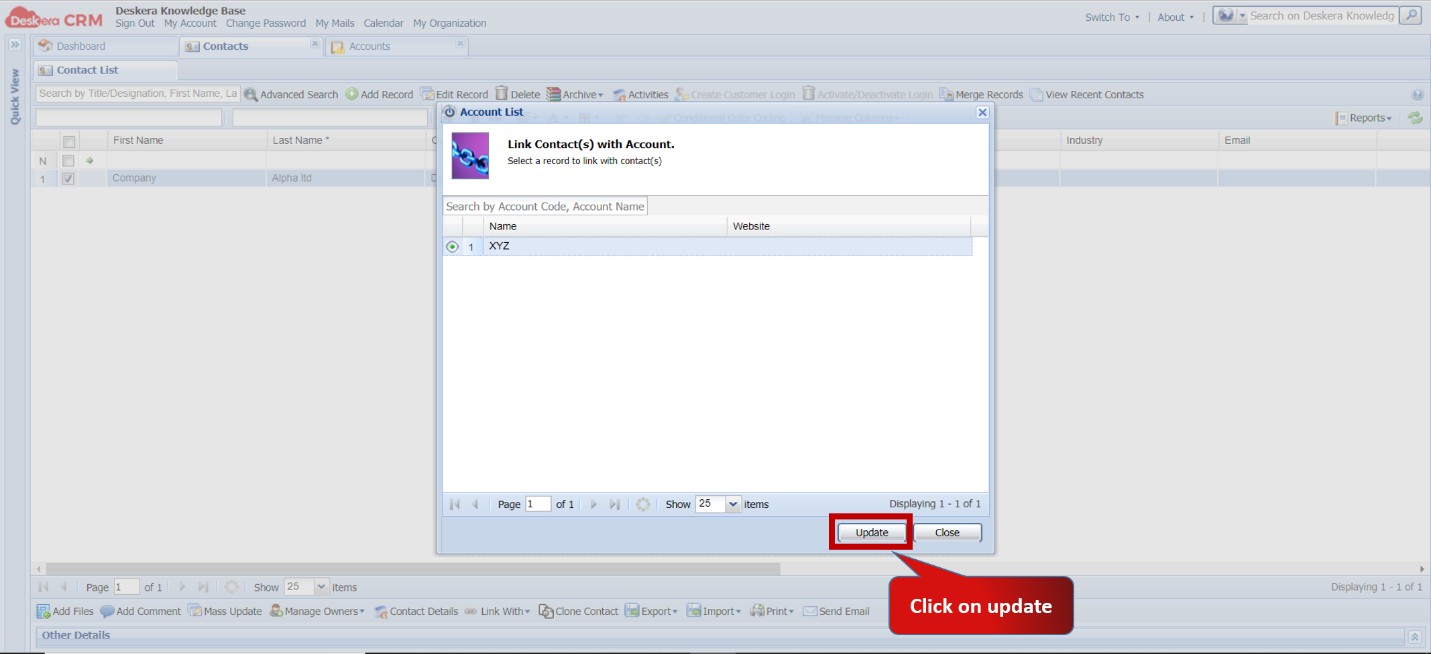 Fig 5.4.5.4 Account link
Step 5: Linked Account name appears in Account Name column of Contact.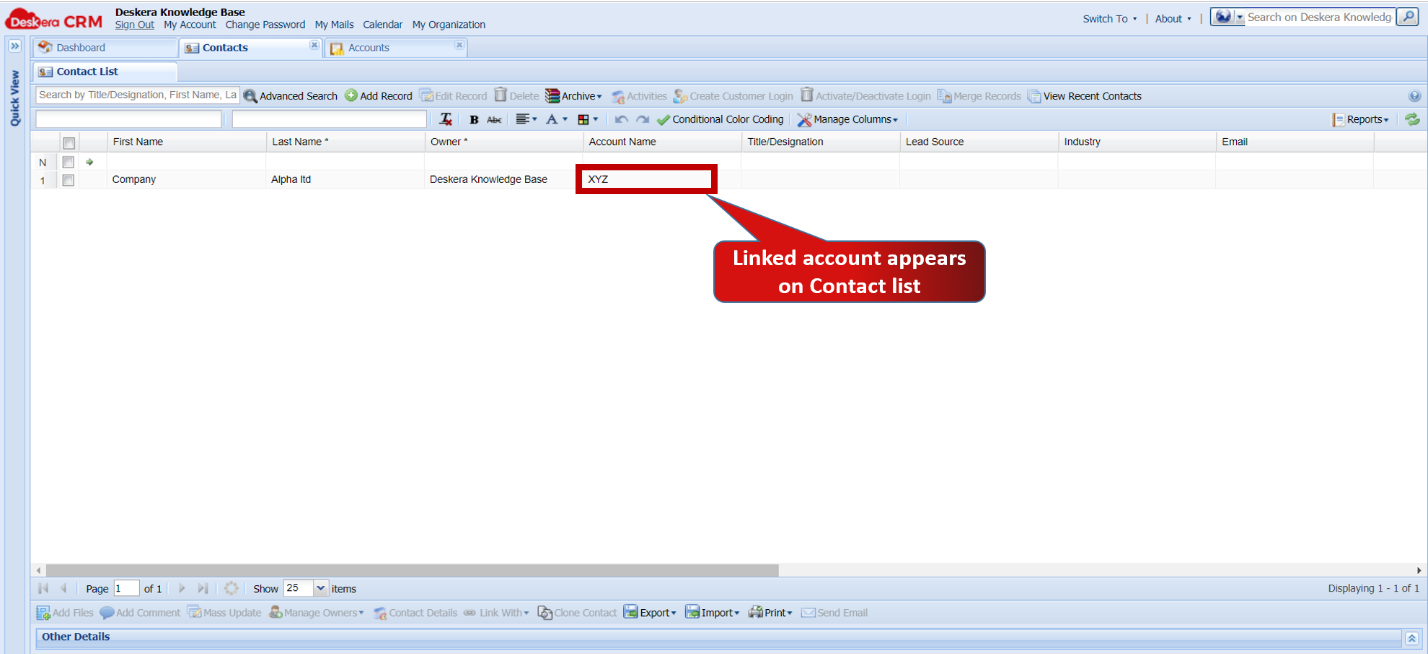 Fig 5.4.5.5 Contacts
Comments
0 comments
Please sign in to leave a comment.