
Advanced Account Approval Request feature enables you to approve or reject an advance claim on Accounts level. Accounts Executives are assigned to review and approve the advance claim request accordingly.
Prerequisites:
1. You have your Deskera eClaims application URL in place.
2. You are the administrator of the eClaims application.
3. Ensure good internet connectivity.
Step 1: Go to View Advance Approval Request under Accounts Executive widget in eClaims.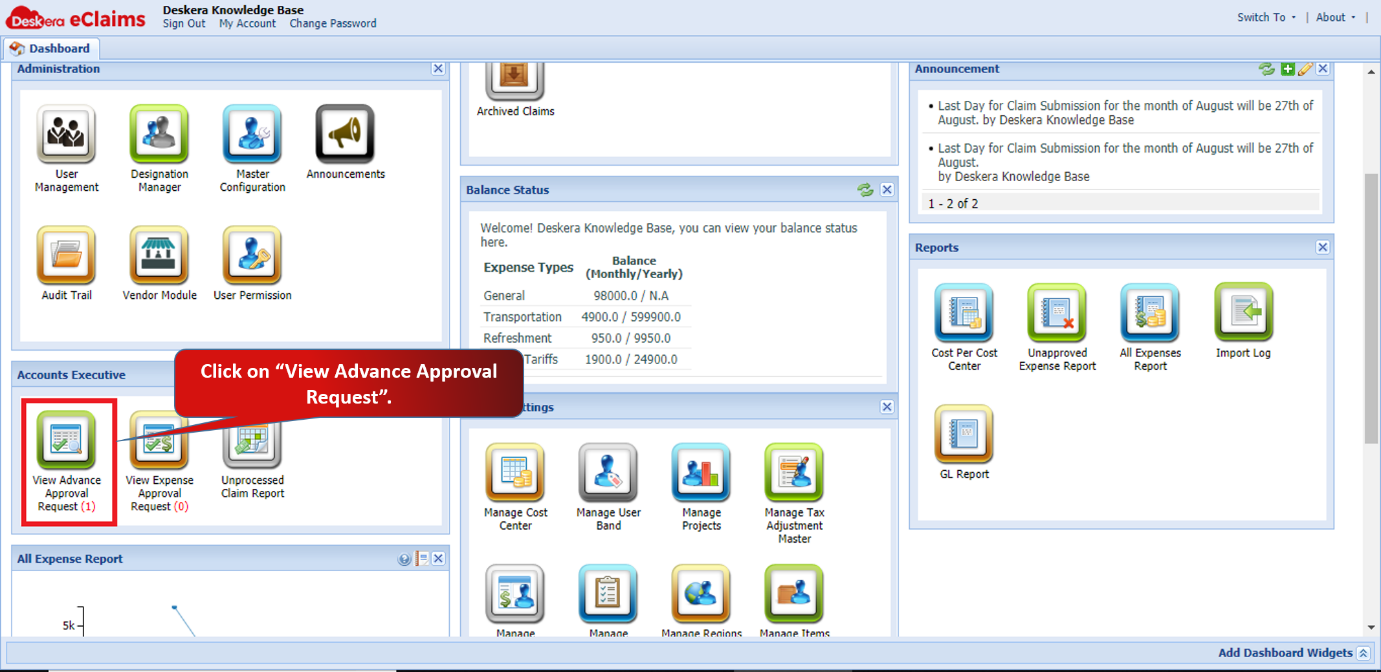 Fig 4.5.1.1.1 eClaims Dashboard
Step 2: Select the filters to fetch the required data. Select the claim which you want to review and approve. Right click on the claim and click on Approve.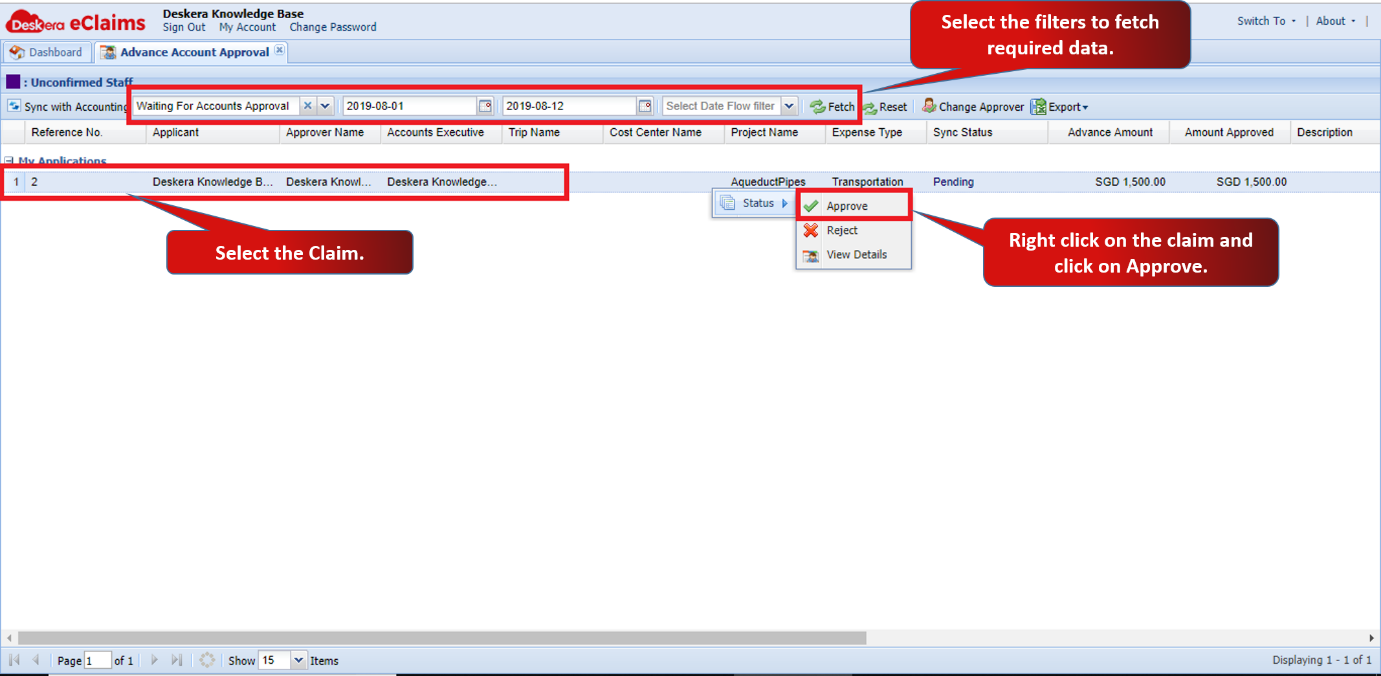 Fig 4.5.1.1.2 Approve Claims
Step 3: Click on Make Payment to approve the advance claim.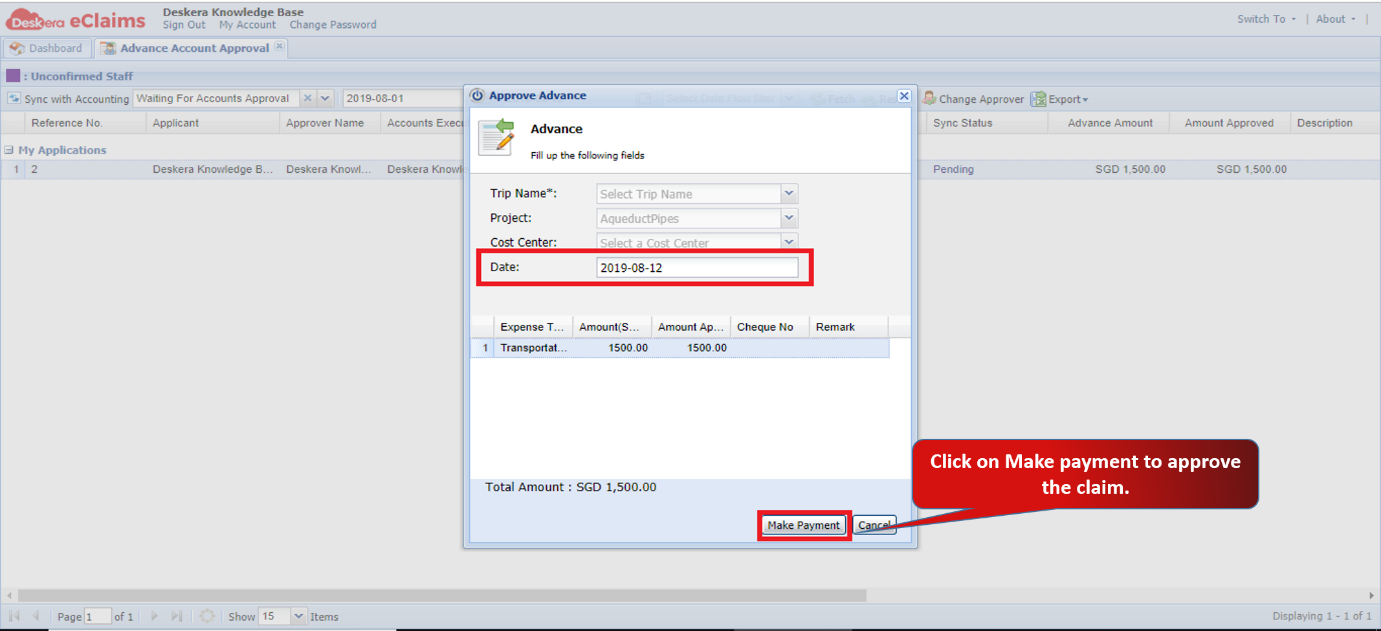 Fig 4.5.1.1.3 Approve Claims
The advance claim will be approved. 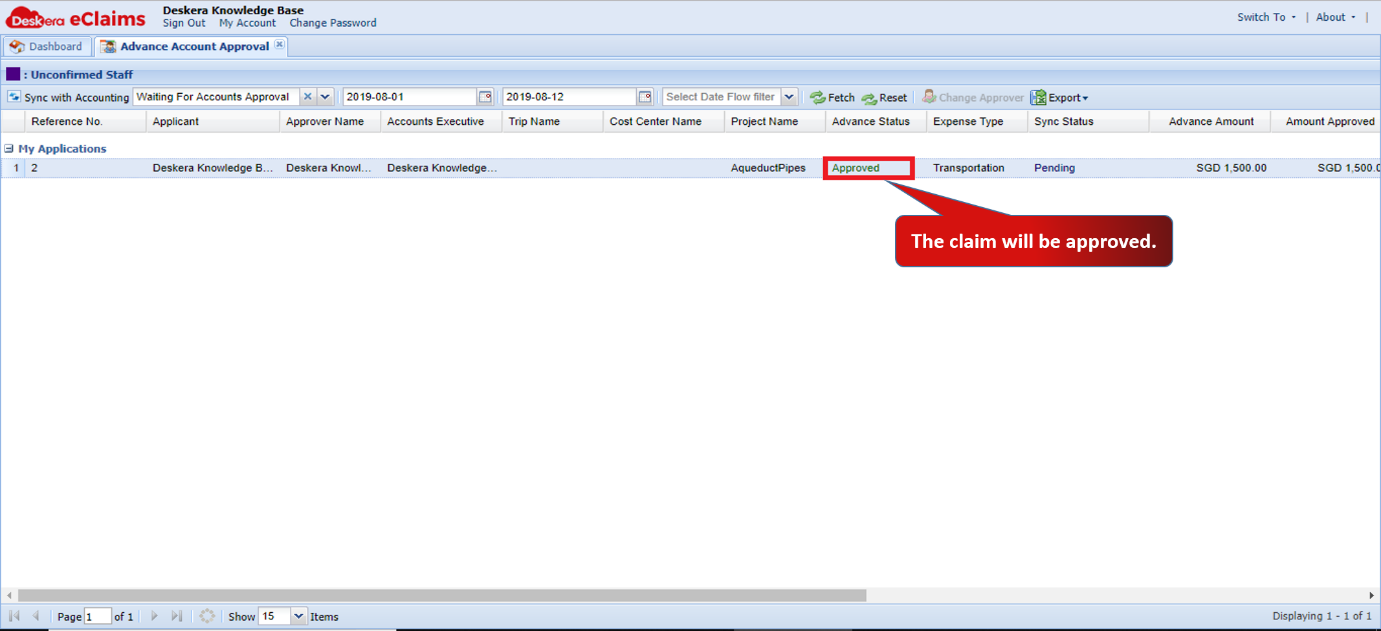 Fig 4.5.1.1.4 Approve Claims
Comments
0 comments
Please sign in to leave a comment.