
Unprocessed Claim Reports feature enables you to see list of claims that are waiting for approval of Accounts Executive.
Prerequisites:
1. You have your Deskera eClaims application URL in place.
2. You are the administrator of the eClaims application.
3. Ensure good internet connectivity.
Step 1: Go to Unprocessed Claim Report under Accounts Executive widget in eClaims.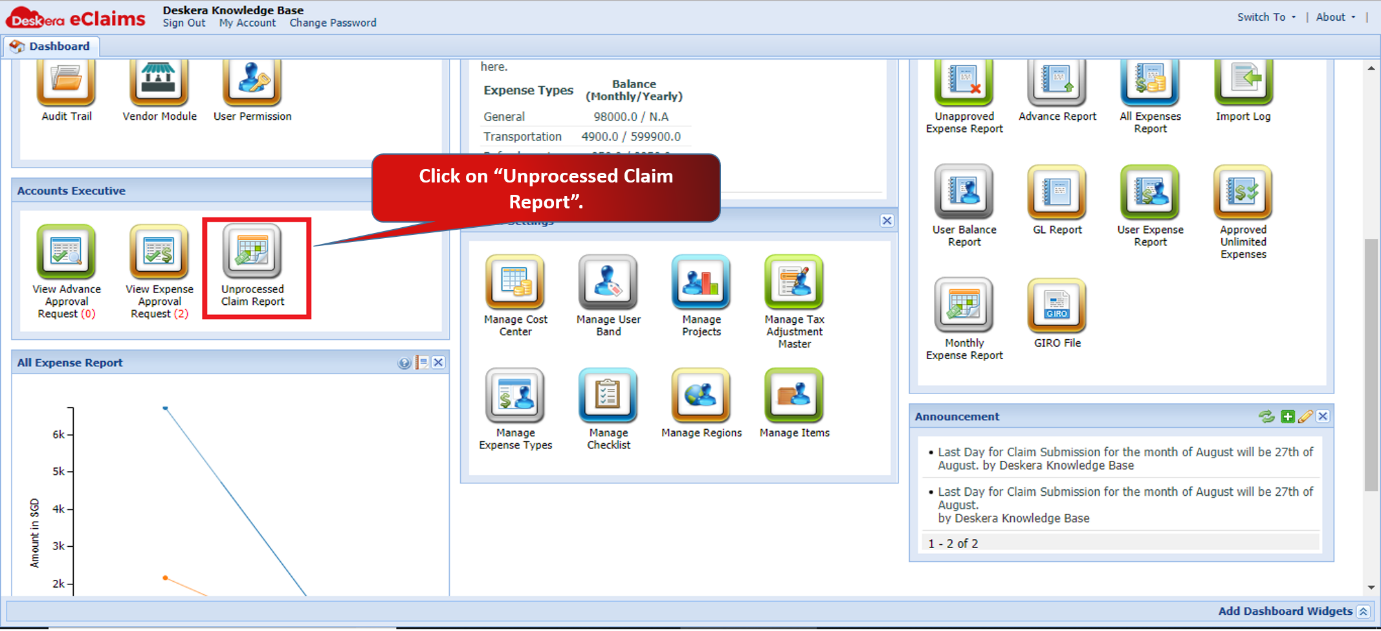 Fig 4.5.3.1 eClaims Dashboard
Step 2: Select the dates to fetch the required data. Once you select the date, you can see list of claims that are waiting for approval of Accounts Executive. 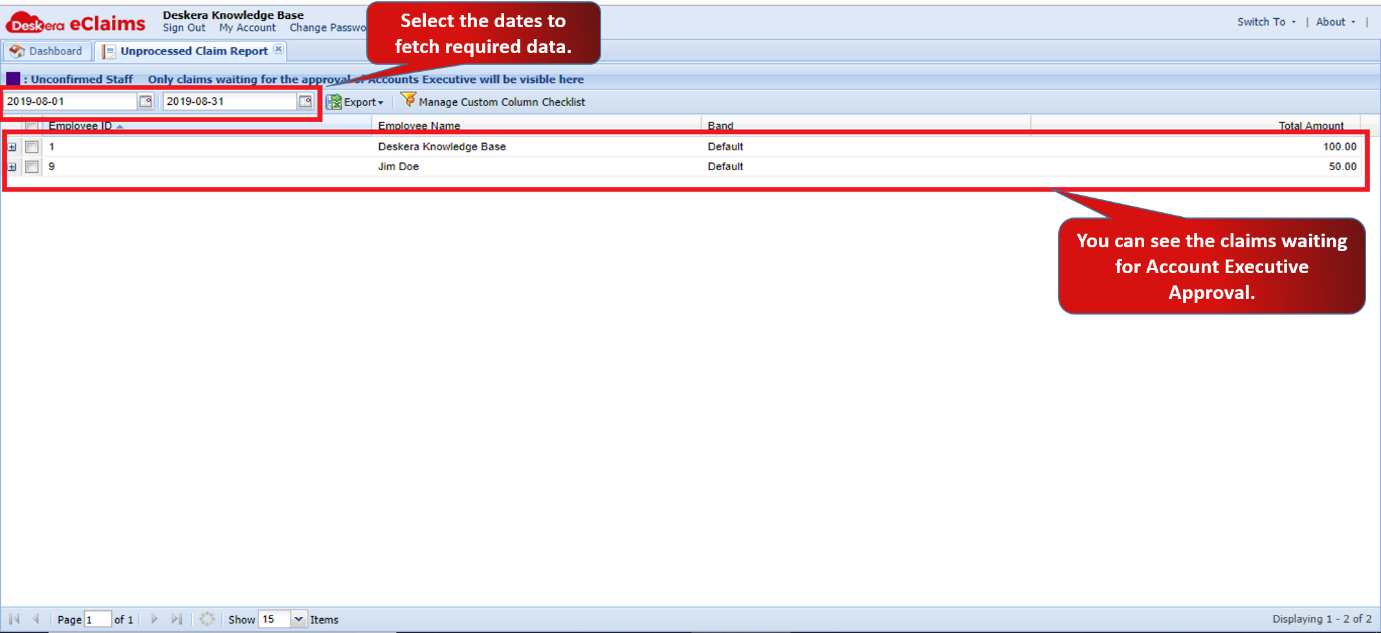 Fig 4.5.3.2 Unprocessed Claim Report
Step 3: You also have an option to export the data to a CSV file.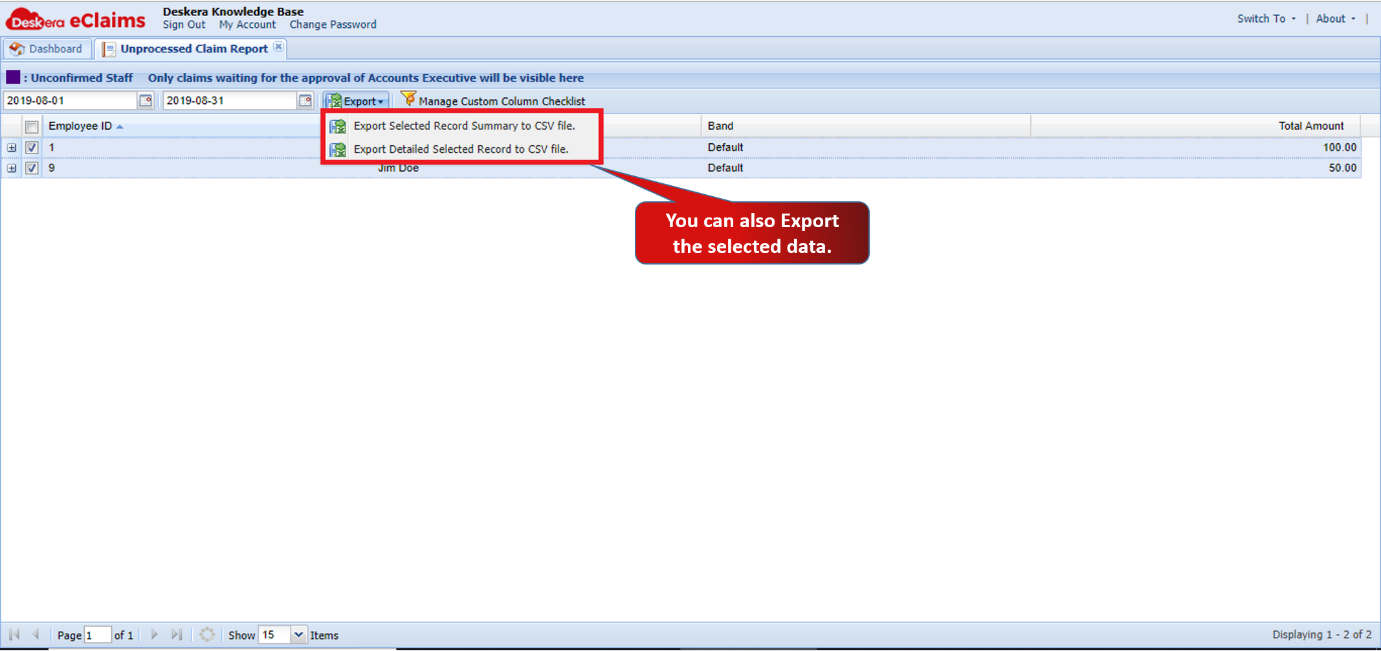 Fig 4.5.3.3 Unprocessed Claim Report
Comments
0 comments
Please sign in to leave a comment.