
Monthly Expense Report Shows the detailed Expenses user wise of the amount of Claims. The Monthly Expense Report can be downloaded as shown below.
Prerequisites:
- You have your Deskera eClaims application URL in place.
- You are the administrator of the eClaims application.
- Ensure Stable Internet Connectivity.
Step 1: On the e-Claims Dashboard, Click on Monthly Expense Report under the Reports widget.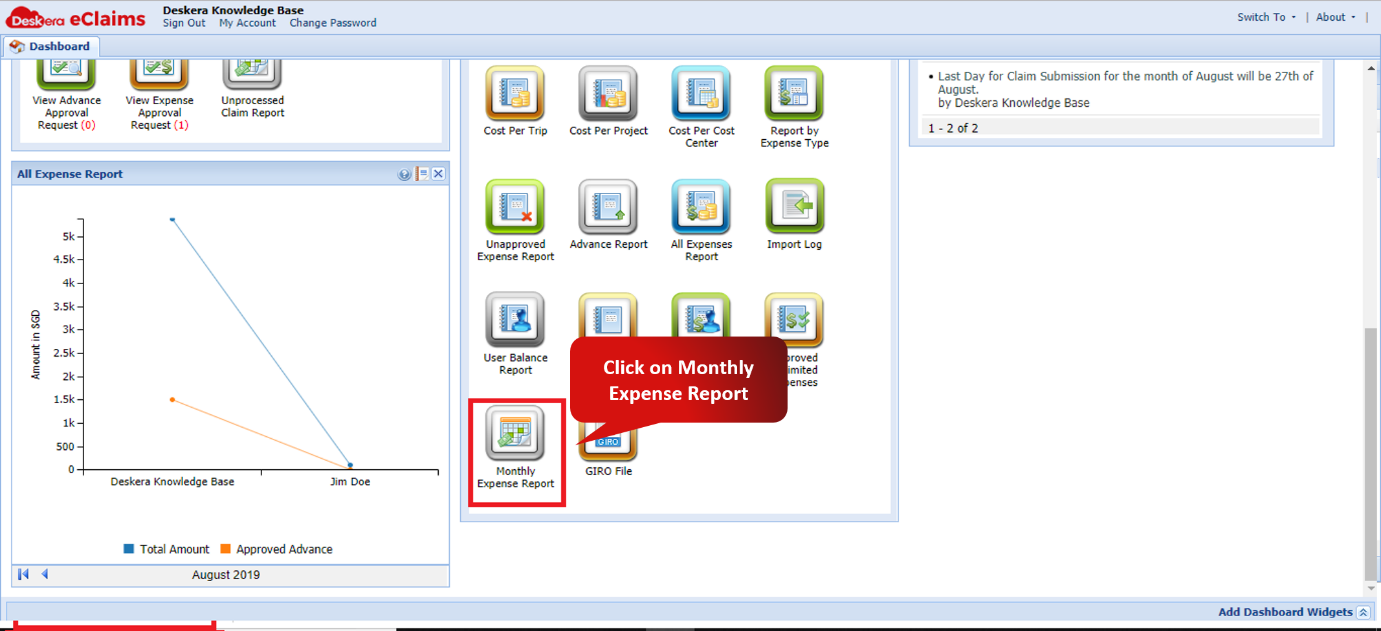
Fig. 4.7.5.1 e-Claims Dashboard
Step 2: Select the record to be exported and click on Export to download the Monthly Expense Report.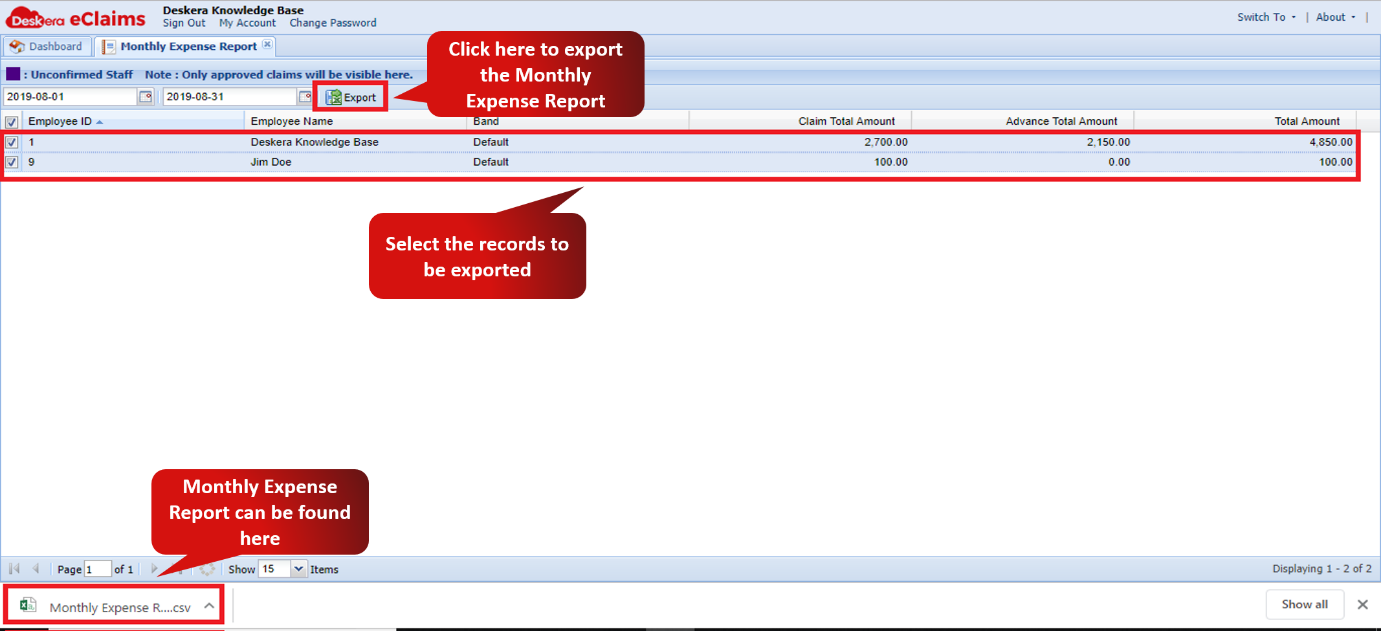
Fig. 4.7.5.2 Monthly Expense Report window
Comments
0 comments
Please sign in to leave a comment.