
User Expense Report gives us details about all the expenses, their limits and claims by the user for the expense types for all the users. The User Expense Report can be generated as shown below.
Prerequisites:
- You have your Deskera eClaims application URL in place.
- You are the administrator of the eClaims application.
- Ensure Stable Internet Connectivity.
Step 1: On the e-Claims Dashboard, click on User Expense Report in the Reports Widget.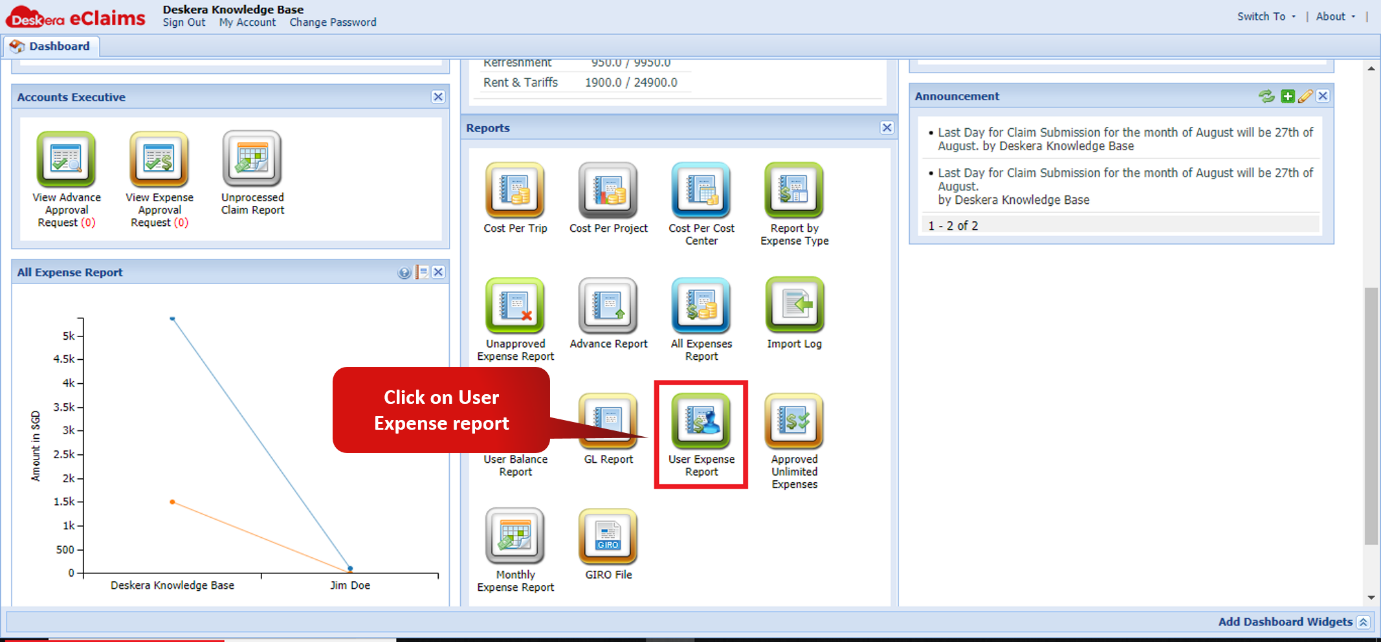
Fig. 4.7.3.1 e-Claims Dashboard
Step 2: On the User Expense Report window, click on export and choose relevant export option to download the User Expense Report.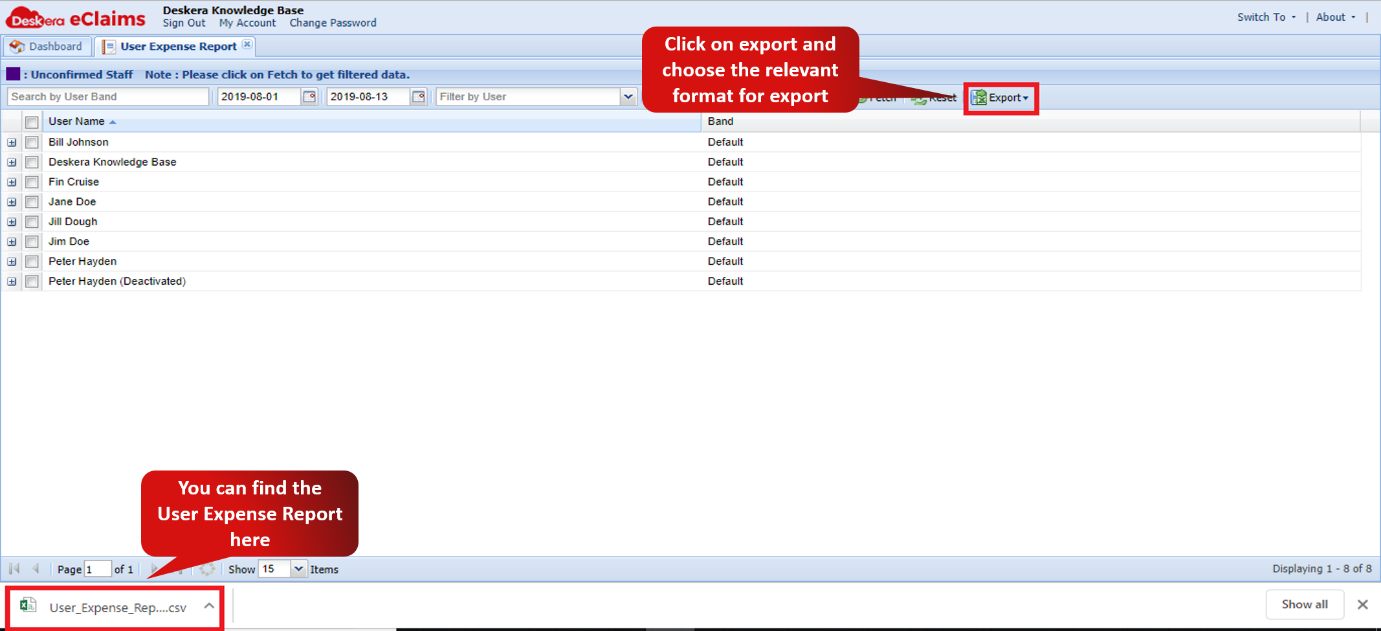
Fig. 4.7.3.2 User Expense Report window
Comments
0 comments
Please sign in to leave a comment.