
The E-Leave Configuration function in HRMS helps the user to configure certain basic settings for the Deskera e-Leave Application from the HRMS application. Some of these basic settings include entering attendance start date, Back pay, OT Calculation Mode etc.
The E-Leave Configuration Function can be found under the Module Configuration Tab in Master Configuration on the Deskera HRMS Application dashboard.
Prerequisites:
1. Ensure you have your Deskera HRMS application URL in place.
2. Ensure you are the administrator of the HRMS application
3. Ensure a good internet connectivity
Step 1: Open Module Configuration under Master Configuration.
 Fig.2.2.3.4.1 Master Configuration
Step 2: Go to E-Leave Configuration under Module Configuration.
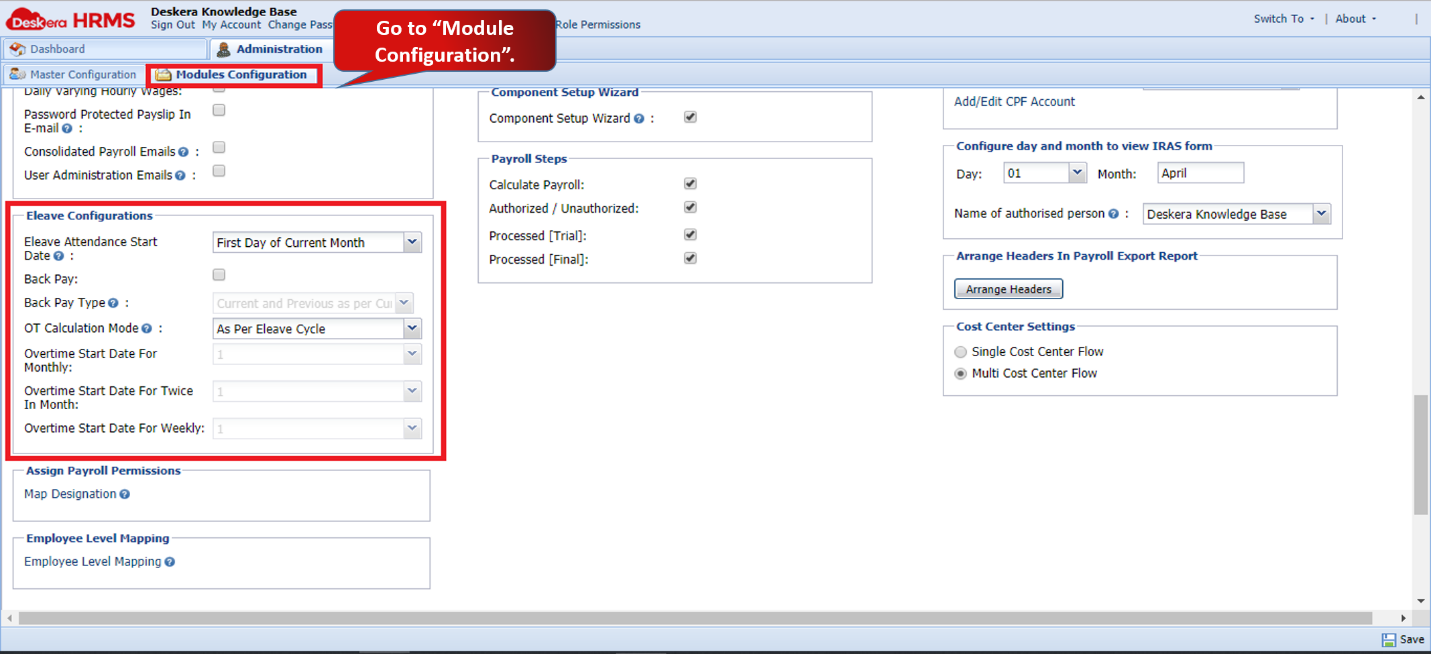 Fig.2.2.3.4.2 E-Leave Configuration
Step 3: Enter the required field details
E-leave attendance start date
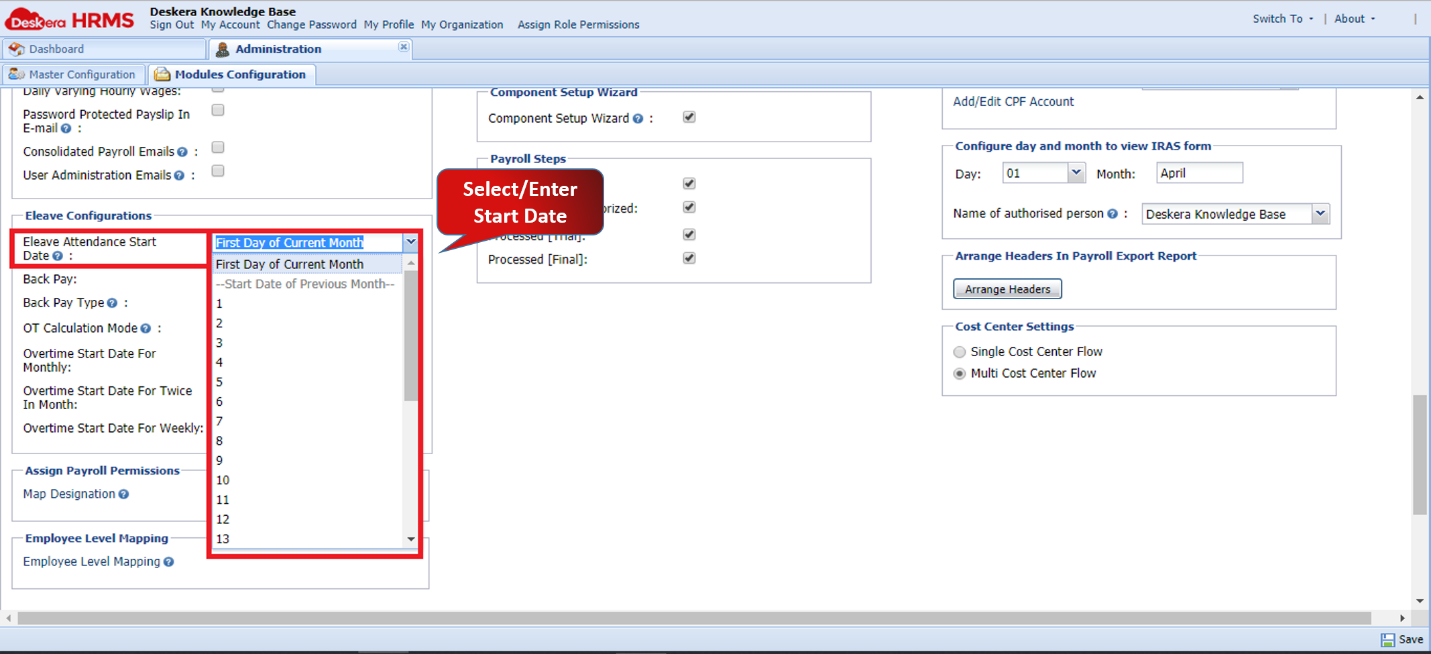 Fig2.2.3.4.3 E-Leave Attendance Start Date
The E-Leave Attendance Start Date function is used to determine from when to fetch unpaid leaves from e-leave to HRMS.
If the start date is set as First Day of Current Month then current month's unpaid leaves will be fetched from e-leave.
If the start date is set as 22 and we are running payroll for February 2018 then unpaid leaves from 22th Jan to 21st Feb will be fetched in Feb payroll.
Back Pay
The Back Pay functionality is used to access backdated unpaid leaves from e-leave which are not synced with HRMS. For example; January 2019 payroll is already finalized and employee's leave for 24th January was pending to be approved. The leave was approved after the payroll was finalized. Then this leave is considered in the payroll for February as a backdated leave.
There are 3 type for Back pay calculations -
- Current and Previous as per Current Cycle: Here LWP calculations will be ( 2000 / 20) * 2 days = 200
- Current and Previous as per Respective Cycle: Here LWP calculations will be ( 1000 / 22) * 1 day = 45.45 , ( 2000 / 20) * 1 days = 100 so total LWP = 45.45 + 100 = 145.45
- Only Previous as per Previous Cycle: Here LWP calculations will be (1000 / 22) * 1 day = 45.45; only previous months unpaid leaves are considered in LWP calculations.
 Fig.2.2.3.4.4 Back Pay Type
OT Calculation Mode
The user can define the start date for overtime hours to be synced separately as per frequency.
 Fig.2.2.3.4.5 OT Calculation Mode
The system has 2 calculation methods:
- As Per E-Leave Cycle - If this is selected then OT hours will be synced as per set date in E-Leave attendance start date
- As Per Defined Overtime Cycles - If this is selected then OT hours will be synced as per set date for Monthly / Twice in month / weekly frequency.
Comments
0 comments
Please sign in to leave a comment.