
Deskera allows integration across the various applications of the Deskera suite to improve efficiency and smoothen the process of running your business. The HRMS-PM Integration article describes the various points of integration between HRMS and PM applications.
Prerequisites:
- You have your Deskera HRMS application URL in place
- You are the administrator/user of the HRMS application
- Ensure a good internet connectivity
How to enable integration between HRMS and PM?
Step 1: Select Master Configuration under the Administration module in the HRMS Dashboard.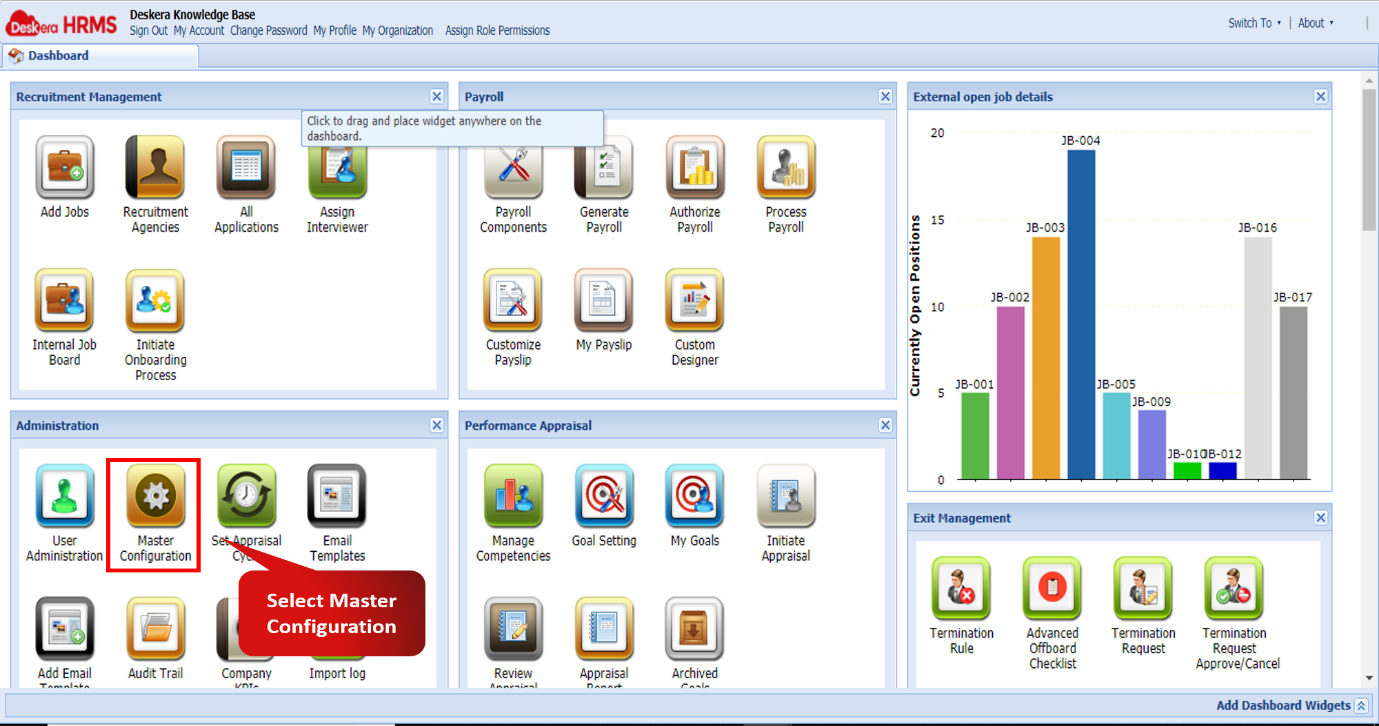 Fig 2.10.4.1 Master Configuration
Step 2: Scroll down in the Master Configuration tab and tick the checkbox against Project Integration. Then click on Save to activate the integration. 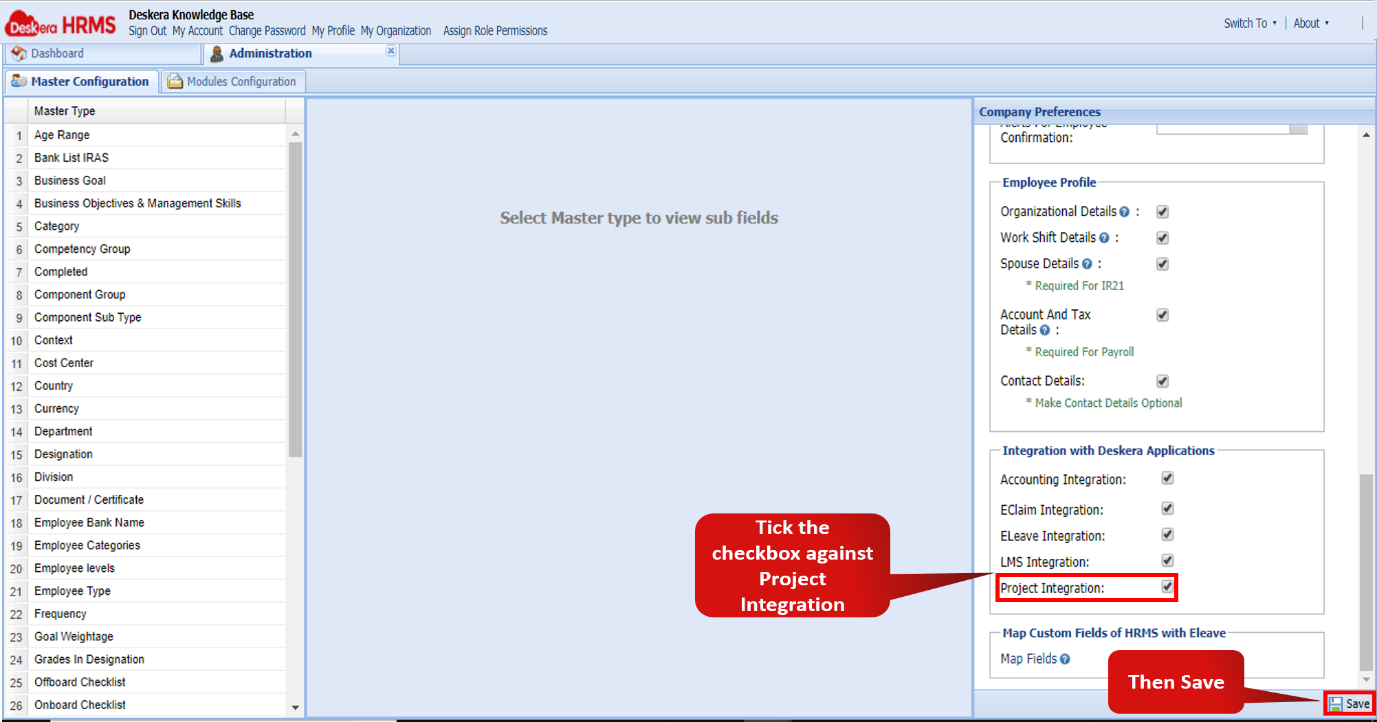 Fig 2.10.4.2 Project Integration
Step 3: Now, on the HRMS Dashboard navigate to Timesheet Management module and select the My Timesheet feature. 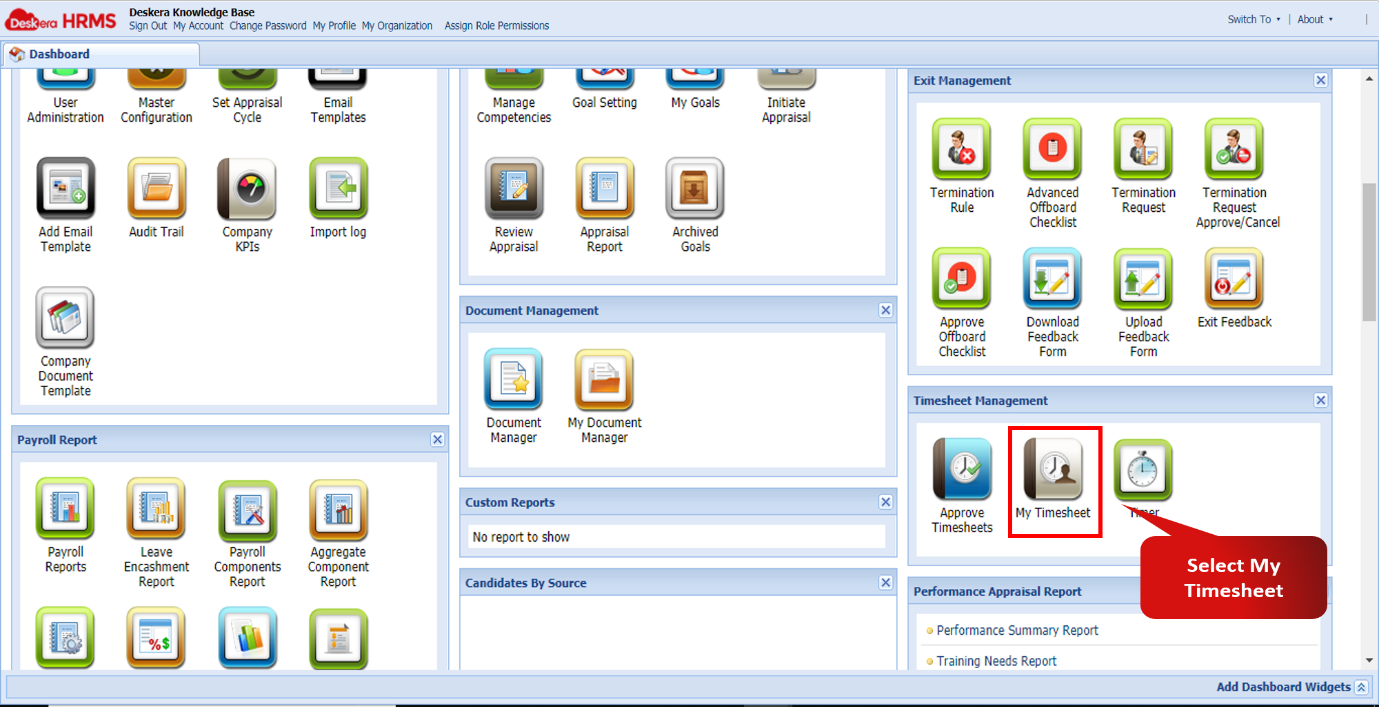 Fig 2.10.4.3 My Timesheet
Step 4: On this screen, select the required range of dates and click on Set Duration. Then select Add Timesheet. 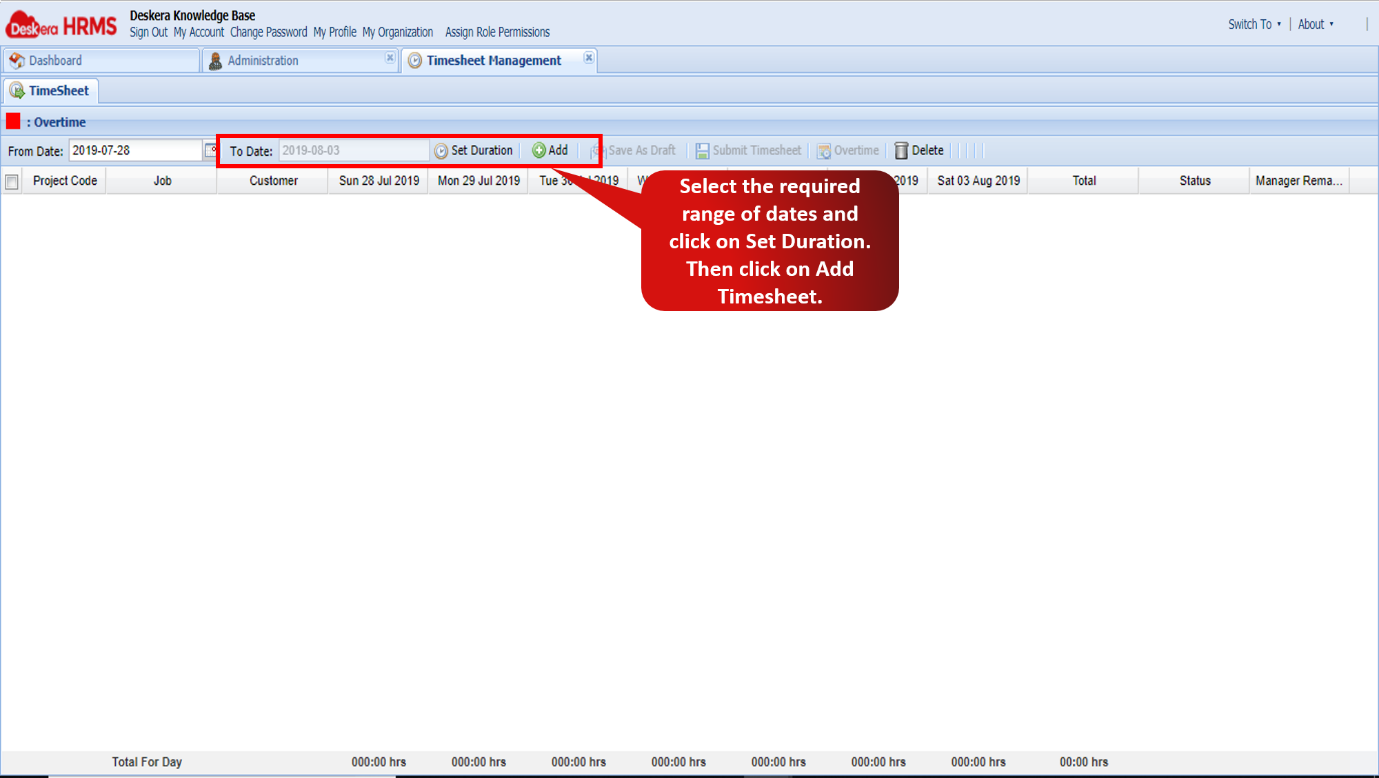 Fig 2.10.4.4 Set Duration
Step 5: The data reflected in the Project Code drop-down consists of only those projects the user has been assigned to. This data gets fetched from the Project Management application. 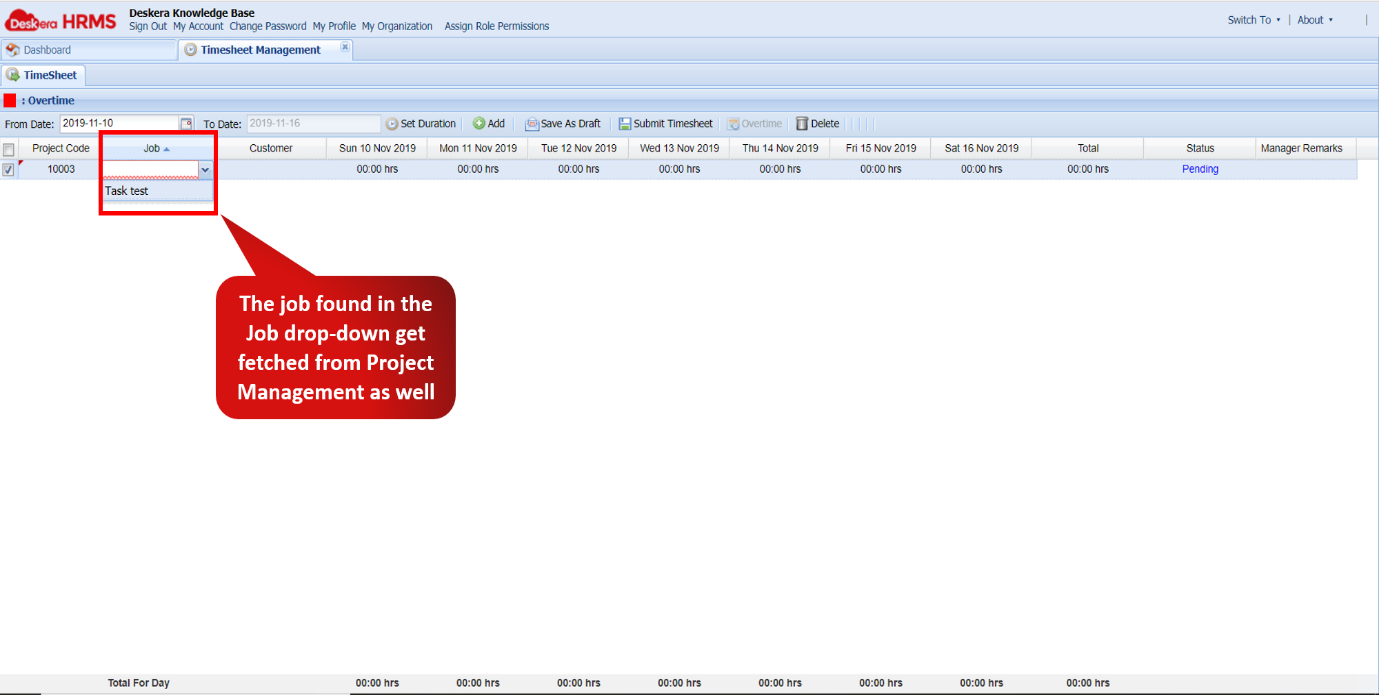 Fig 2.10.4.5 Set Duration
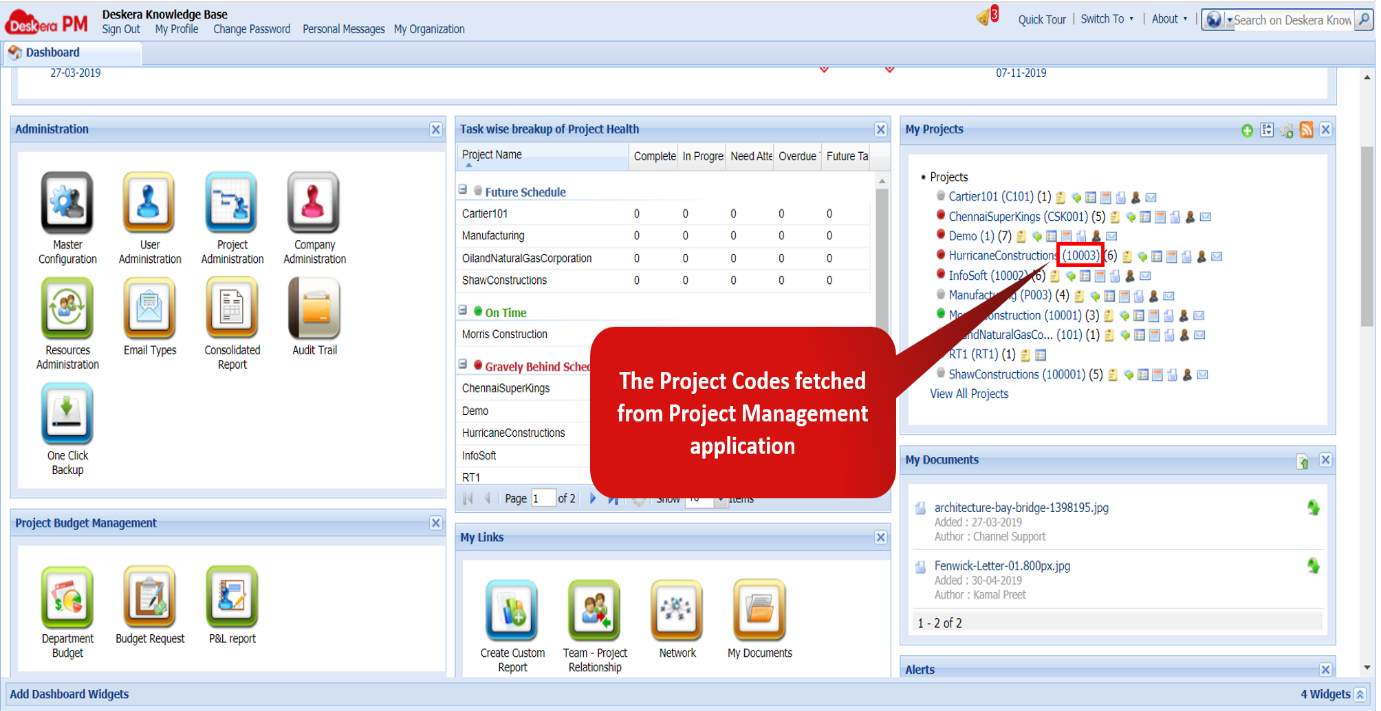 Fig 2.10.4.6 Project Codes
Step 6: The data reflected in the Job drop-down consists of the jobs/tasks in the project plans of the respective projects found under the Project Code drop-down. 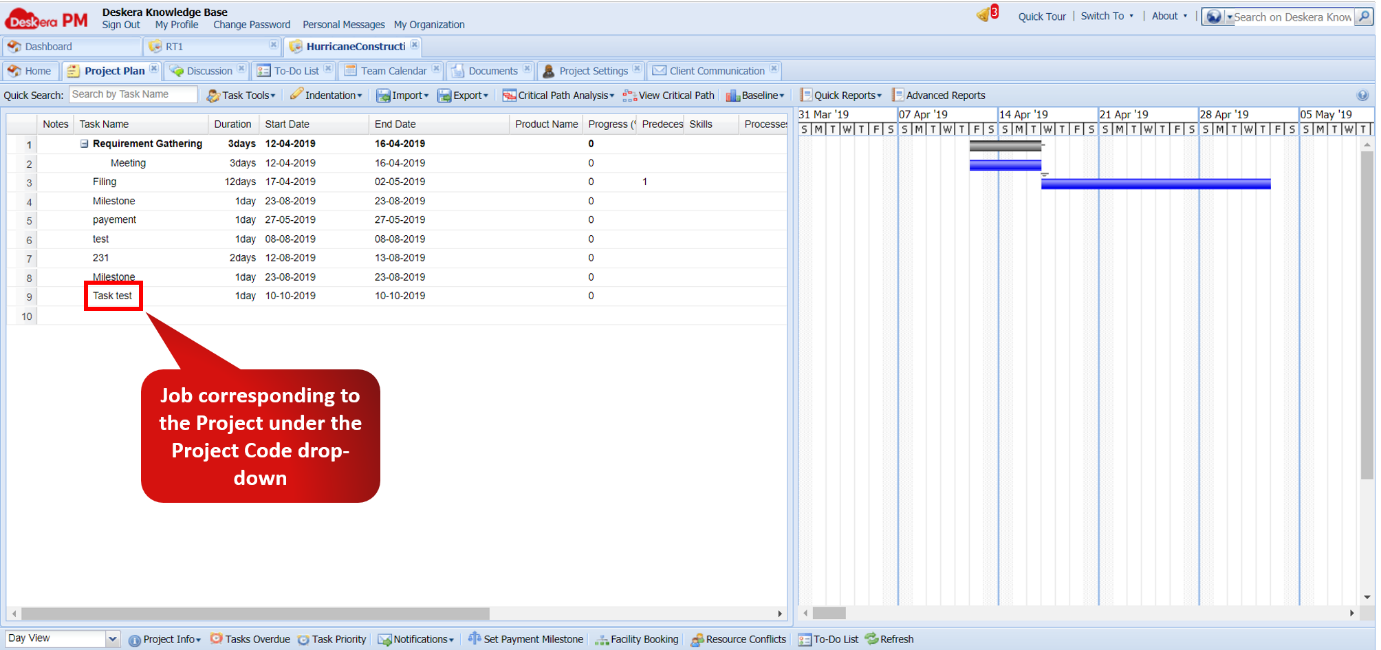 Fig 2.10.4.7 Job
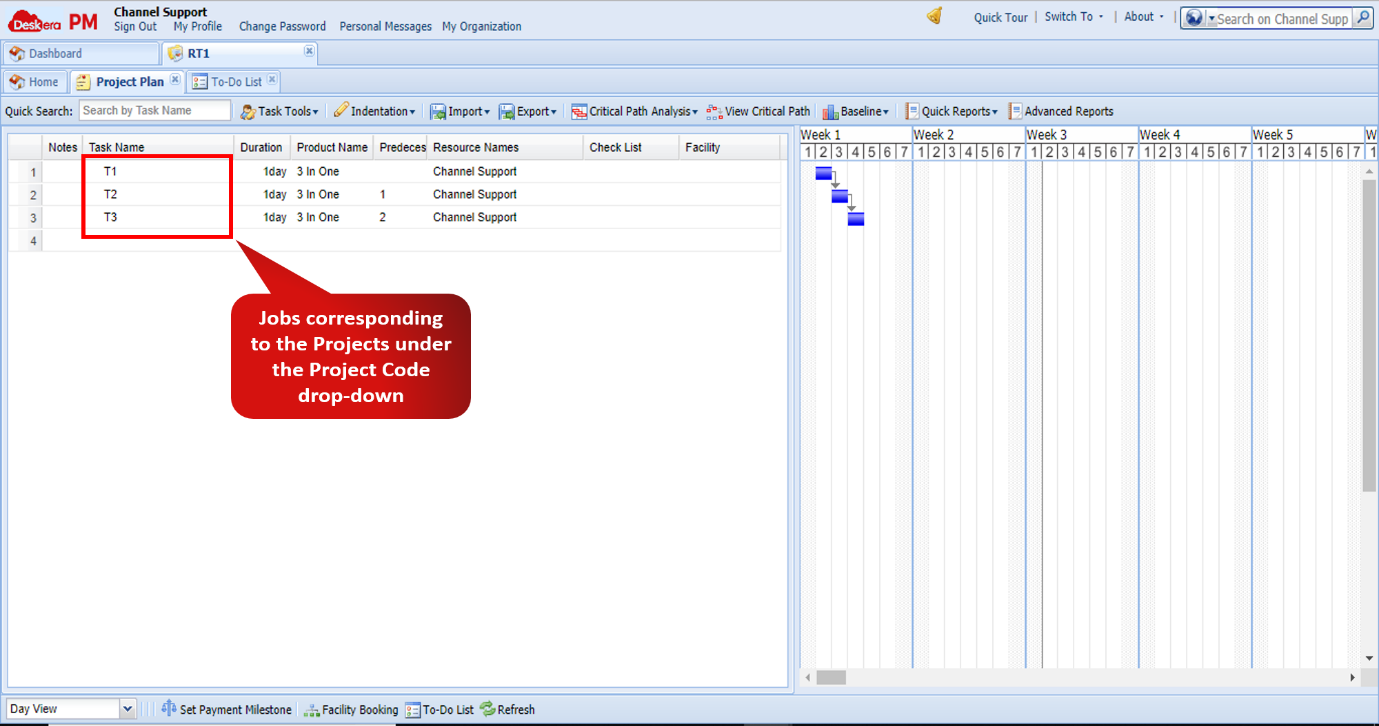 Fig 2.10.4.8 Jobs/Tasks
Comments
0 comments
Please sign in to leave a comment.