
HRMS is integrated with e-Claims in the following two ways:
- The flow of user information from HRMS to e-Claims – The user Information from the HRMS is synced with the e-Claims. The user information flows unidirectional from HRMS to e-Claims and not from e-Claims to HRMS
- When payroll is chosen as the Payment option I e-Claims, all the information about claims is synced with the payroll. Whenever there is a claim from a user, the claim is done when the payroll for the user runs.
Prerequisites:
- You have your Deskera HRMS application URL in place.
- You are the administrator of the HRMS application.
- Ensure Stable Internet Connectivity.
HRMS to e-Claims – User Information
Step 1: On the e-Claims Dashboard, Click on User Management.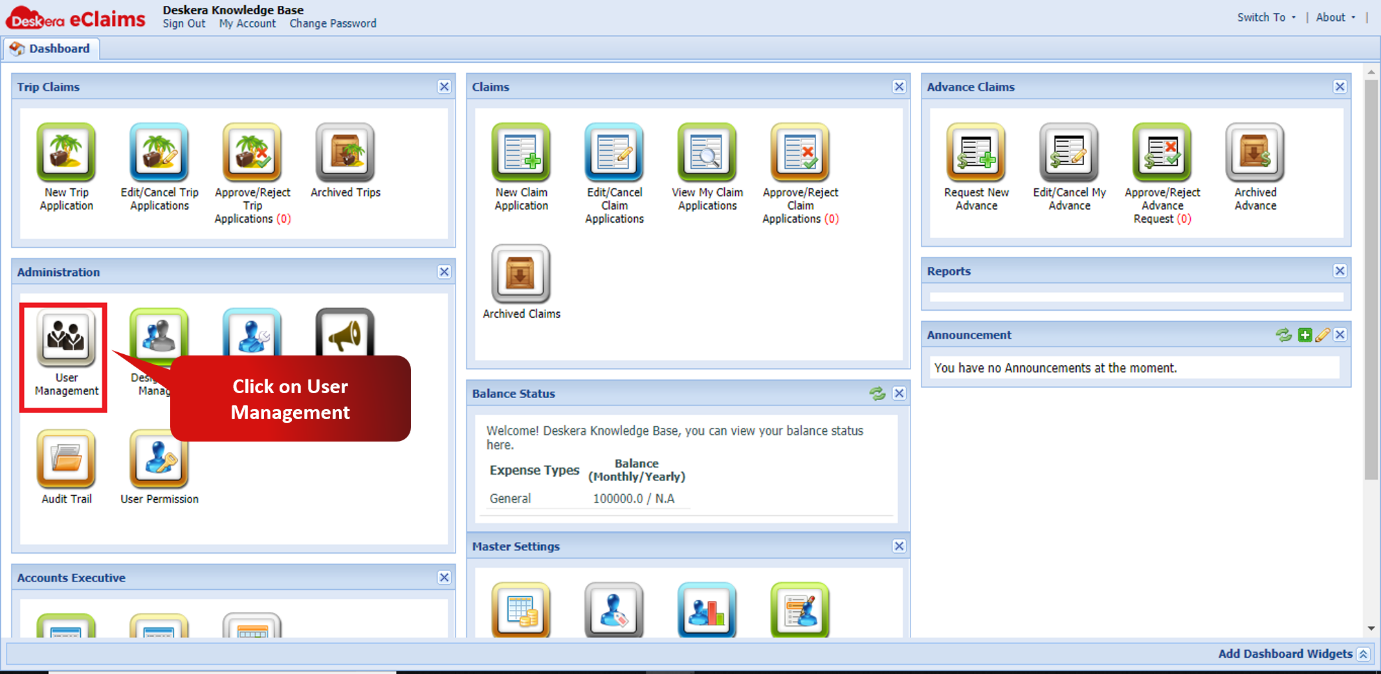 Fig 2.10.2.1 e-Claims Dashboard
Step 2: You can view all the information related to each user which is automatically synced with the HRMS user management.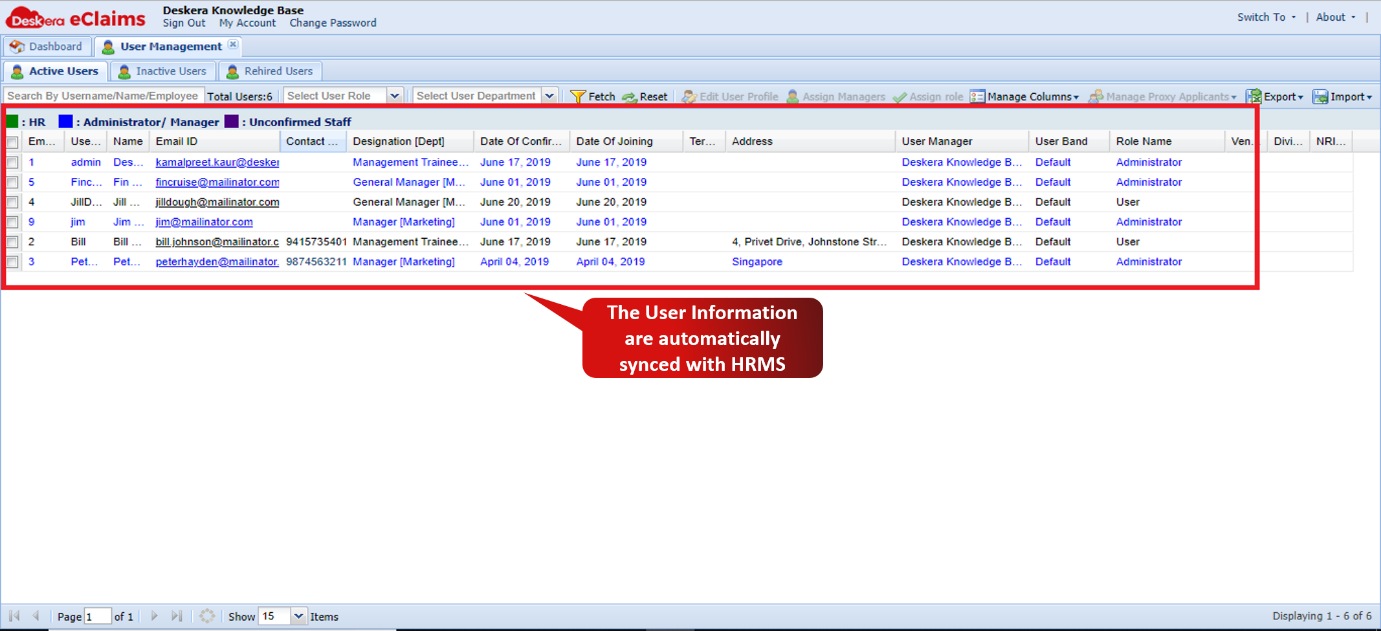 Fig 2.10.2.2 User Management window
E-Claims to HRMS – Claims integrated to Payroll
Step 1: On the e-Claims dashboard, click on Master Configuration.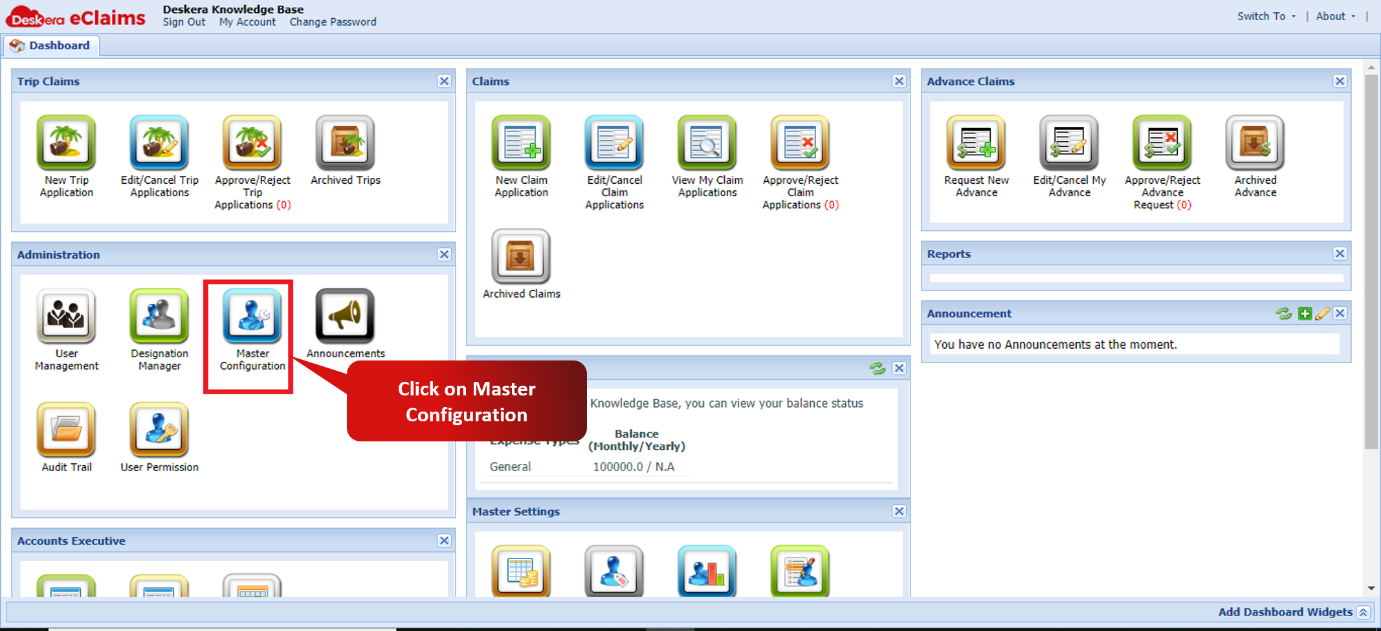 Fig 2.10.2.3 e-Claims Dashboard
Step 2: Under the select payment option, choose payroll to integrate with HRMS.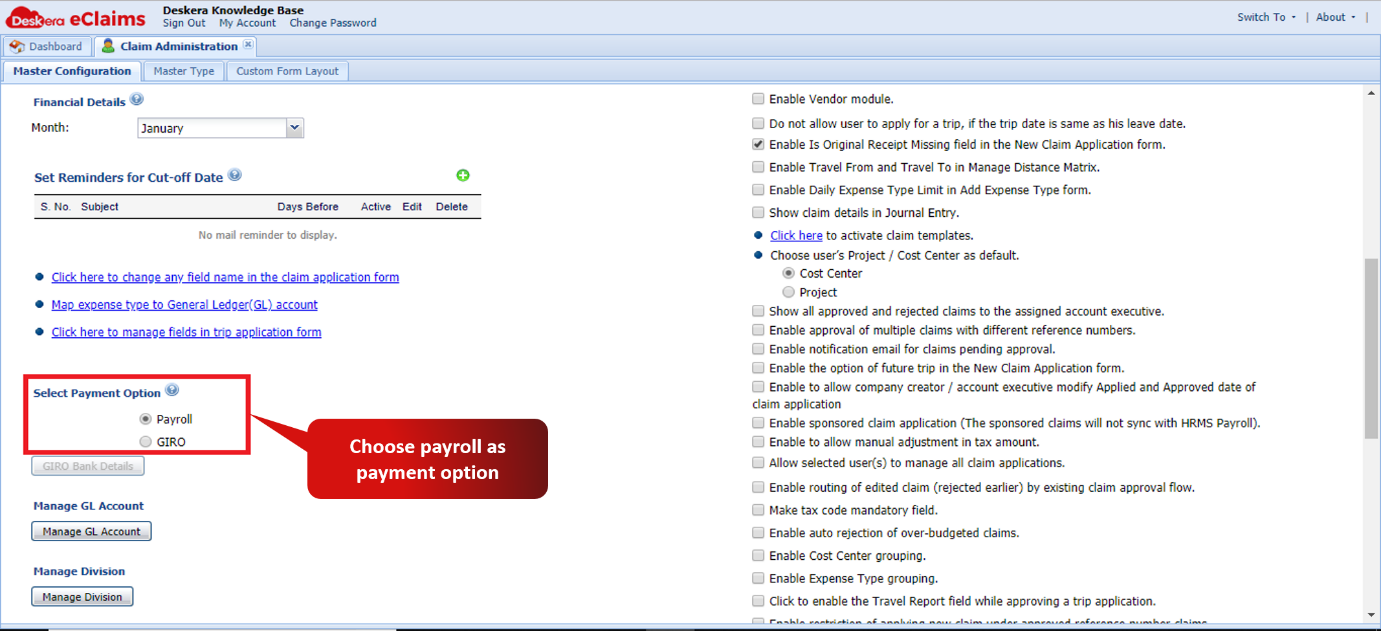 Fig 2.10.2.4 Master Configuration window.
Step 3: When there is a claim approved for a particular user, it will now reflect while the payroll is run for that user.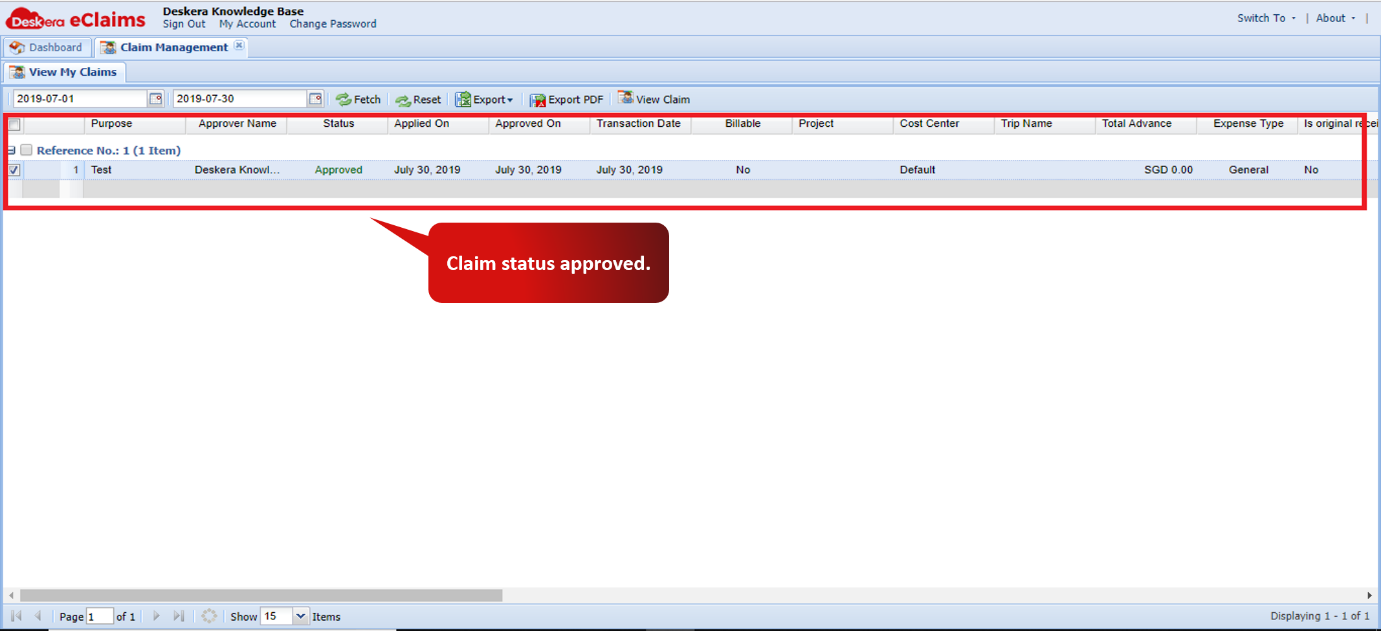 Fig 2.10.2.5 Approved Claim window
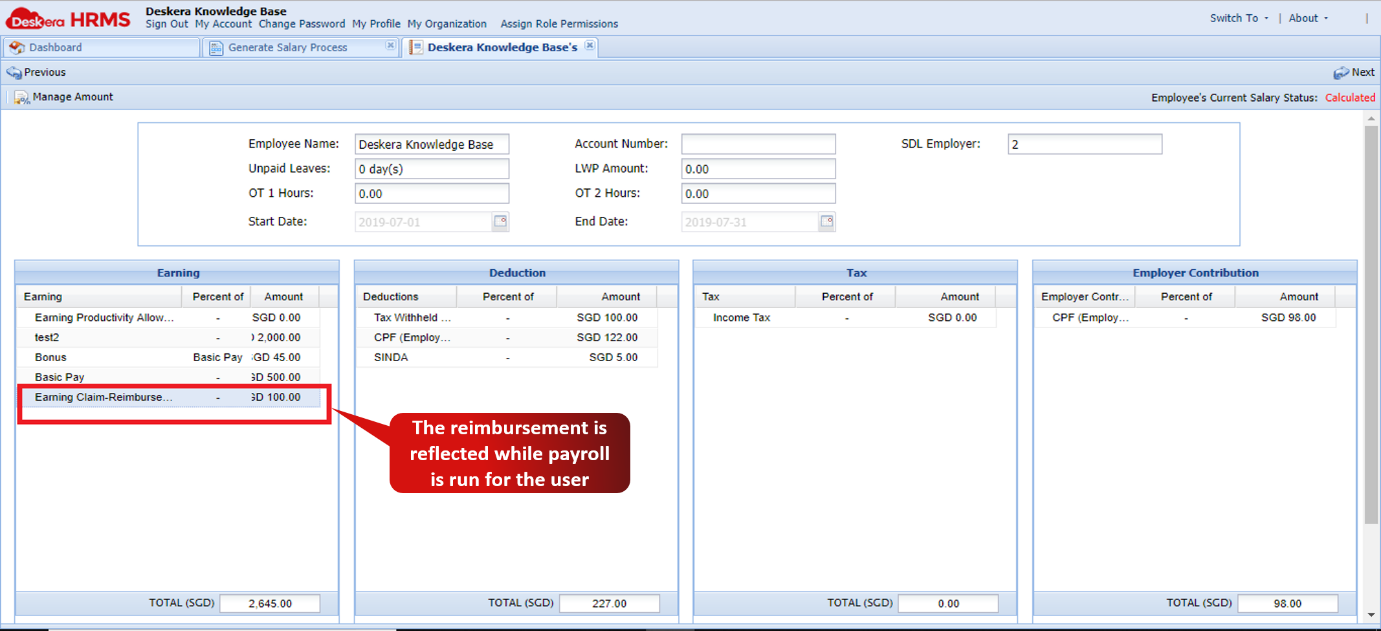 Fig 2.10.2.5 Review Salary details of the user.
Comments
0 comments
Please sign in to leave a comment.