
Customer Quotation states a commitment from a seller to offer products or services for a specific price as notified to the buyer. It refers to a document which is generally sent to potential customers with an offer to sell goods or services at a specific price. You can unlink, email, archive and un-archive a customer quotation by using the Deskera ERP’s Proforma Invoice/Quotation feature.
Prerequisites:
1. You have your Deskera ERP URL in place.
2. You are the administrator of Deskera Applications.
3. Ensure good internet connectivity.
Unlink Customer Quotation
Step 1: Go to Proforma Invoice/Quotation under Accounts Receivable-Sales tab in Deskera ERP.
Select the Customer Quotation and click on Unlink. 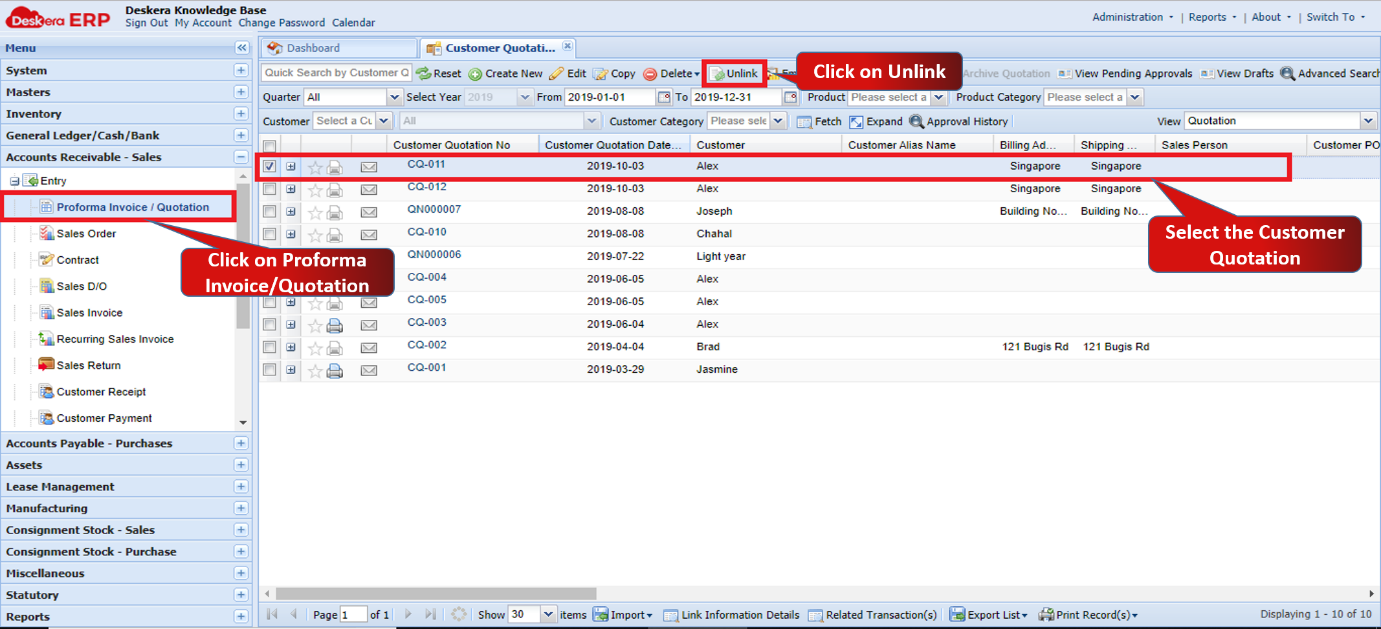 Fig 1.5.1.2.1 Unlink Customer Quotation
Step 2: Select the transaction and click on Unlink. 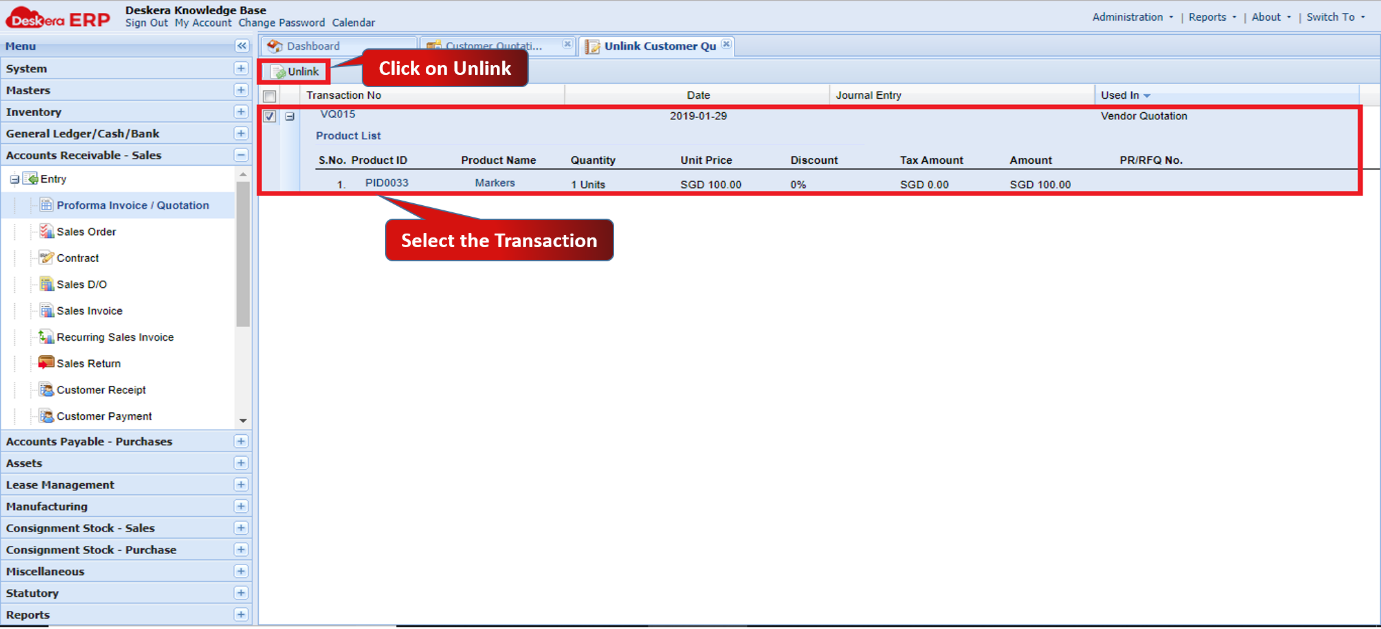 Fig 1.5.1.2.2 Unlink Customer Quotation
Step 3: Click on Yes to confirm. The transaction will be unlinked. 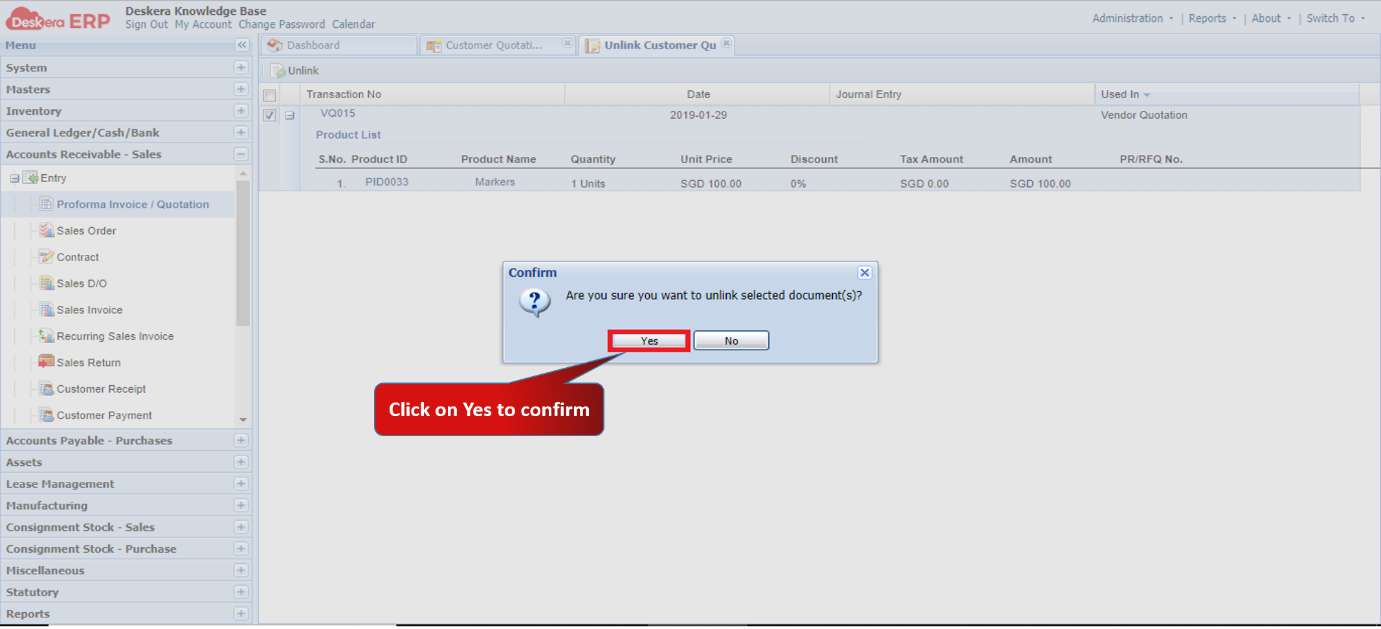 Fig 1.5.1.2.3 Unlink Customer Quotation
Email Customer Quotation
Step 1: Select the Customer Quotation and click on Email. 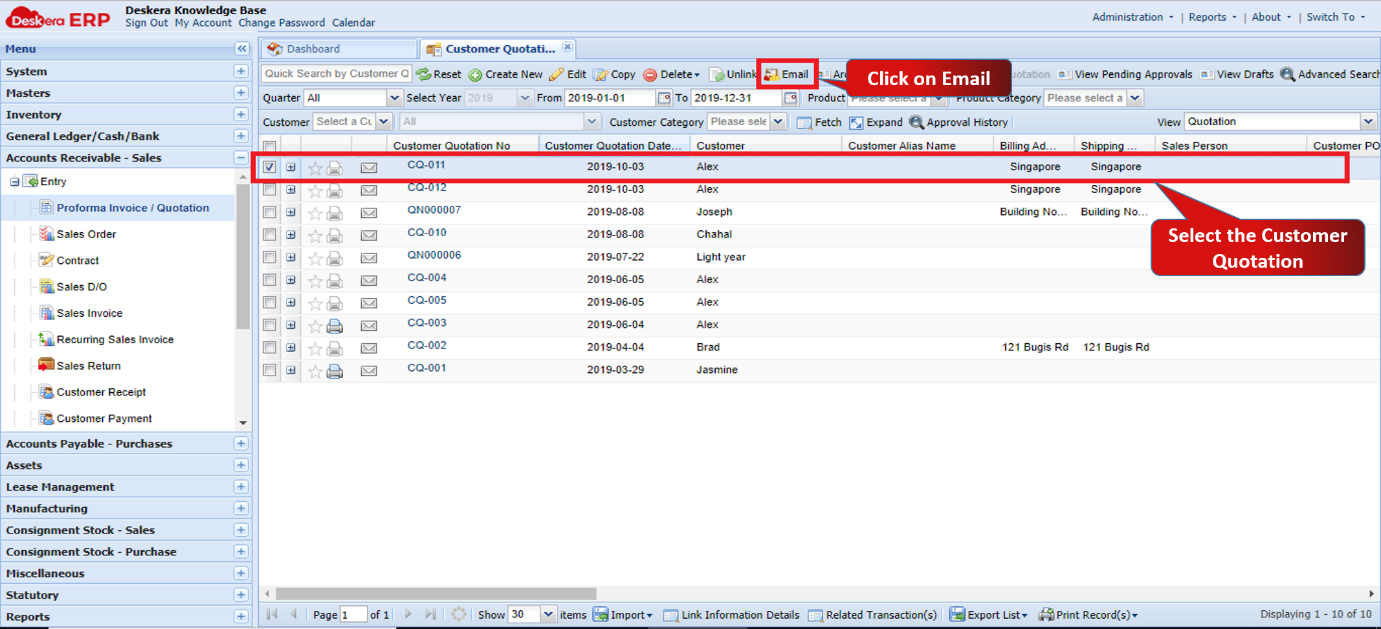 Fig 1.5.1.2.4 Email Customer Quotation
Step 2: Enter the email ID’s and fill in the details. Click on Send.
Email will be sent. 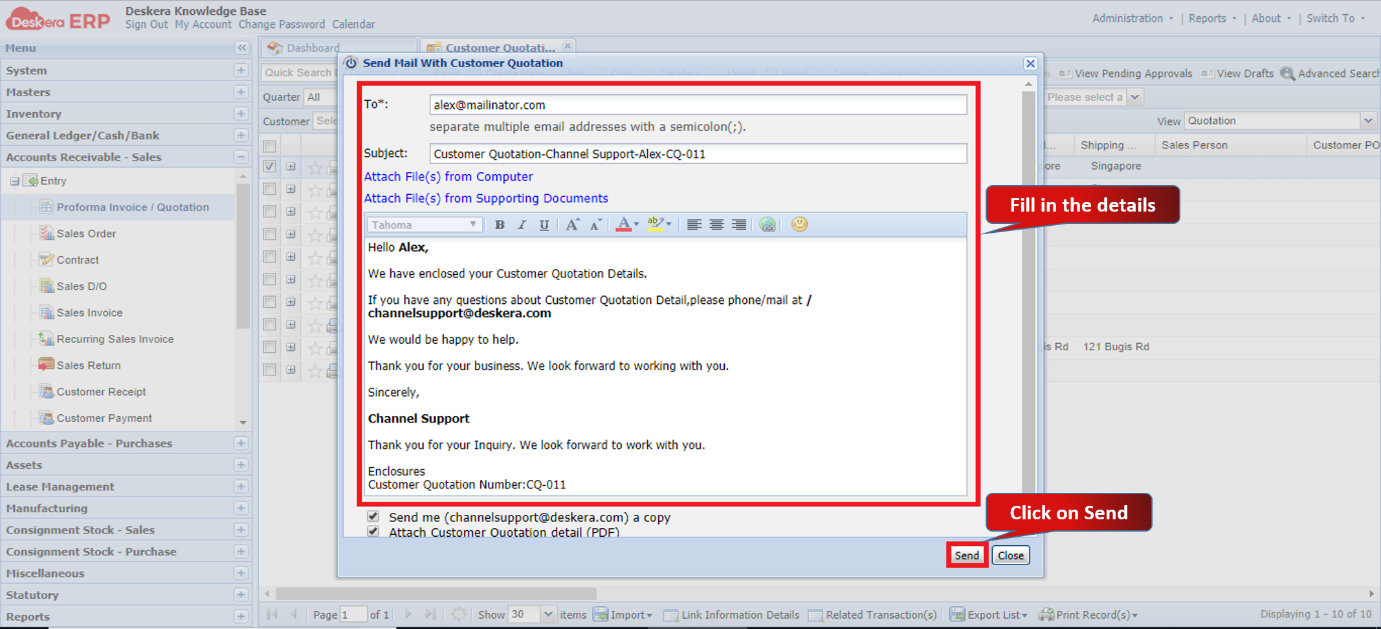 Fig 1.5.1.2.5 Email Customer Quotation
Archive Customer Quotation
Step 1: Select the Customer Quotation and click on Archive Quotation. 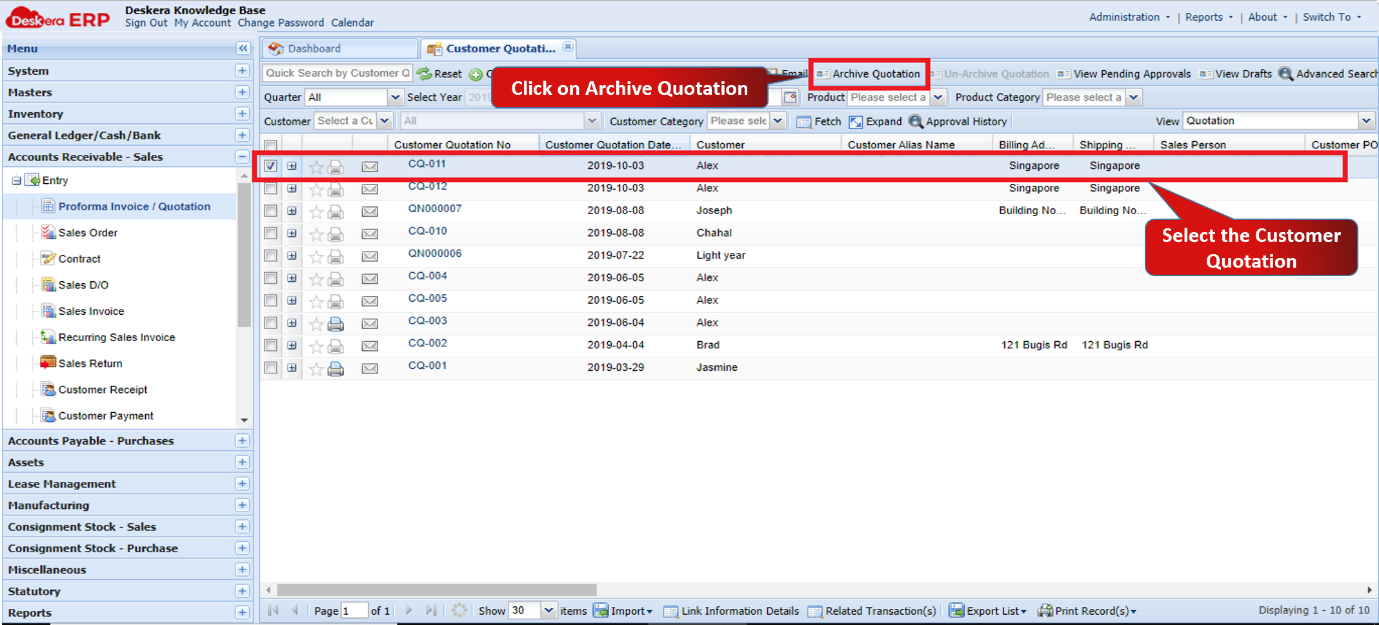 Fig 1.5.1.2.6 Archive Customer Quotation
Step 2: Click on Yes to confirm.
The customer quotation will be archived. 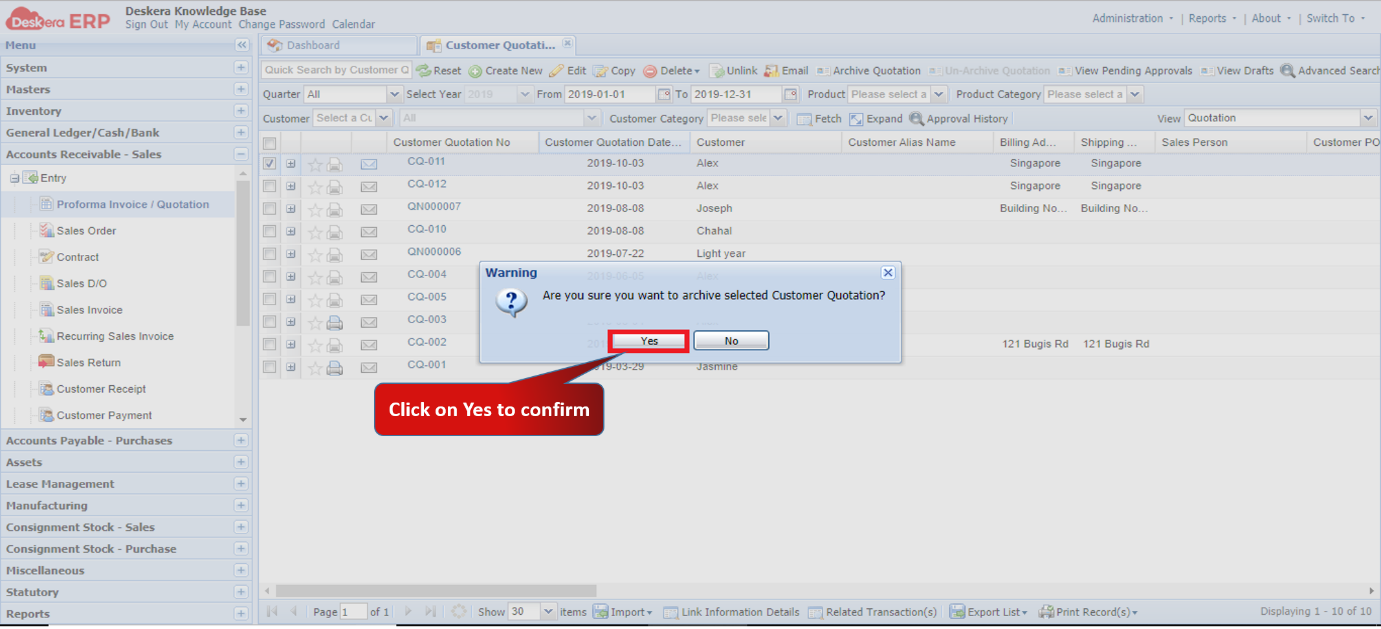 Fig 1.5.1.2.7 Archive Customer Quotation
Un-Archive Customer Quotation
Step 1: Select the view option as Archived Quotations.
Select the Customer Quotation and click on Un-Archive Quotation. 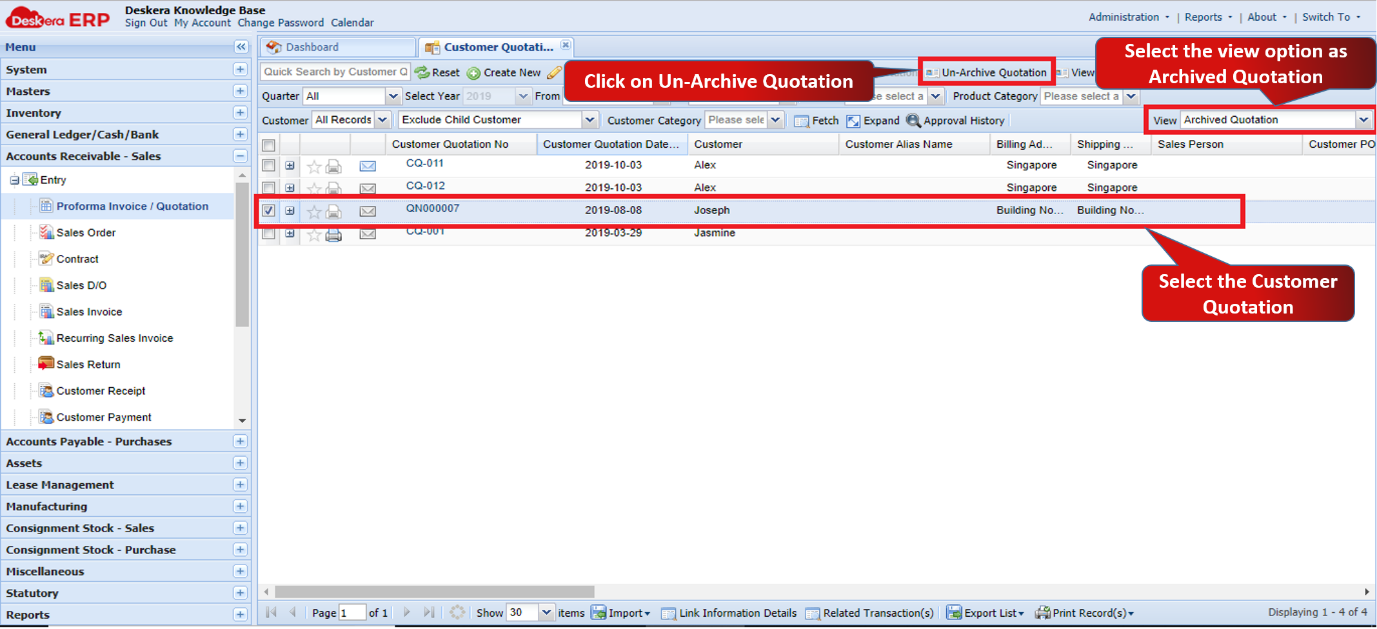 Fig 1.5.1.2.8 Un- Archive Customer Quotation
Step 2: Click on Yes to confirm.
The customer quotation will be un-archived. 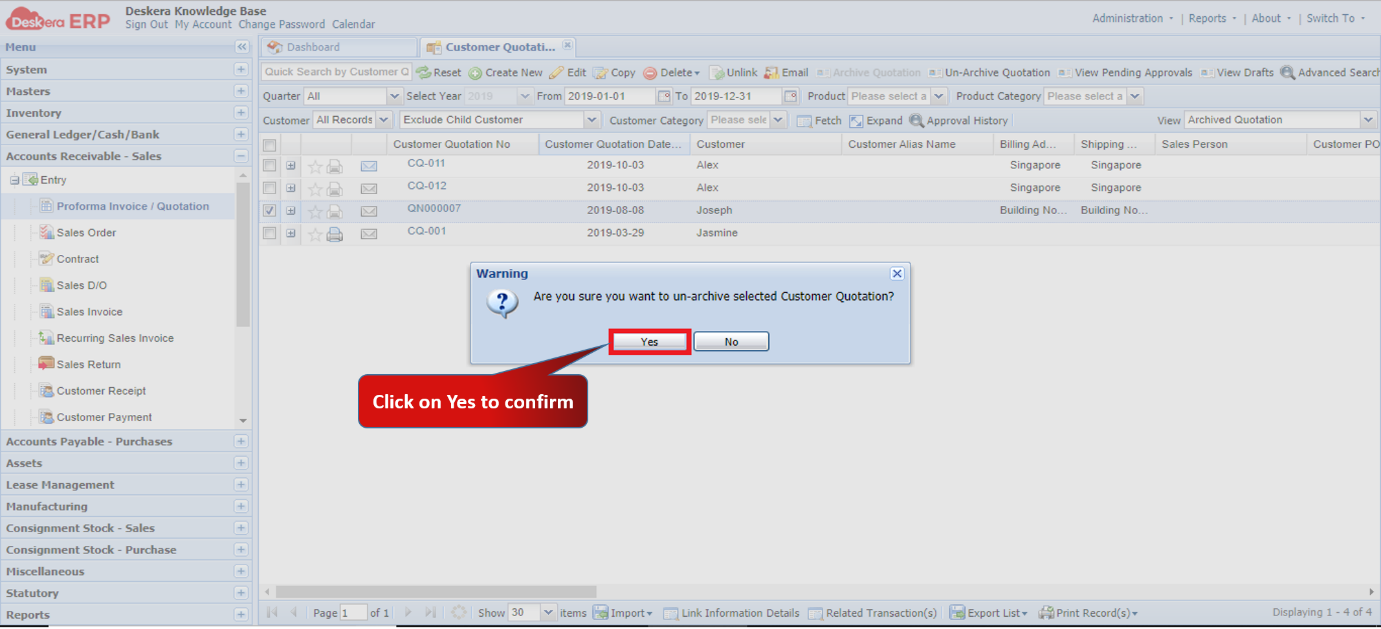 Fig 1.5.1.2.9 Un- Archive Customer Quotation
Comments
0 comments
Please sign in to leave a comment.