
A Sales Order is the next step, following the prospective customer’s acceptance of the Customer Quotation and has shared the Purchase Order (PO) with the seller. Generated by the company itself, a Sales Order is used as an acknowledgement of the PO shared by the prospective customer before delivering the finished good(s).
View Pending Approval feature enables you to see the sales order pending for approval. The manager/admin can approve or reject the sales order using this feature.
Prerequisites:
1. You have your Deskera ERP URL in place.
2. You are the administrator of Deskera Applications.
3. Ensure good internet connectivity.
Step 1: Go to Sales Order under Accounts Receivable-Sales tab in Deskera ERP.
Click on View Pending Approvals.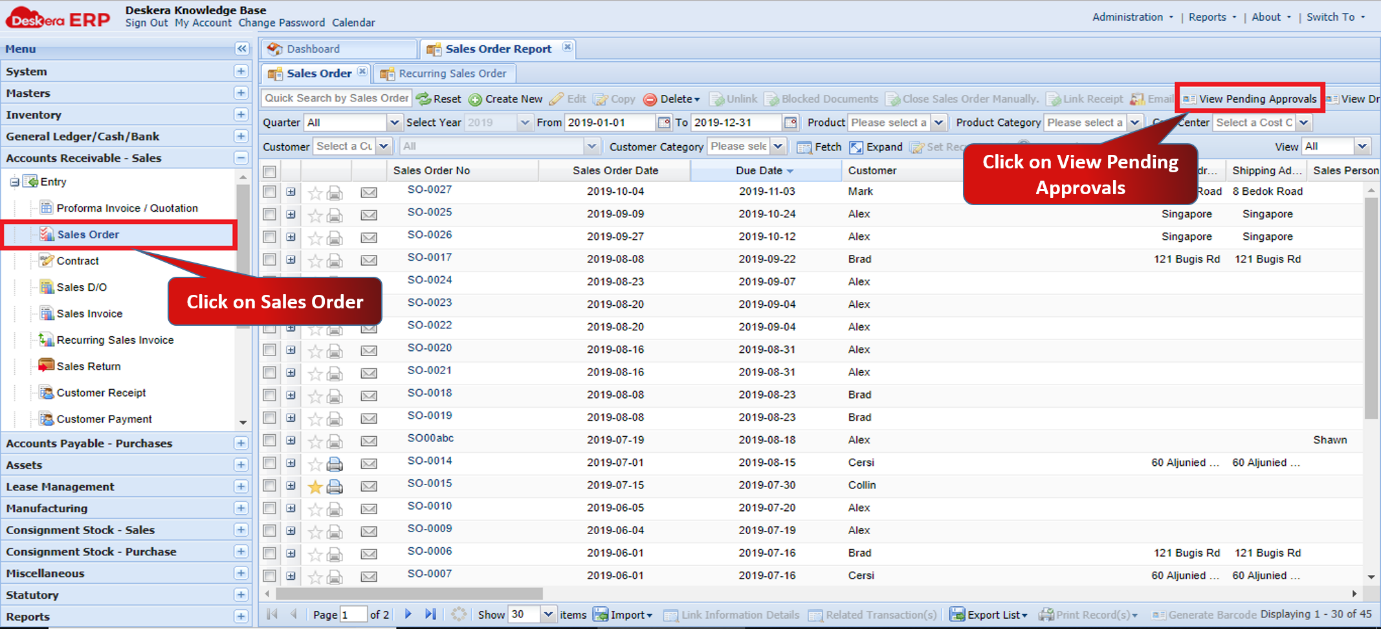 Fig 1.5.2.4.1 View Pending Approvals
Step 2: Select the sales order to approve and click on Approve.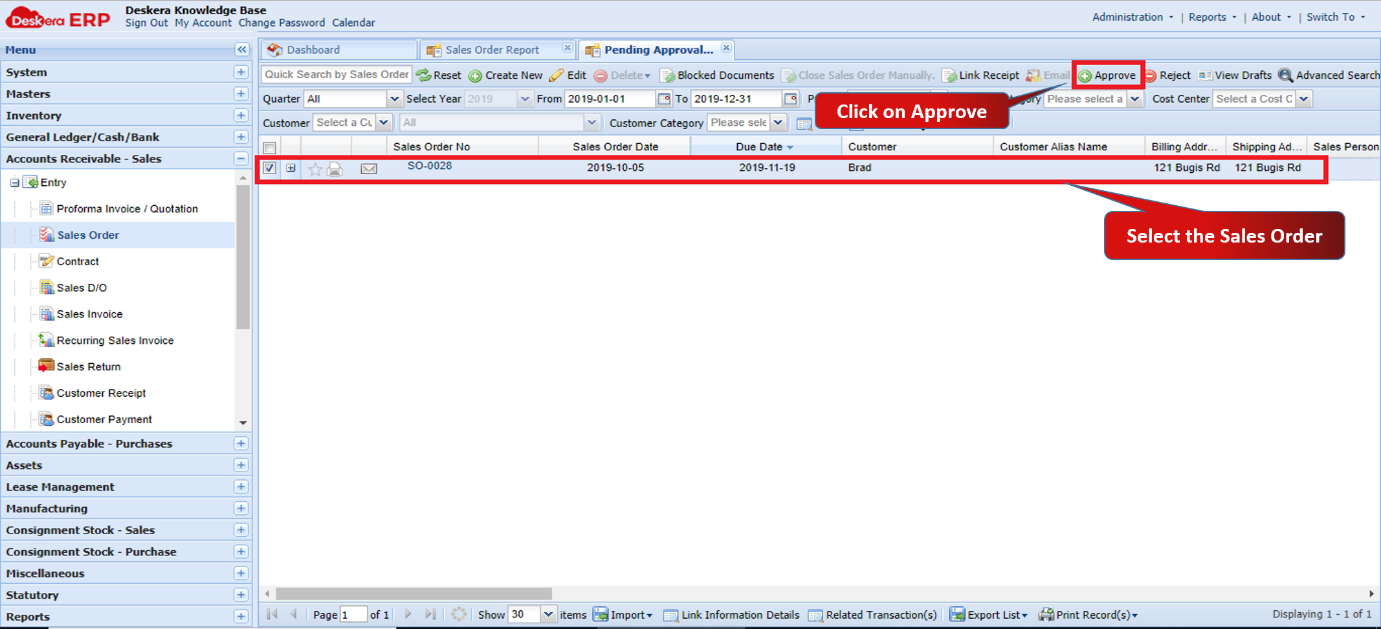 Fig 1.5.2.4.2 View Pending Approvals
Step 3: Click on Yes to confirm. 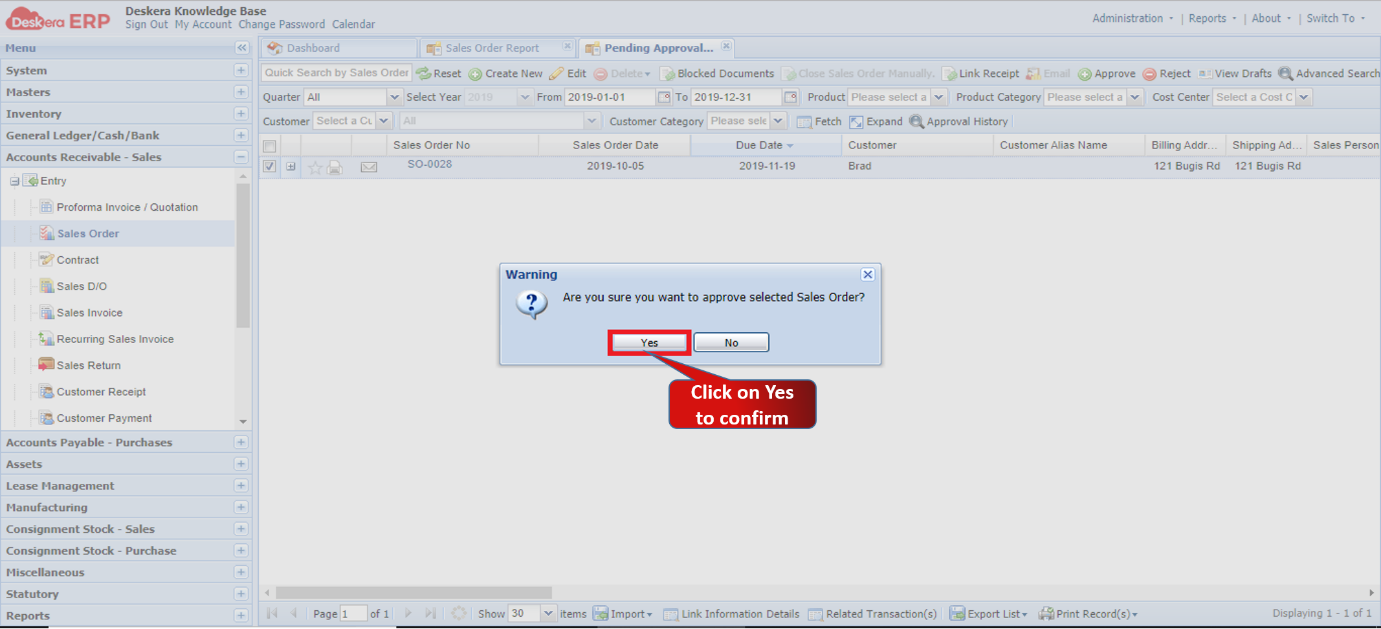 Fig 1.5.2.4.3 Approve Sales Order
Step 4: Add Remarks if required, and click on Approve. 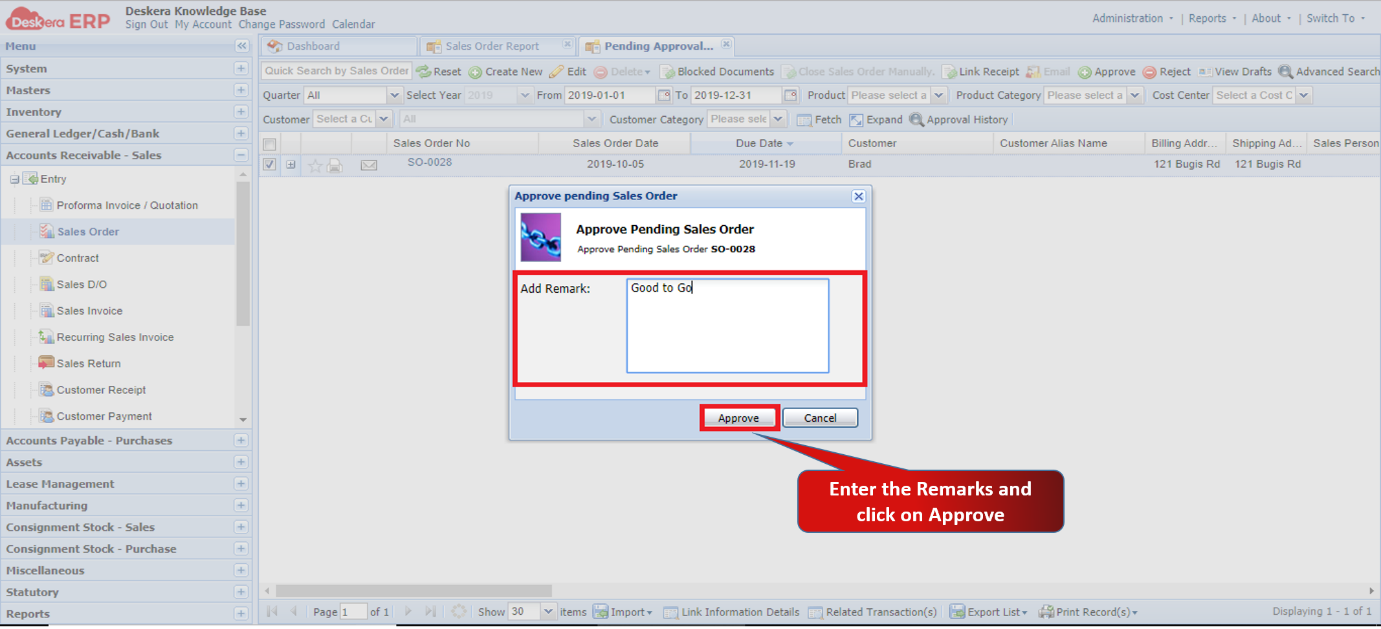 Fig 1.5.2.4.4 Approve Sales Order
The sales order will be approved and you can view it under Sales Order tab.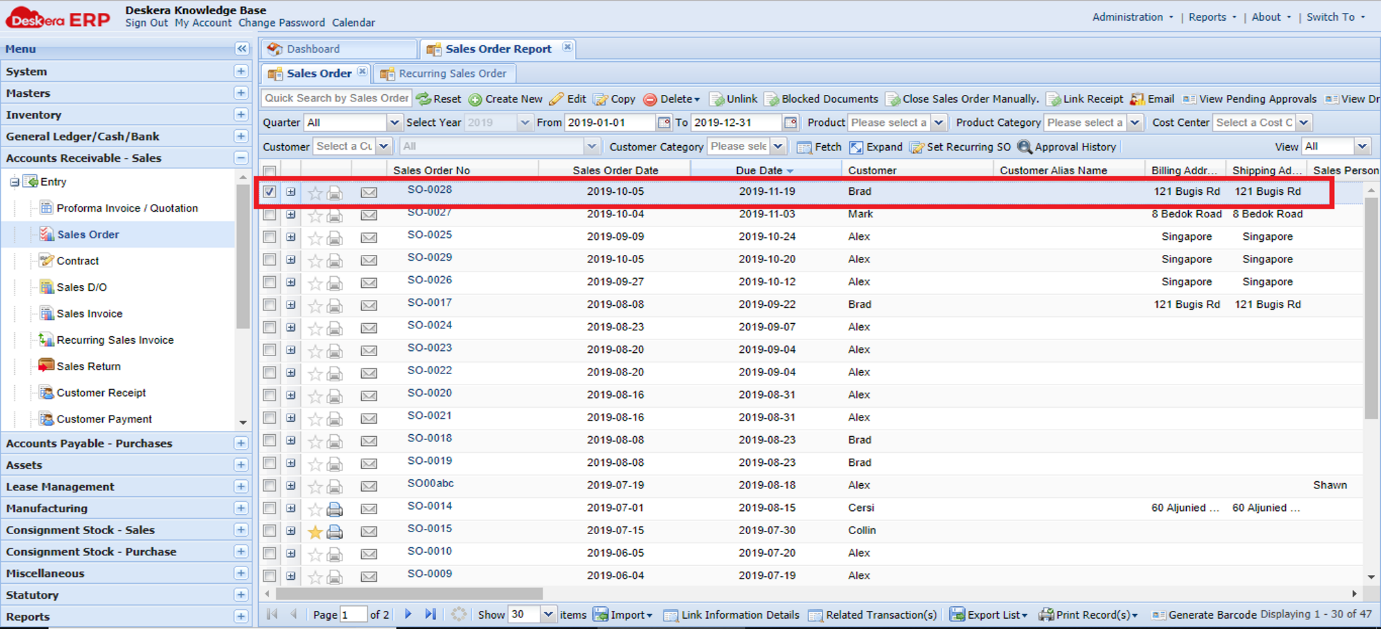 Fig 1.5.2.4.5 Approve Sales Order
Comments
0 comments
Please sign in to leave a comment.