
A Sales Order is the next step, following the prospective customer’s acceptance of the Customer Quotation and has shared the Purchase Order (PO) with the seller. Generated by the company itself, a Sales Order is used as an acknowledgement of the PO shared by the prospective customer before delivering the finished good(s).
Generate SI feature enables you to create a Sales Invoice linked with the Sales order.
Prerequisites:
1. You have your Deskera ERP URL in place.
2. You are the administrator of Deskera Applications.
3. Ensure good internet connectivity.
Step 1: Go to Sales Order under Accounts Receivable-Sales tab in Deskera ERP.
Select the Sales Order and click on Generate SI.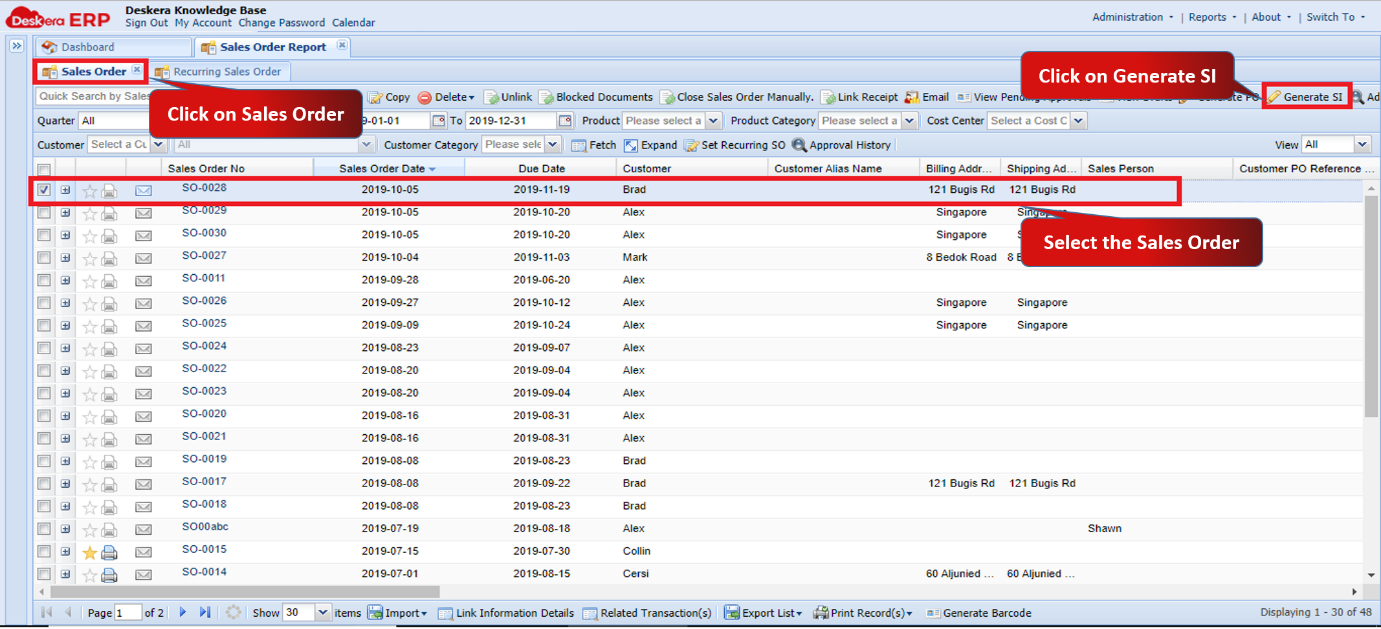 Fig 1.5.2.7.1 Generate SI
Step 2: Fill in the details and click on Save and Create New. 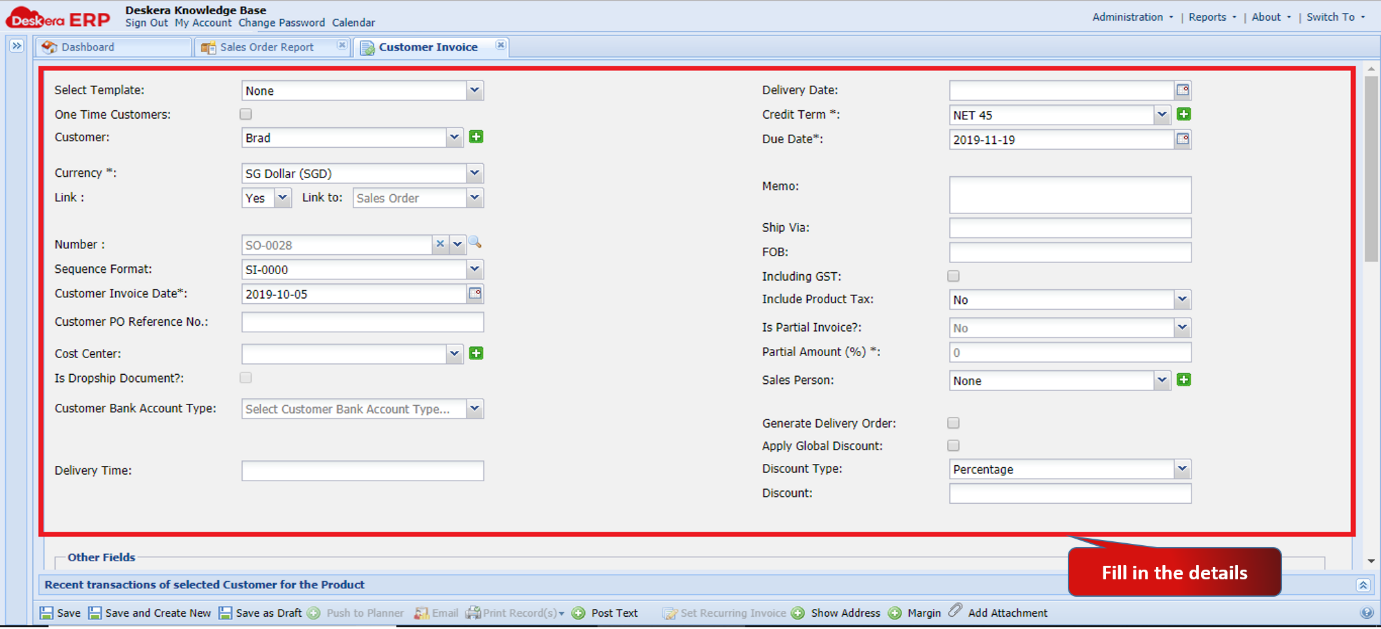 Fig 1.5.2.7.2 Generate SI
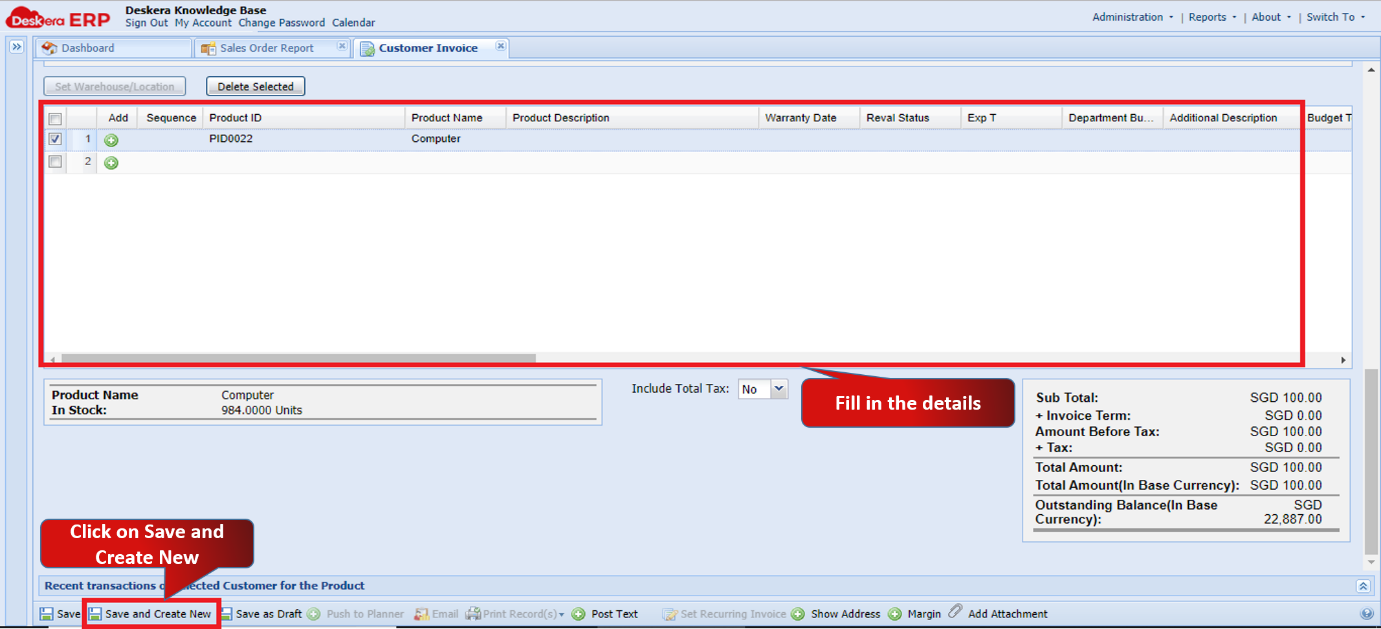 Fig 1.5.2.7.3 Generate SI
Step 3: You can view your Sales Invoice under Sales Invoice Tab. 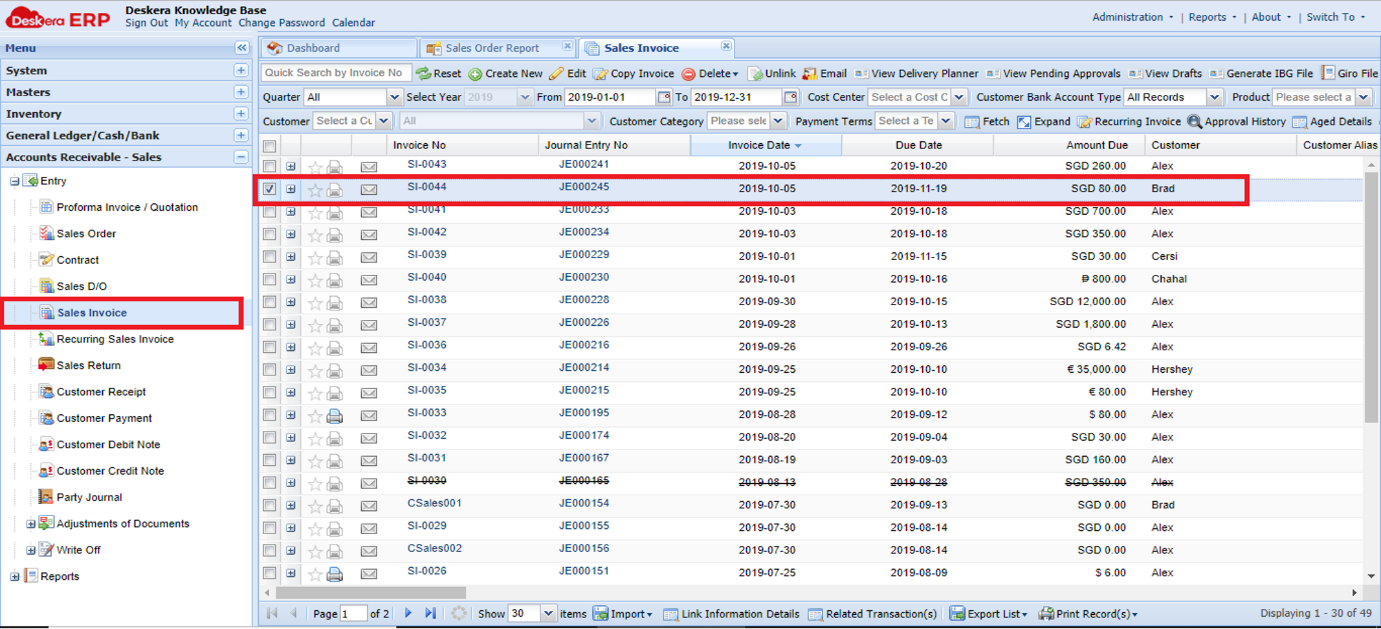 Fig 1.5.2.7.4 Sales Invoice
Comments
0 comments
Please sign in to leave a comment.