
Deskera eLeave Application allows the users to efficiently manage the leave application and approval process for the employees. Deskera eLeave provides a Time-Off function that allows employees to apply for an absence from work for a fixed period of time. The employees can apply for an emergency leave for a few hours, entering date and time details and adding a brief description of the reason for emergency leave.
Prerequisites:
1. Ensure you have your Deskera eLeave application URL in place.
2. Ensure you are logged in as the concerned user to apply for the leave.
3. Ensure a good internet connectivity
Step 1: Go to New Time-Off Application under Time-Off Manager on eLeave Dashboard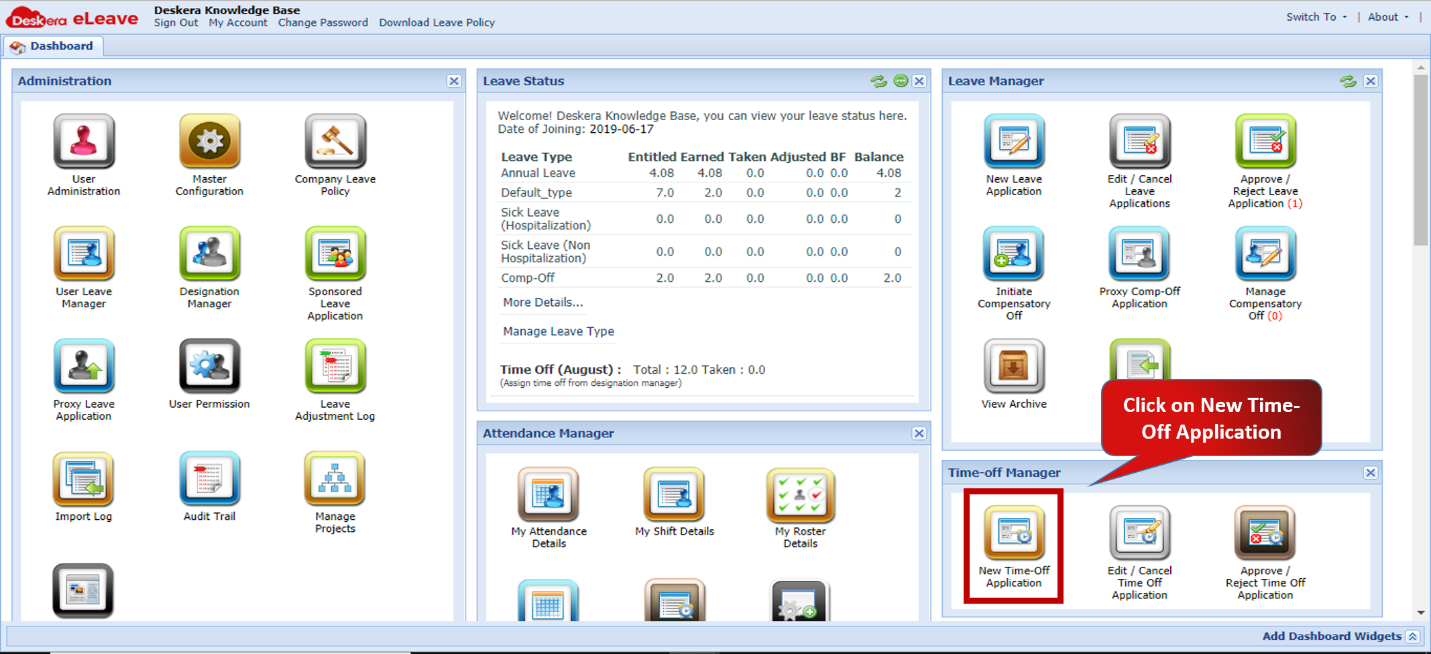 Fig.3.4.1.1 eLeave Dashboard
Step 2: Select the Approving Officer for the user 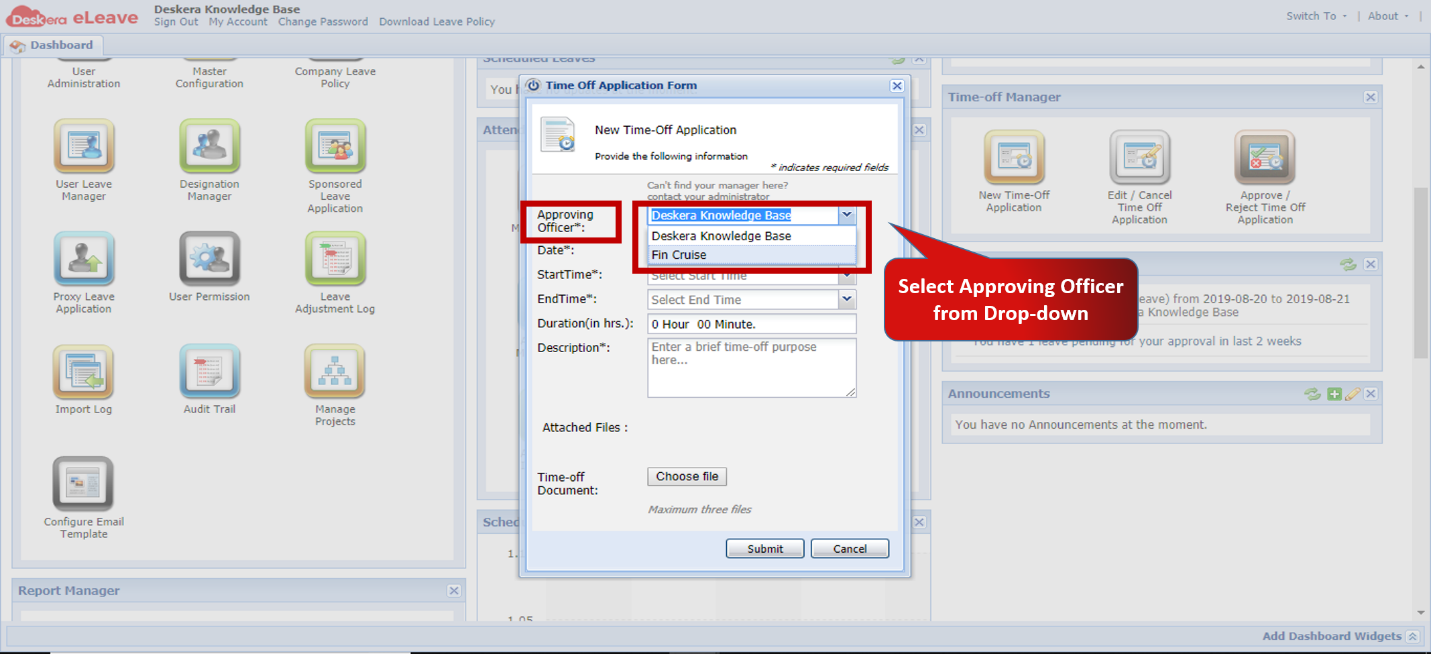 Fig.3.4.1.2 Time-Off Application Form
Step 3: Enter the details of the Time-Off the user wishes to avail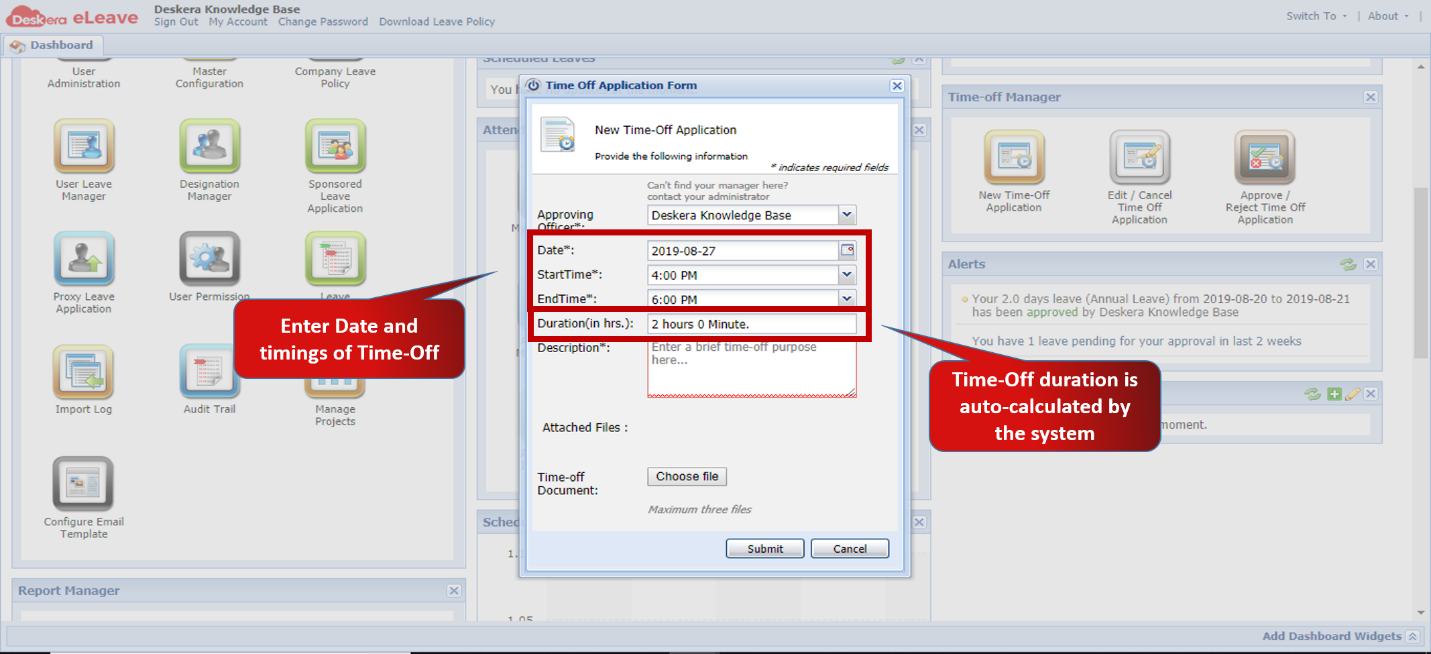 Fig.3.4.1.3 Time-Off Application Form
Step 4: Enter a description for the reason for taking time-off and attach supporting documents if any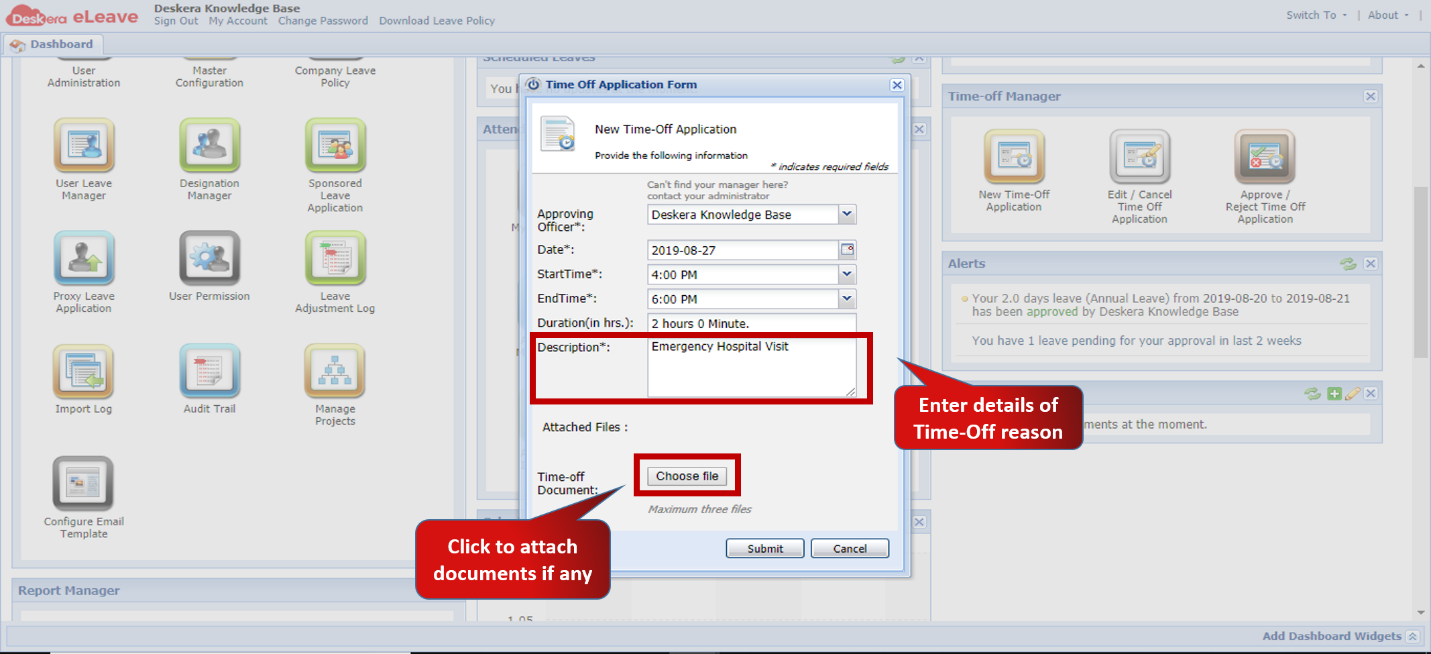 Fig.3.4.1.4 Time-Off Application Form
Step 5: Click on Submit to save application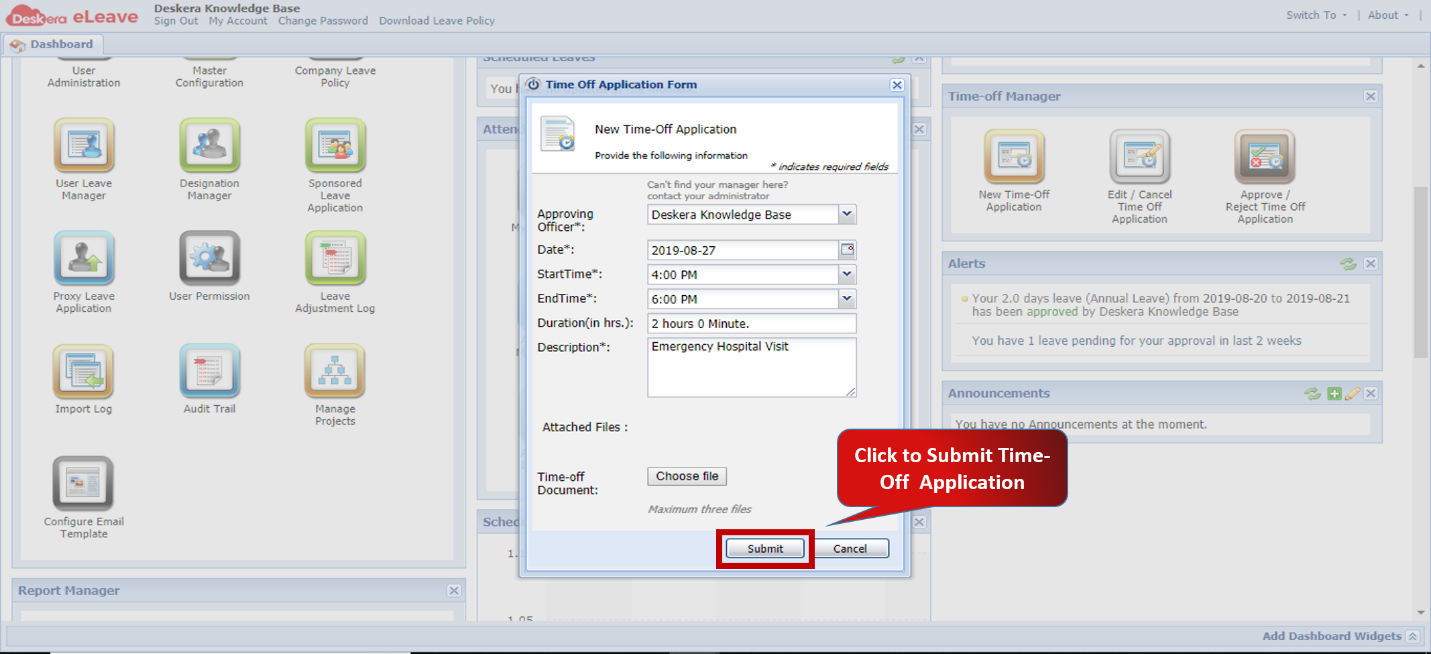 Fig.3.4.1.5 Time-Off Application Form
Comments
0 comments
Please sign in to leave a comment.