
Deskera eLeave Application allows the users to efficiently manage the leave application and approval process for the employees. Deskera eLeave provides a Time-Off function that allows employees to apply for an absence from work for a fixed period of time. This article focuses on how a time-off application submitted by a user is approved by the concerned approver.
Prerequisites:
1. Ensure you have your Deskera eLeave application URL in place.
2. Ensure you are logged in as the designated approver for the user.
3. Ensure the time-off application has been submitted.
4. Ensure a good internet connectivity
Step 1: Go to Approve/Reject Time-off Application under Time-off Manager on eLeave Dashboard Fig.3.4.3.1 eLeave Dashboard
Step 2: Select the Time-off application to be approved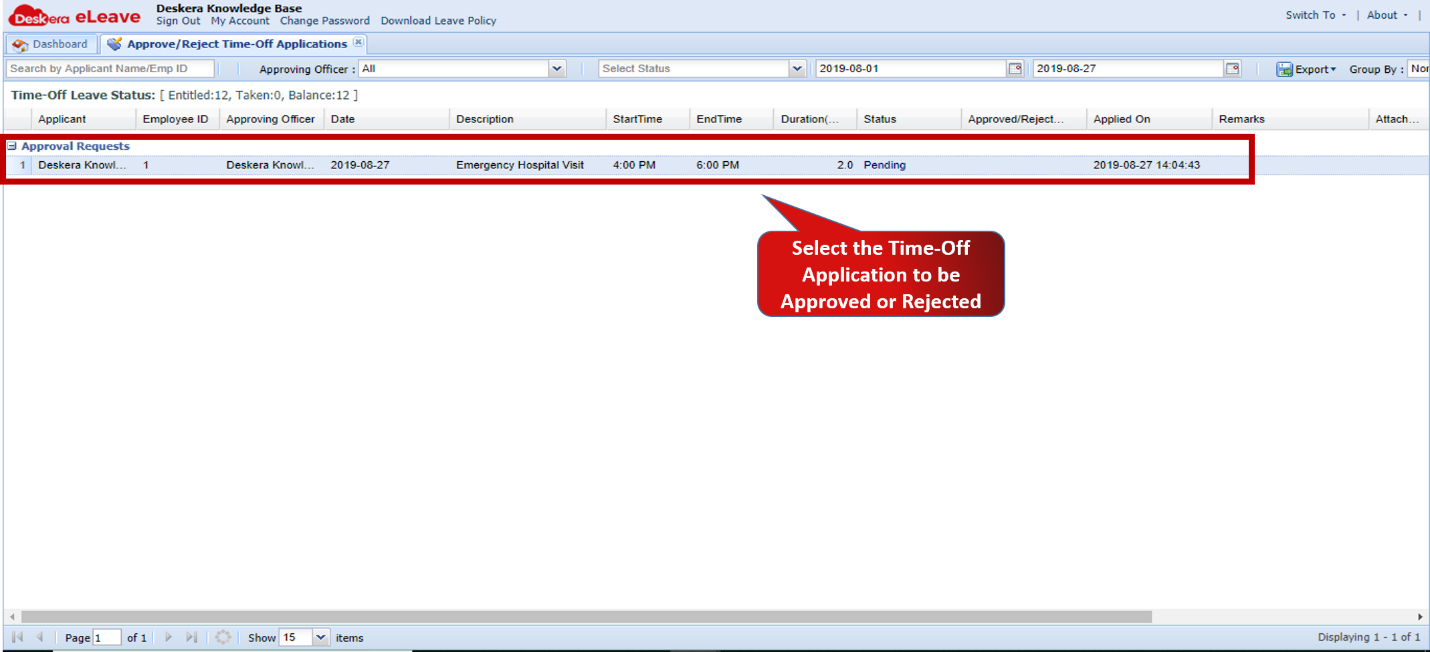 Fig.3.4.3.2 Time-Off Approval Request
Step 3: To approve the Time-off, Right Click and select Approve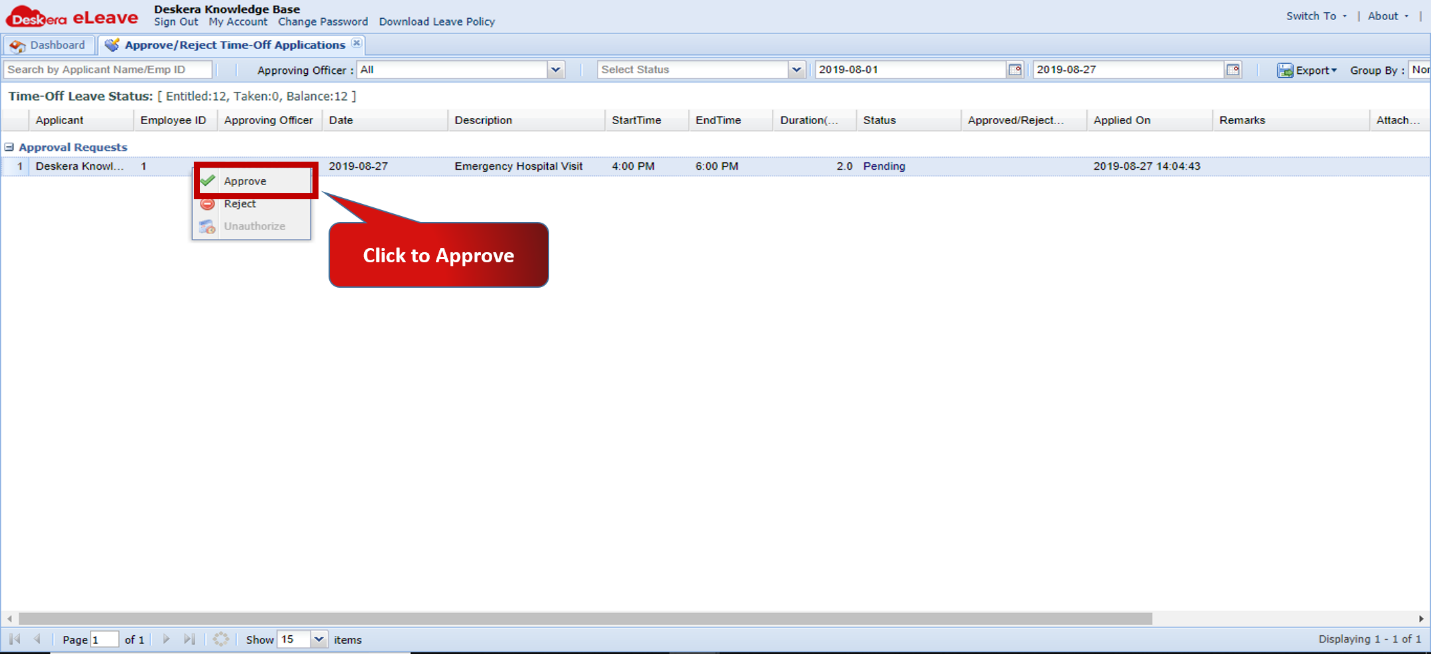 Fig.3.4.3.3 Time-Off Approval Request
Step 4: Review the details and click on Confirm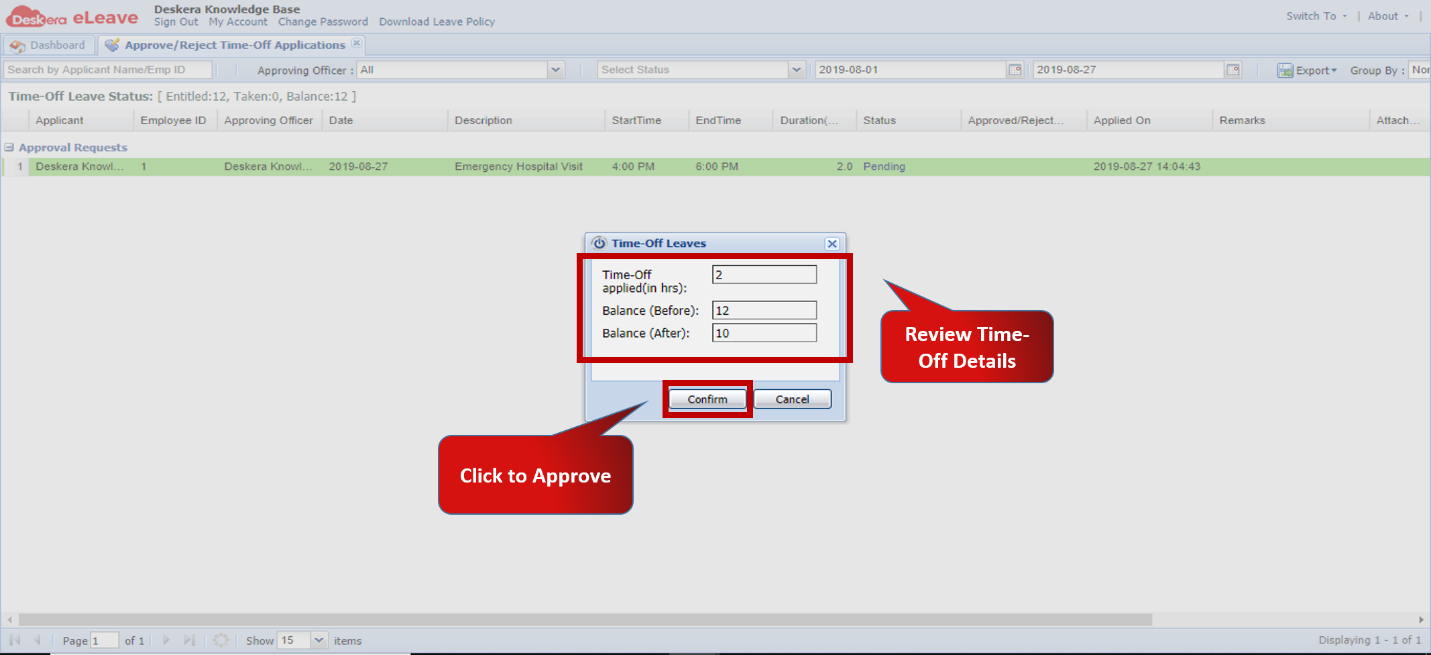 Fig.3.4.3.4 Approve Time-Off
Step 5: To reject the Time-off, Right Click and select Reject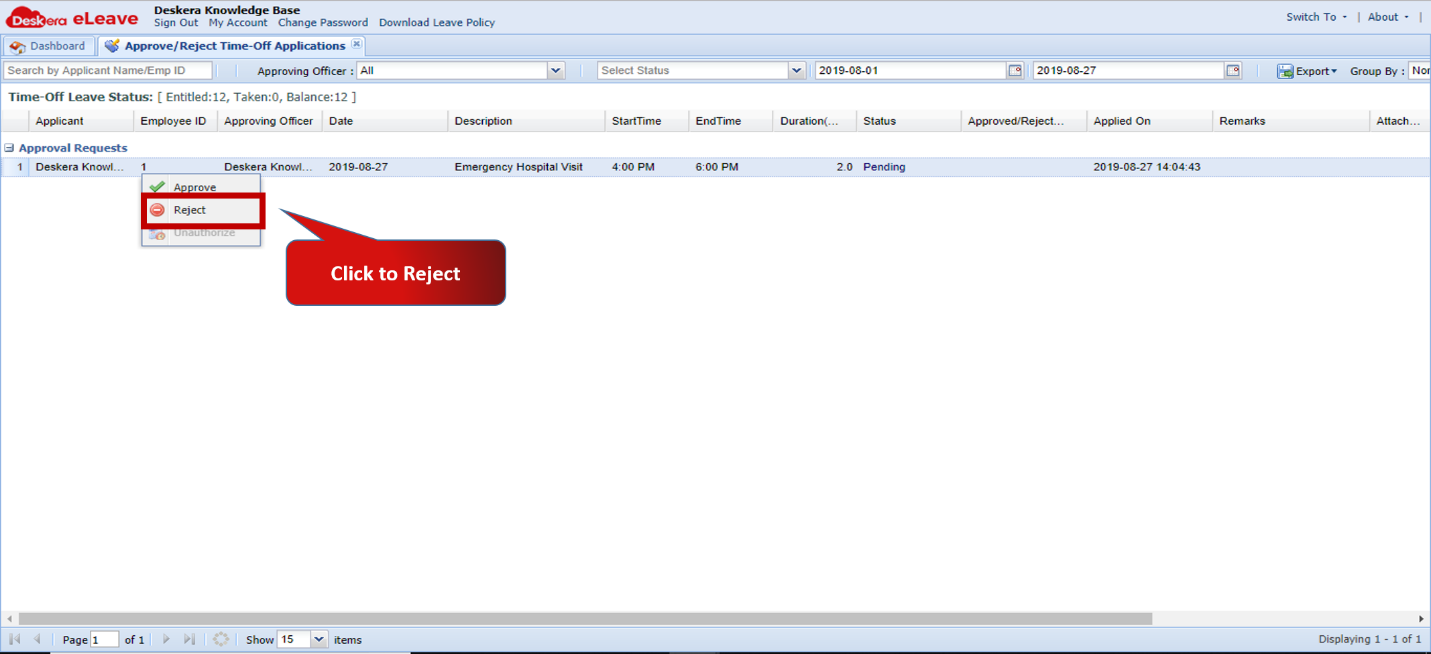 Fig.3.4.3.5 Time-Off Approval Request
Step 6: Enter reason for rejecting and click on OK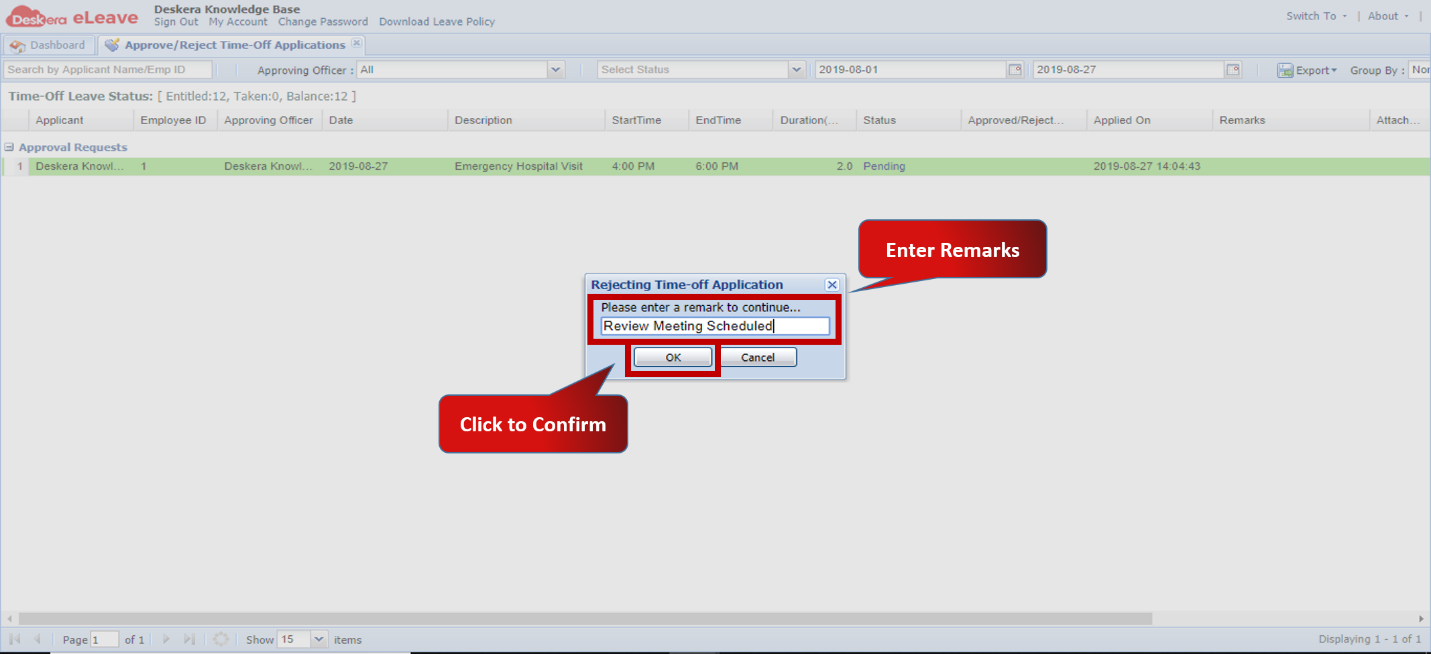 Fig.3.4.3.6 Reject Time-Off
Comments
0 comments
Please sign in to leave a comment.