
When a new user is created in the system, only 5 mandatory fields are filled. The remaining fields are filled by editing the user profile and updating it accordingly. It is not only used to update the details of a user but also used to edit any information in the future.
Note: User set up wizard can be used to fill all mandatory fields of an employee’s profile for the first time.
‘Edit User Profile’ can be accessed in the User Administration module Administration widget.
Prerequisites:
- You have your Deskera HRMS application URL in place.
- You are the administrator of the HRMS application
- Ensure a good internet connectivity
Step 1: Navigate to ‘User Administration’ under the ‘Administration’ widget on the Dashboard.
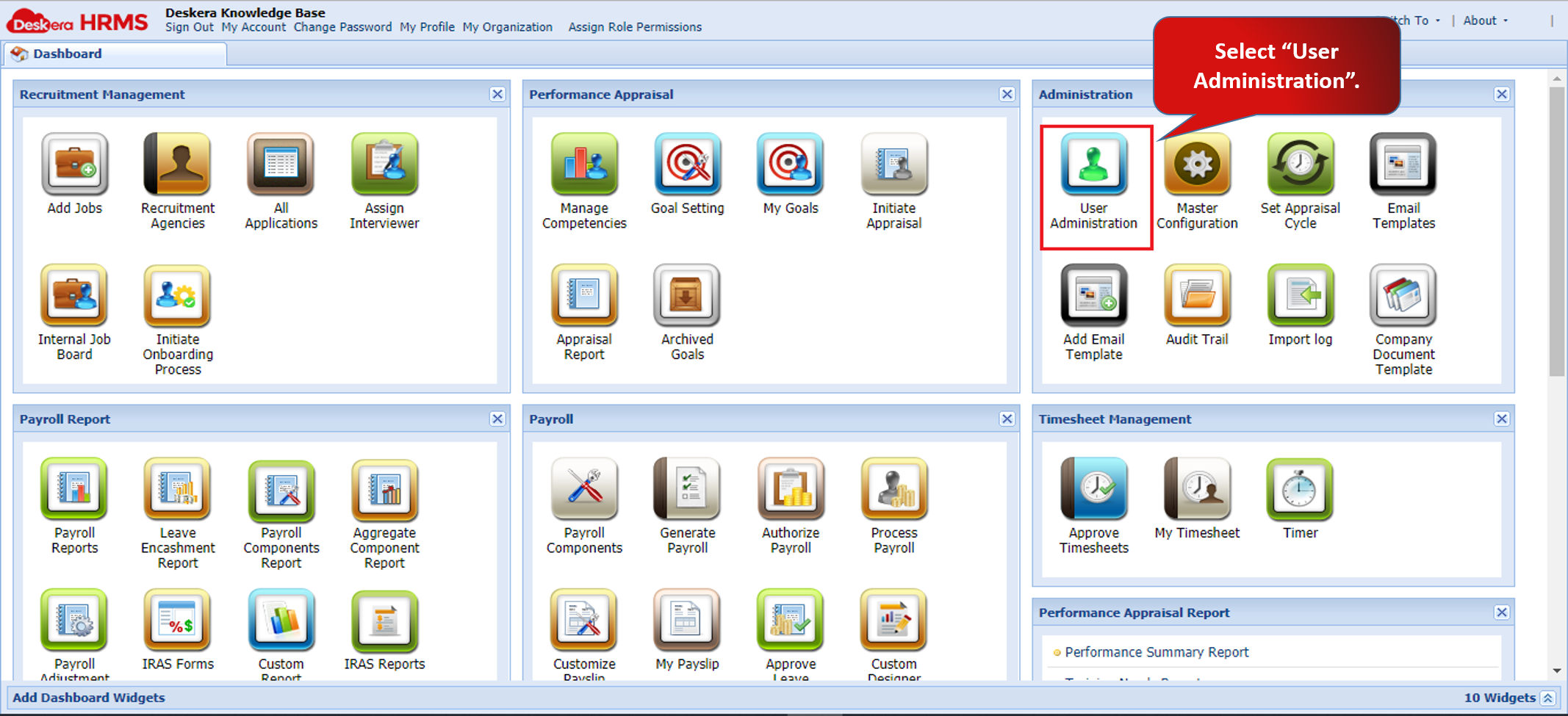
Fig 2.1.3.1 Typical HRMS Dashboard
Step 2: Choose a user, Click on the drop down menu – ‘Personnel Actions’, Click on View/Edit Profile.
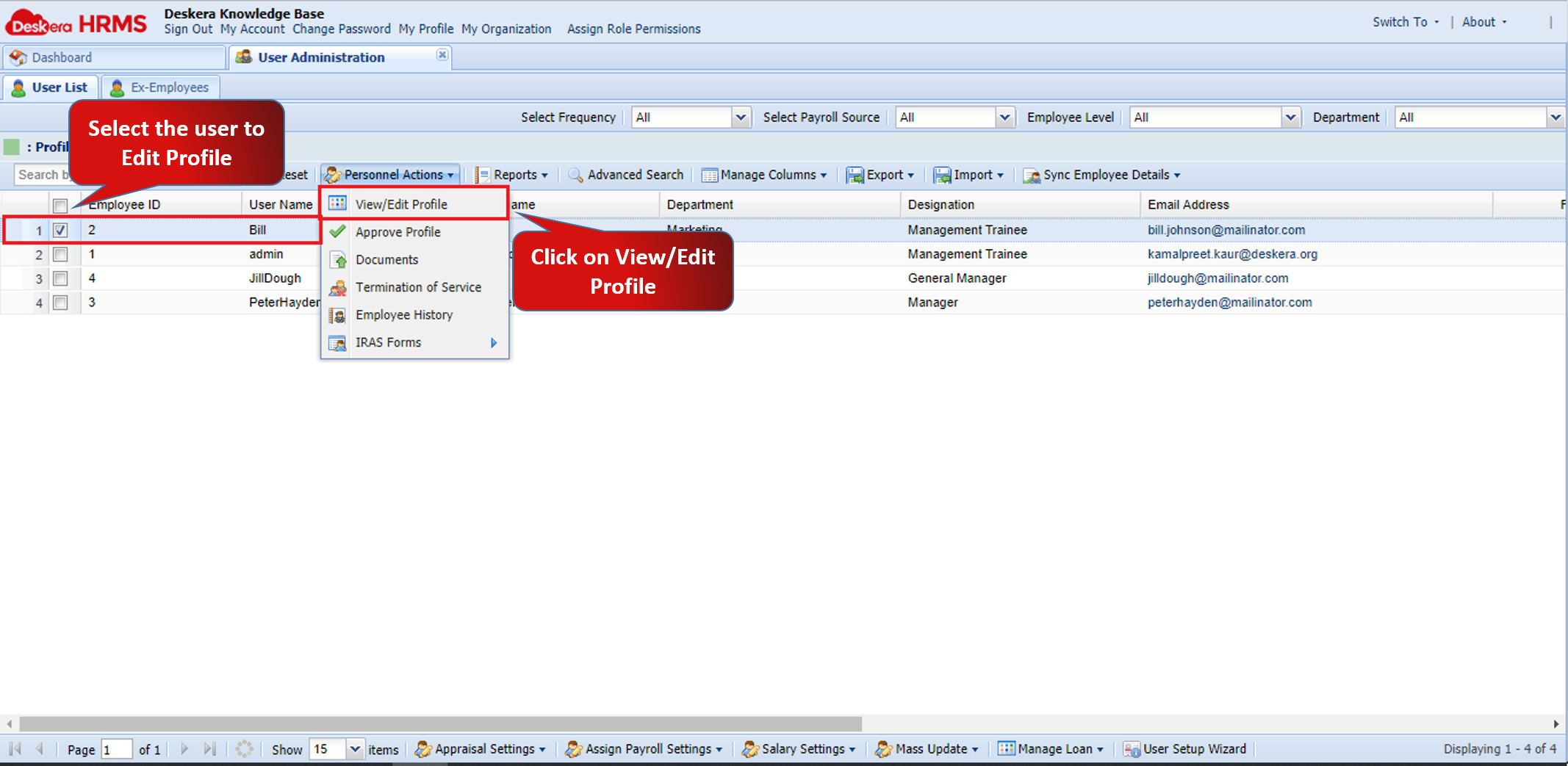
Fig 2.1.3.2 Navigate to View/Edit User Profile
Step 3: Fill in or edit details of the employee. There are six tabs for various information about each employee to be filled.
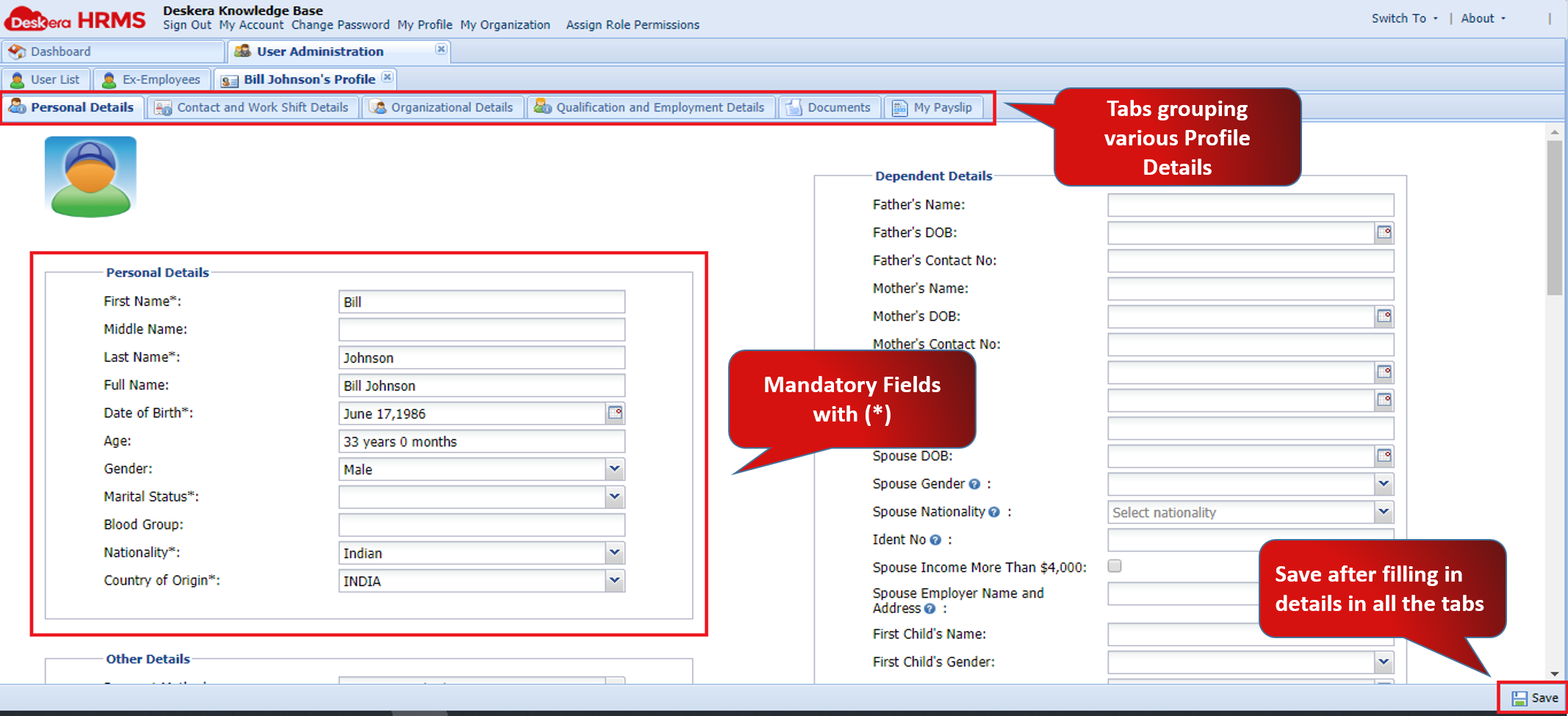
Fig 2.1.3.3 Personal Details
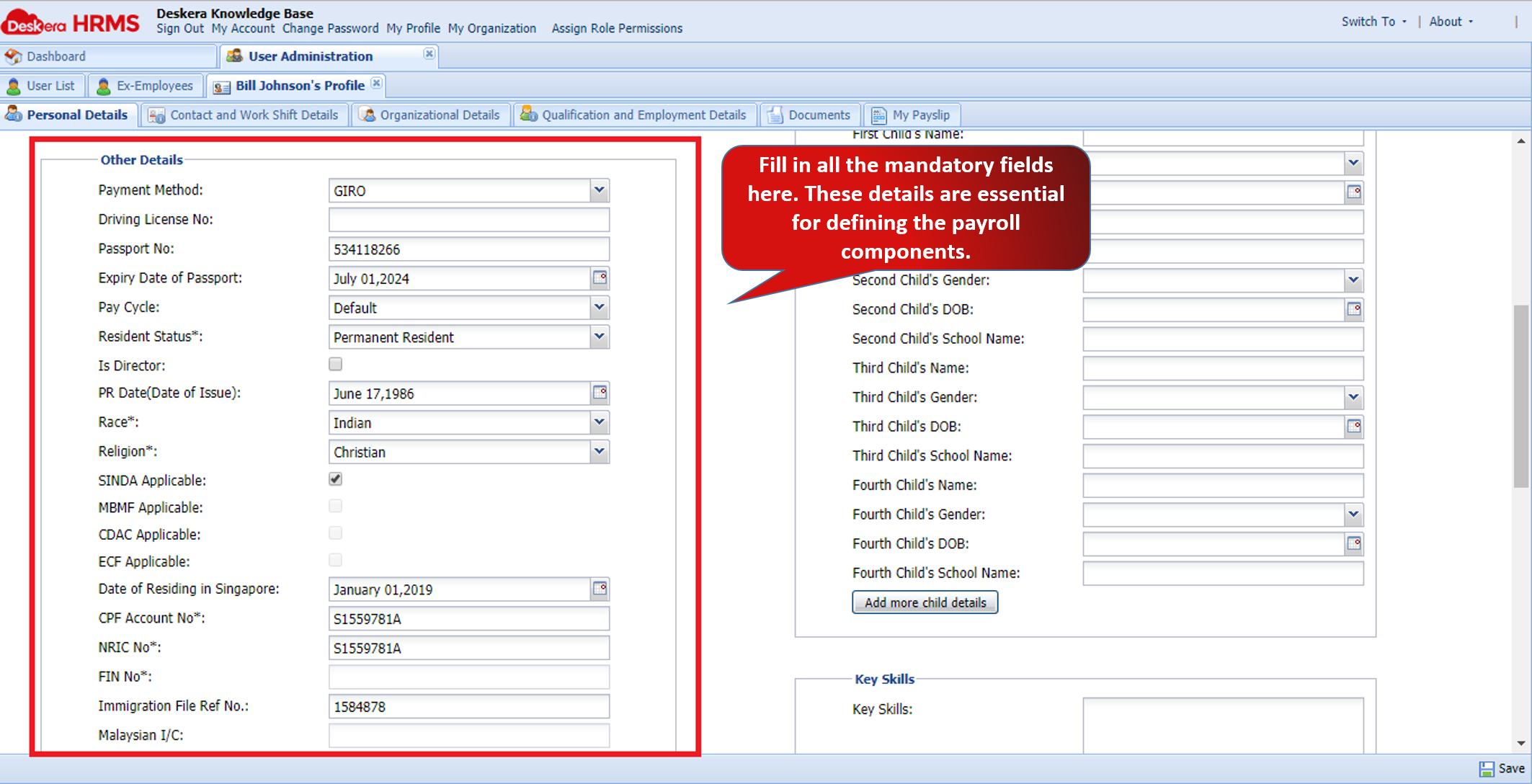
Fig 2.1.3.4 Personal Details
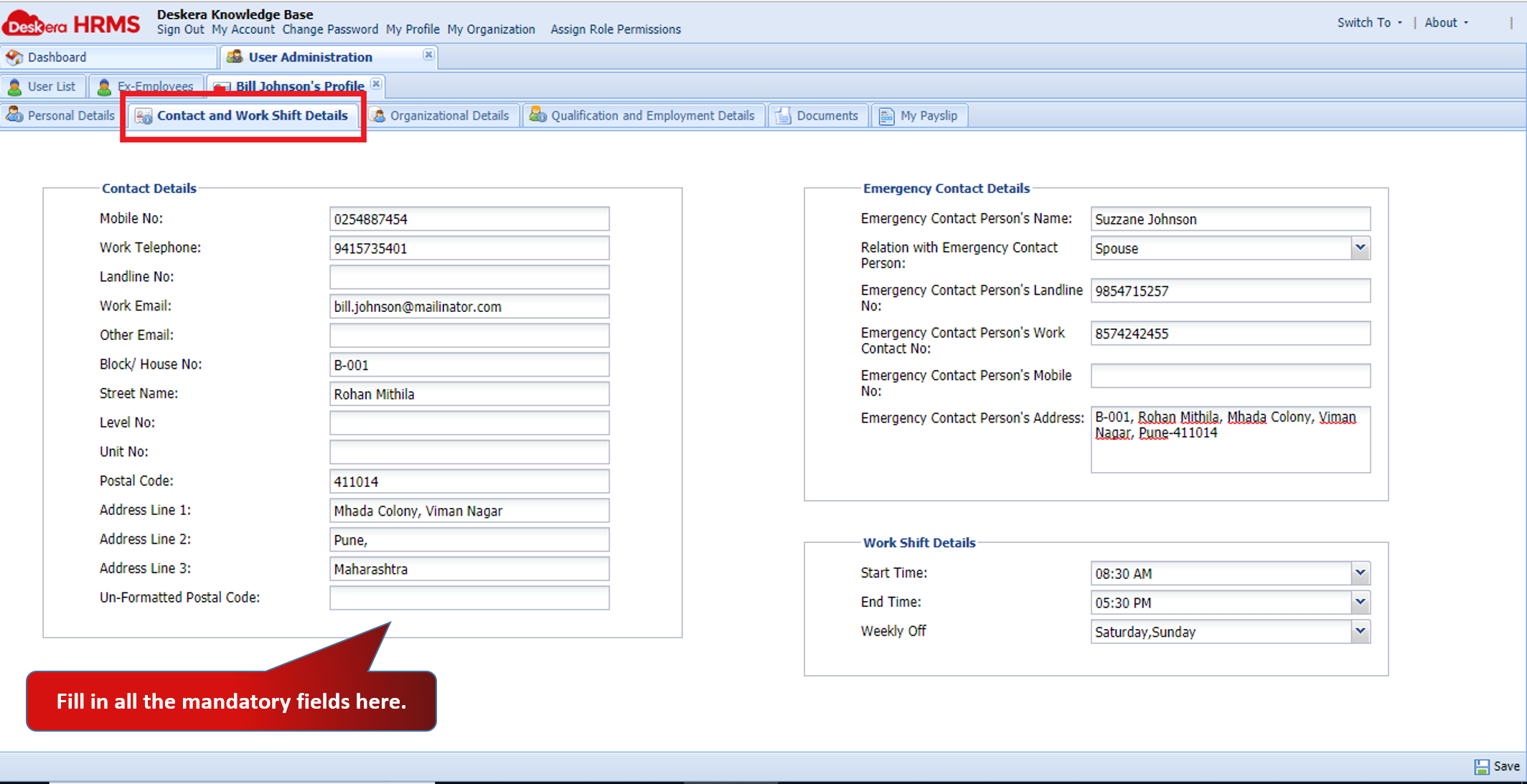
Fig 2.1.3.5 Contact and Work Shift Details
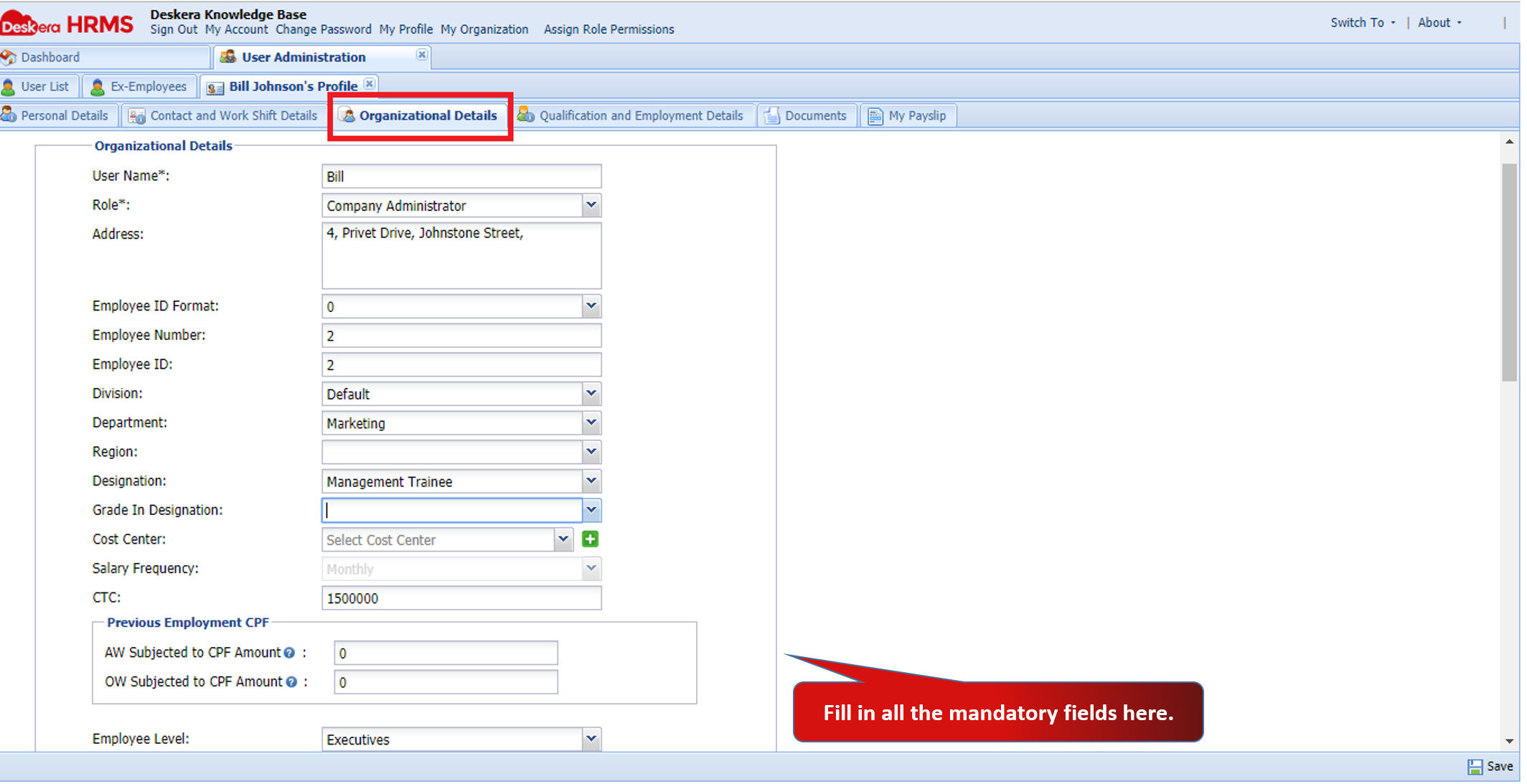
Fig 2.1.3.6 Organizational Details
Note: The Fields having (*) are marked mandatory. An underline is visible for those which are mandatory fields and are blank.
After all the details are entered, Click on Save to update edited Employee profile. The Updated employee details can now be found against that employee.
List of Important Fields
SINDA Applicable: All working Indians in Singapore who are Singaporeans, Permanent Residents and Employment Pass holders and are of Indian descent (including Bangladeshis, Bengalis, Parsees, Sikhs, Sinhalese, Telegus, Pakistanis, Sri Lankans, Goanese, Malayalees, Punjabis, Tamils and all people originating from the Indian sub-continent) will contribute a monthly sum to the SINDA fund.
MBMF Applicable: Every working Muslim in Singapore, including foreign workers and permanent residents, are to contribute to a community fund – the Mosque Building Fund.
CDAC Applicable: Employers that are Singapore Citizens and Permanent Residents, belonging to the Chinese community are expected to deduct the CDAC contributions from their employees’ wages, unless the employee submits an opt-out form to CDAC.
ECF Applicable: All employees belonging to the Eurasian community who are Singapore Citizens and Singapore Permanent Residents need to contribution monthly to the ECF.
CPF Account: The Central Provident Fund (CPF) is a comprehensive social security system that enables working Singapore Citizens and Permanent Residents to set aside funds for retirement. It also addresses healthcare, home ownership, family protection and asset enhancement. Both employees and employers make monthly CPF contributions.
NRIC Number: A NRIC number is a unique 9-character alphanumeric code found on the National Registration Identity Card (NRIC) issued by the Singaporean government to citizens and permanent residents. This number is required for many activities, including opening bank accounts.
FIN Number: A Foreign Identification Number (FIN) is a unique 9-digit code issued to foreigners with immigration or work passes by the Ministry of Manpower (MOM) or the Immigration and Checkpoints Authority (ICA) of Singapore.
FWL Applicable: The Foreign Worker Levy (FWL), commonly known as "levy", is a pricing mechanism to regulate the number of foreign workers in Singapore. As an employer, you must pay a monthly levy for Work Permit and S Pass holders via General Interbank Recurring Order (GIRO).
Comments
0 comments
Please sign in to leave a comment.