
The Manage Ex-Employees function helps the user to edit and update ex-employees’ profiles, revert their termination process, rehire them, and access their IRAS forms. This function helps the employer to keep track of their employees and facilitates easier turnaround of employee termination.
The Manage Ex-employees tab can be accessed beside the User List, under the User Management module in Administration widget. The following are the steps to manage ex-employees:
Prerequisites:
- Ensure you have your Deskera HRMS application URL in place.
- Ensure you are the administrator of the HRMS application
- Ensure a good internet connectivity
How to View/Edit Ex-Employee Profile?
Step 1:Open Ex-Employees Tab under User Administration
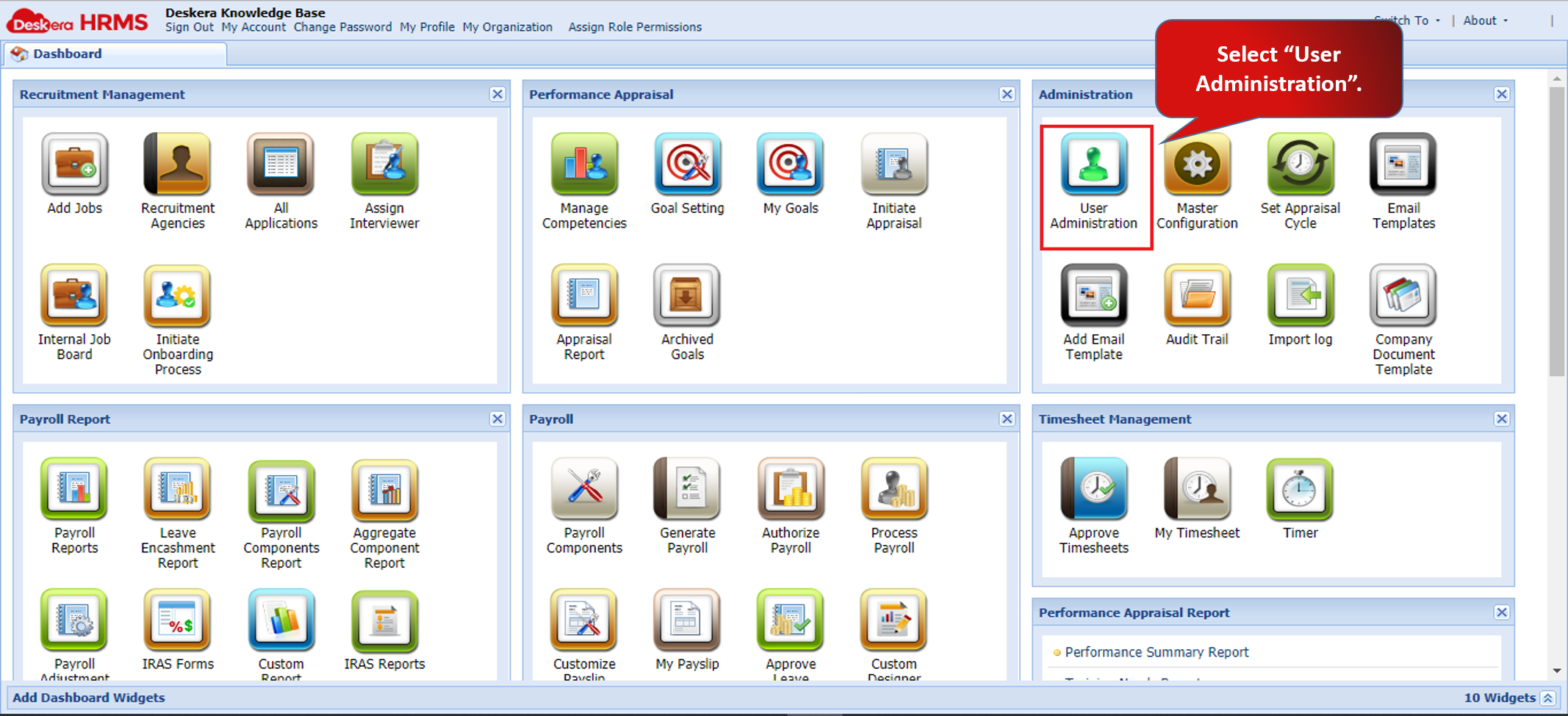
Fig.2.1.10.1 User Administration
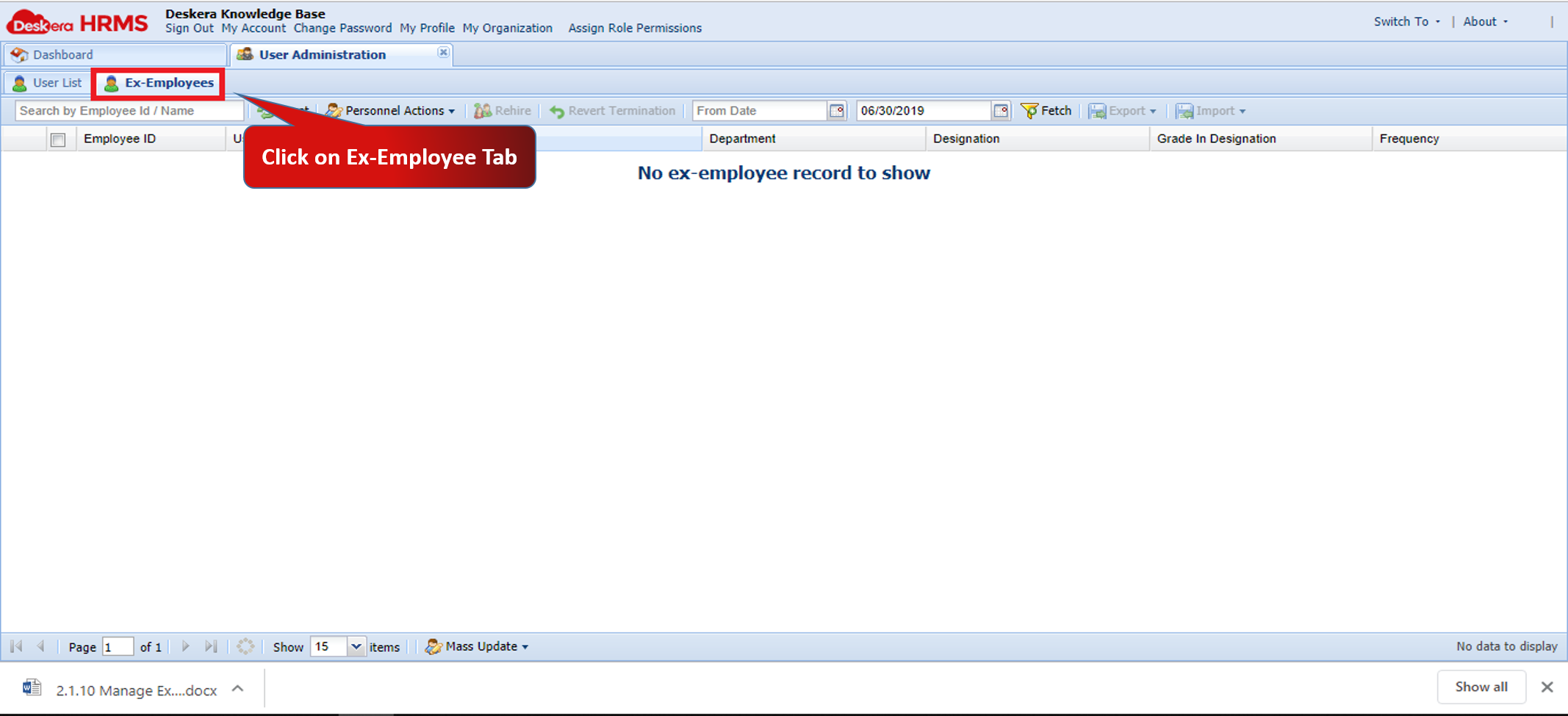
Fig.2.1.10.2 Ex-Employees Tab
Step 2: Choose Ex-Employee whose profile is to be accessed
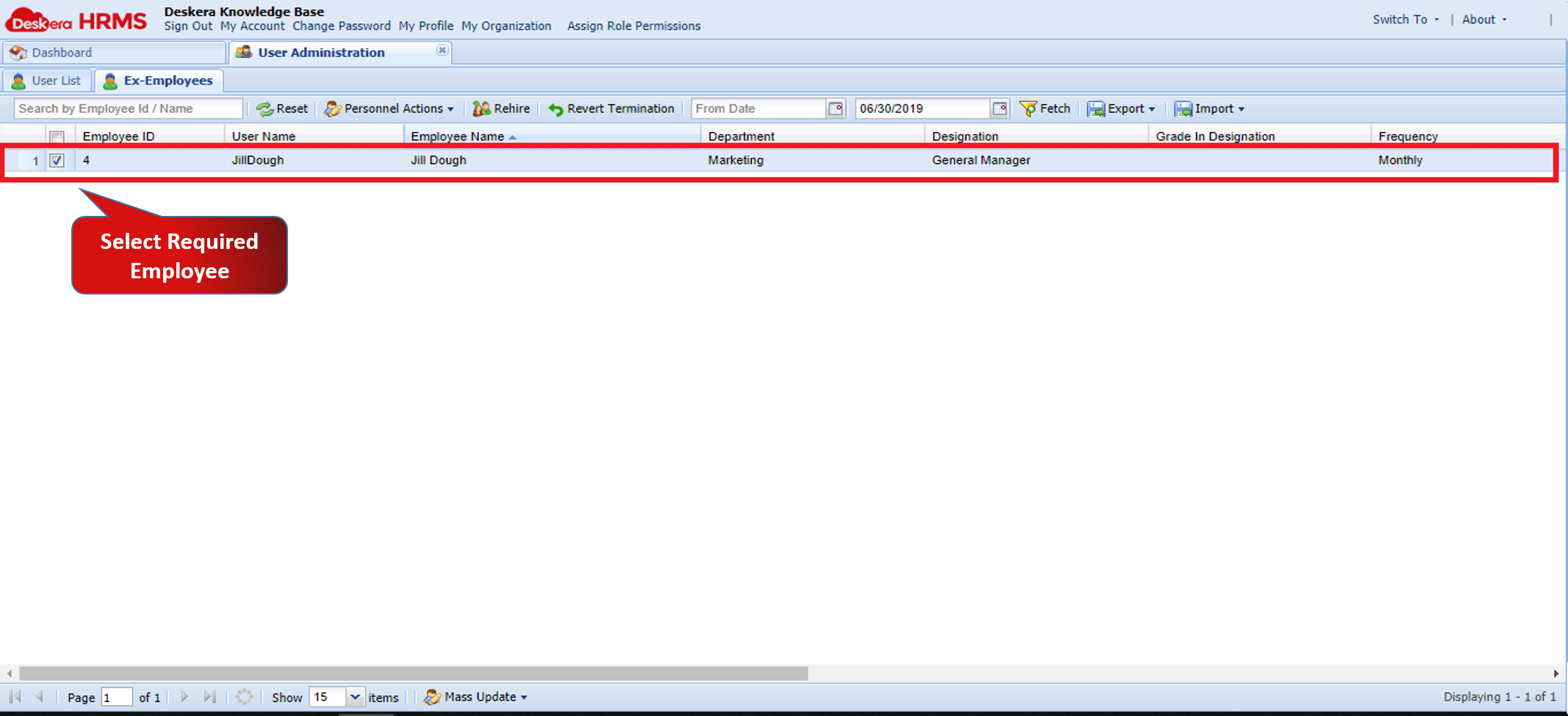
Fig.2.1.10.3 Choose Employee to Edit Details
Step 3: Click on View/Edit Profile under Personal Actions
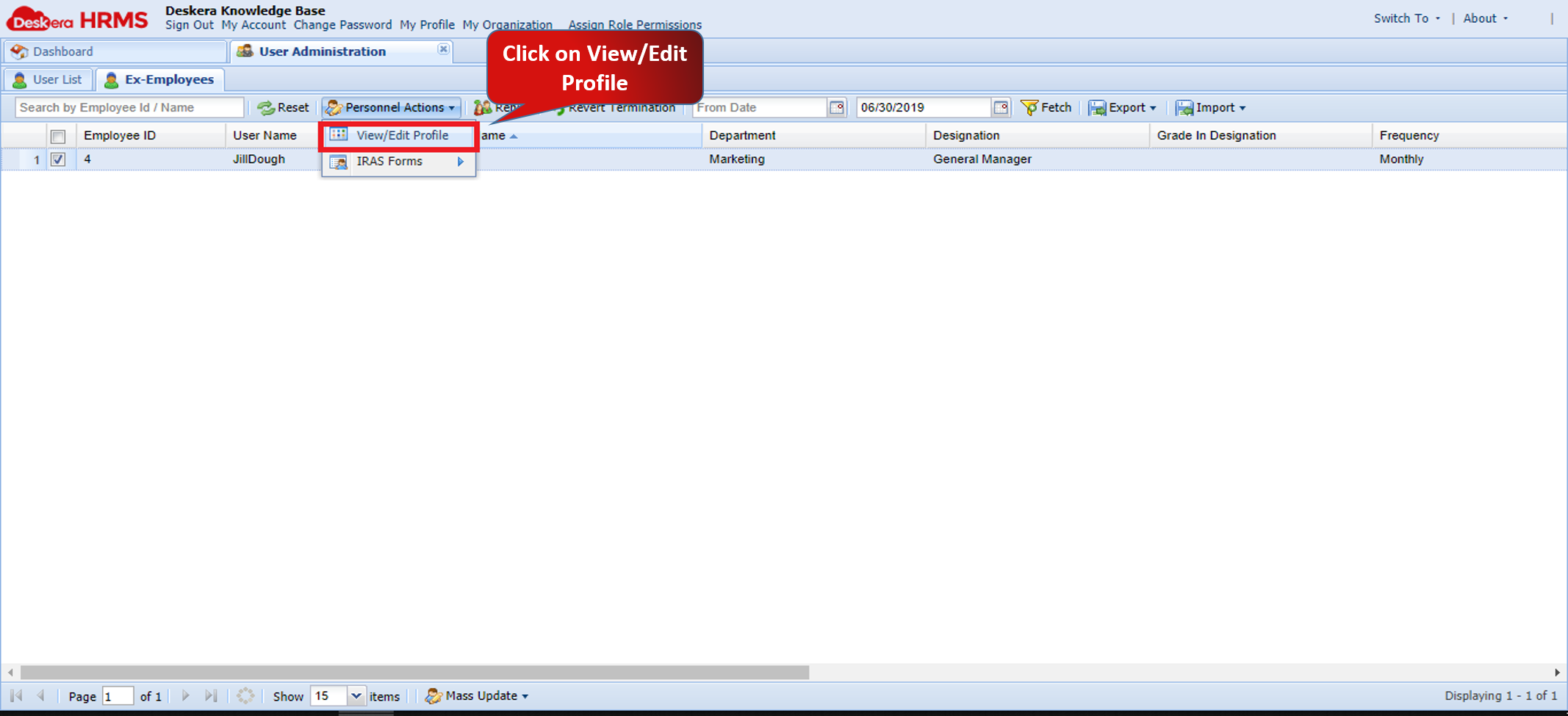
Fig.2.1.10.4 View/Edit Ex-Employee Details
How to Revert Termination of Ex-Employee?
Step 1:Open Ex-Employees Tab under User Administration
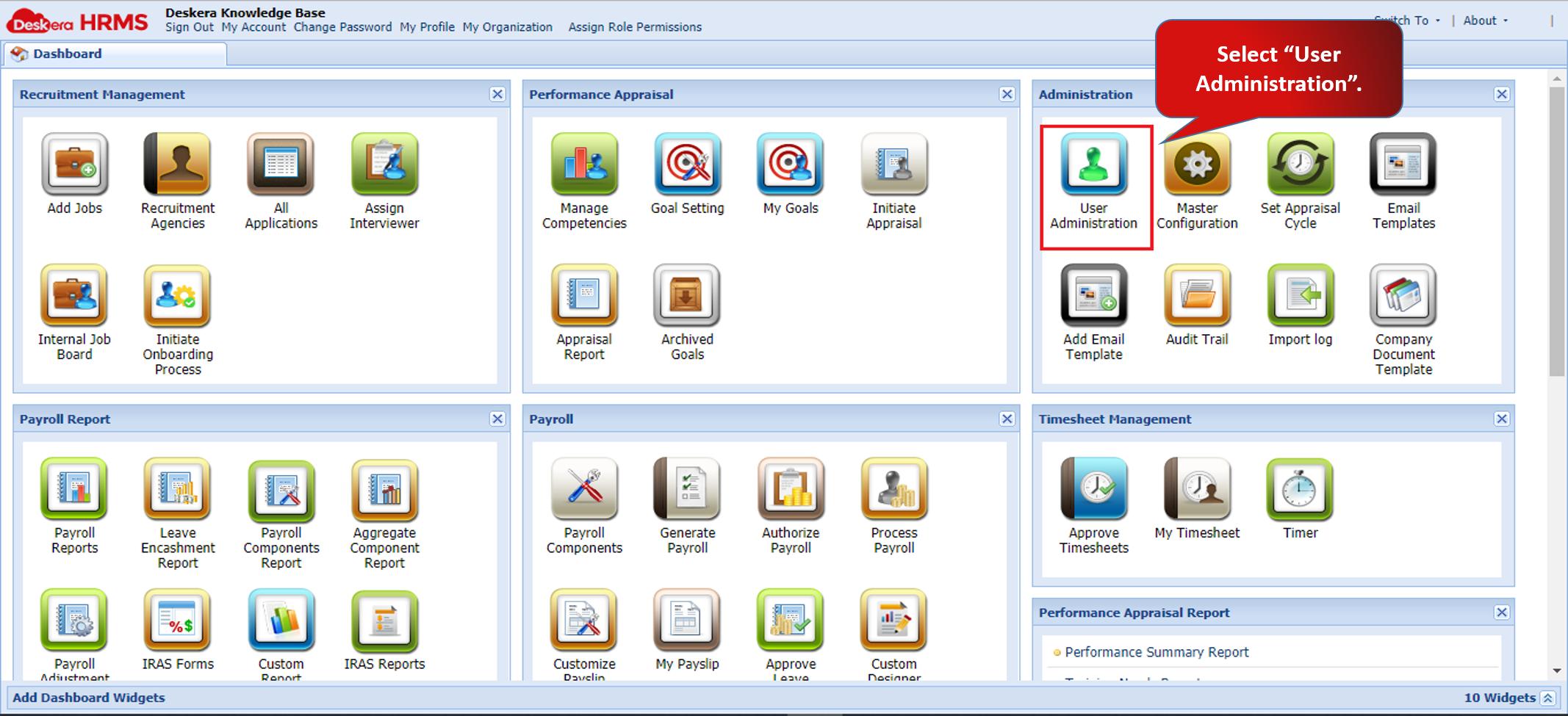
Fig.2.1.10.5 User Administration
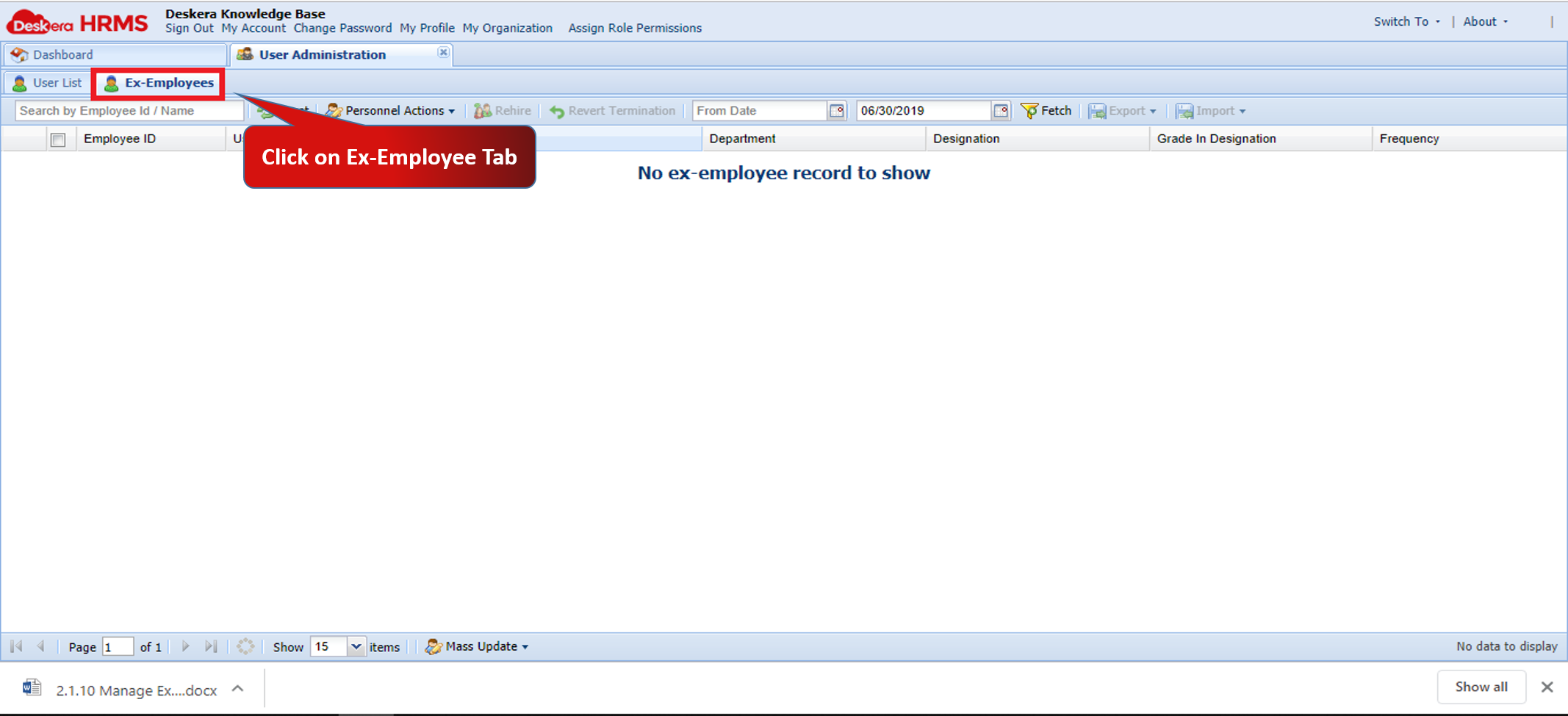
Fig.2.1.10.6 Ex-Employees Tab
Step 2: Select Ex-Employee whose termination is to be reverted
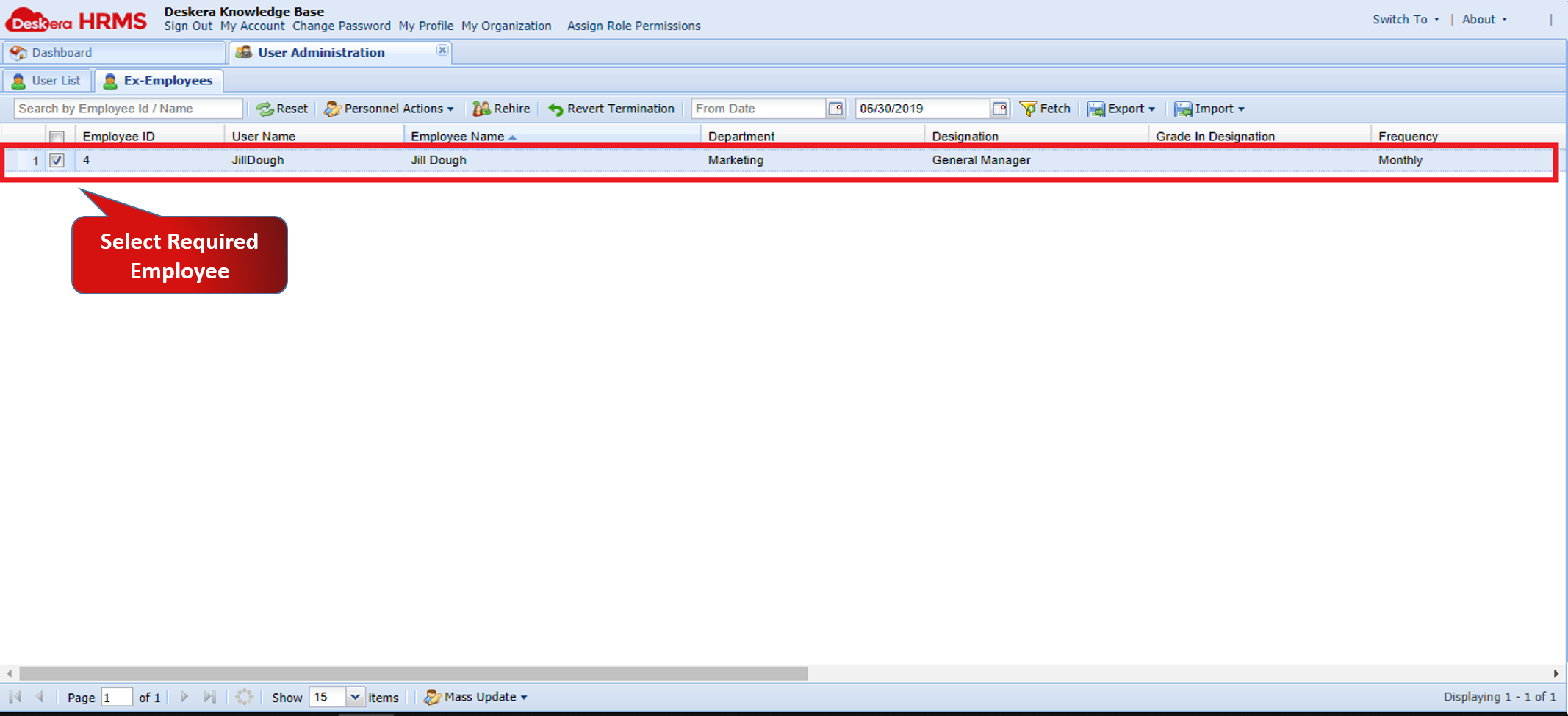
Fig.2.1.10.7 Select Employee to Revert Termination
Step 3: Click on Revert Termination and Confirm
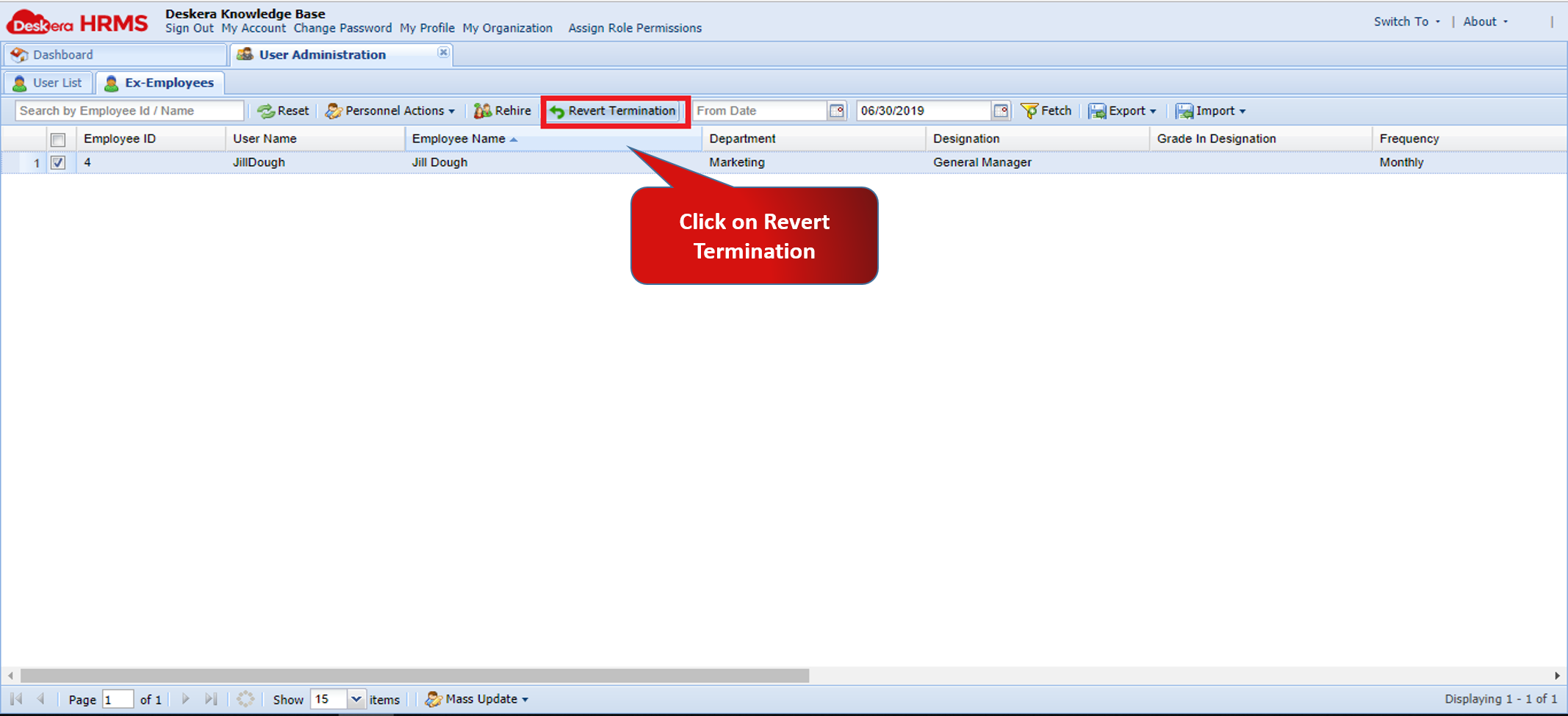
Fig.2.1.10.8 Revert Termination
How to Re-hire Ex-Employee?
Step 1:Open Ex-Employees Tab under User Administration
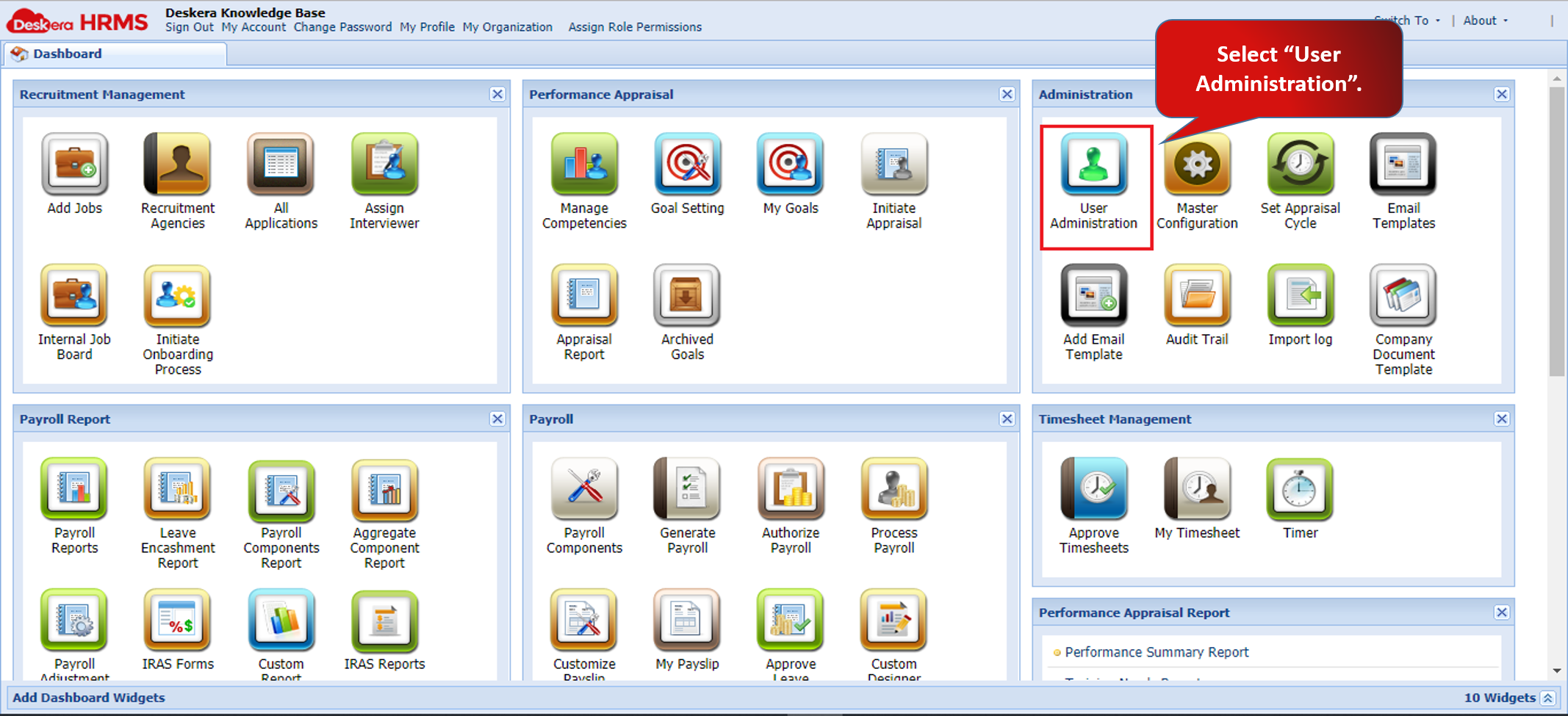
Fig.2.1.10.9 User Administration
Step 2: Select Ex-Employee who has to be rehired and click on Rehire Employee
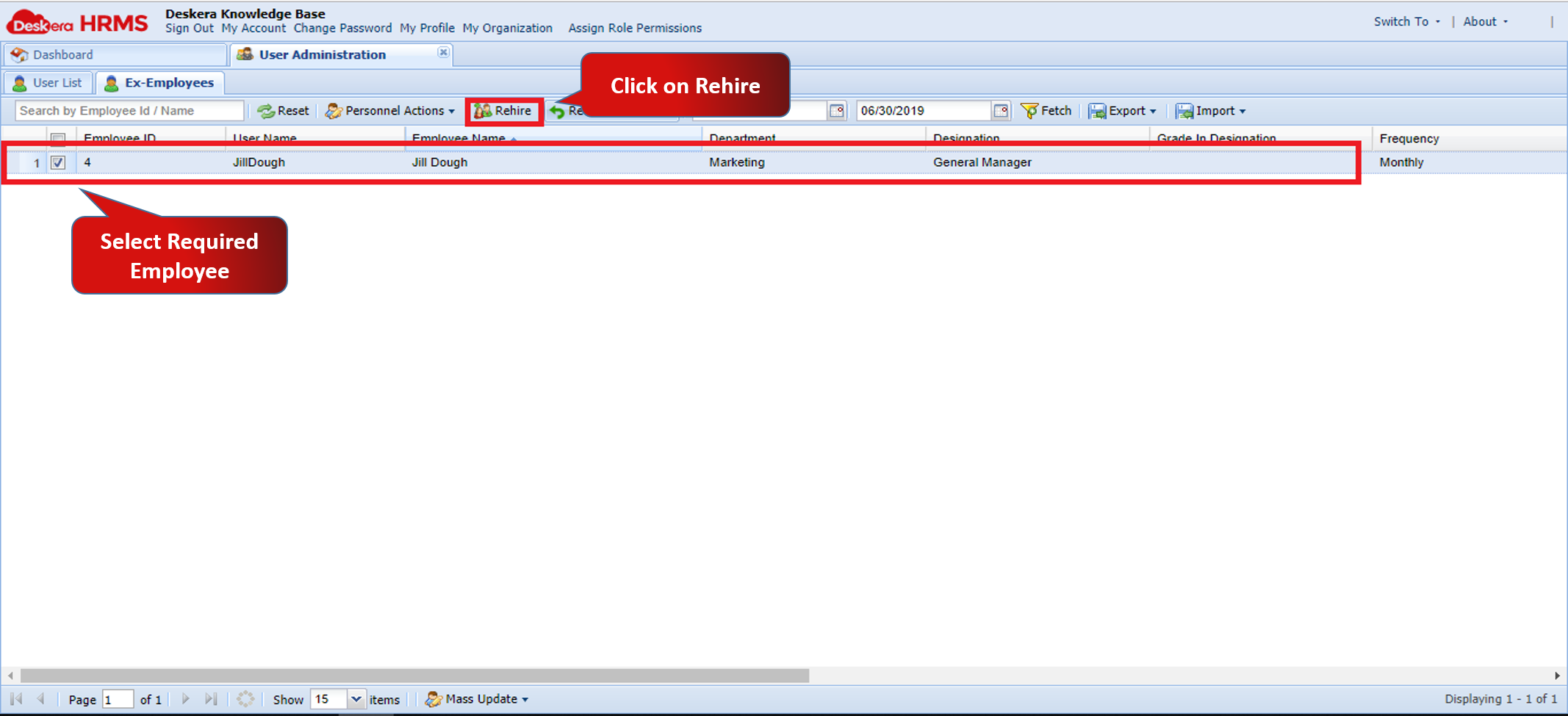
Fig.2.1.10.10 Choose Employee to Rehire
Step 3: Enter the required Job Information and Save
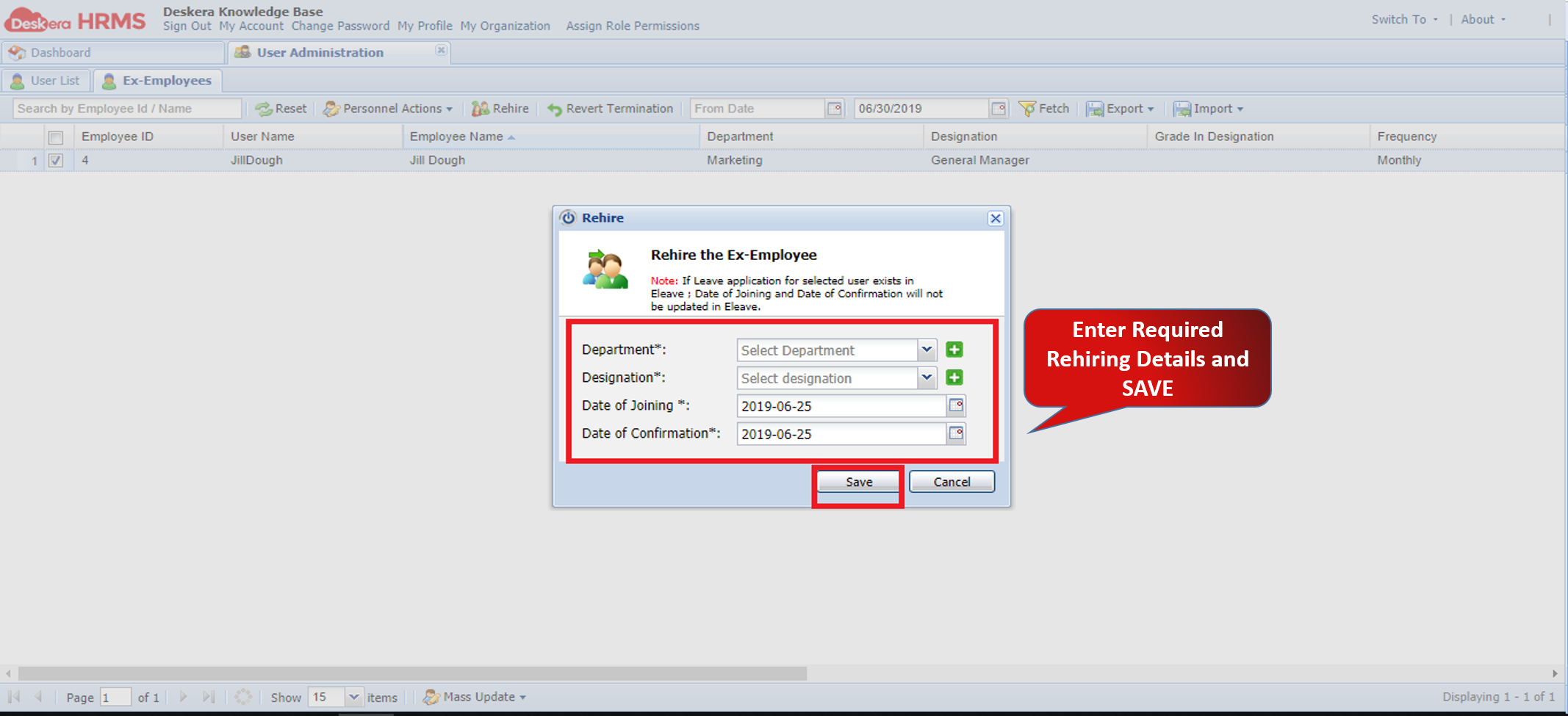
Fig.2.1.10.11 Enter Rehiring Details
How to Access IRAS Files of Ex-Employees?
Step 1:Open Ex-Employees Tab under User Administration
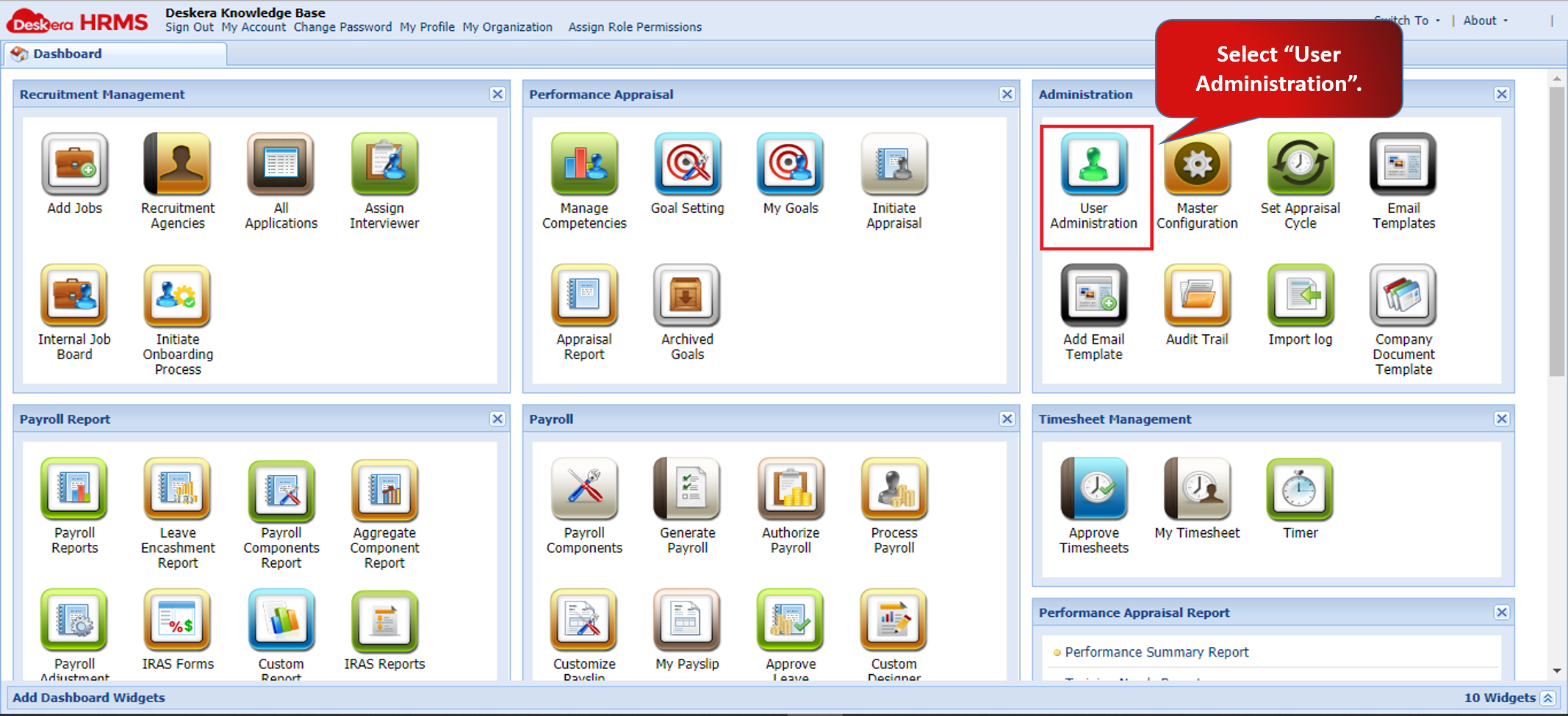
Fig.2.1.10.12 User Administration
Step 2: Select Ex-Employee whose IRAS Forms have to be accessed
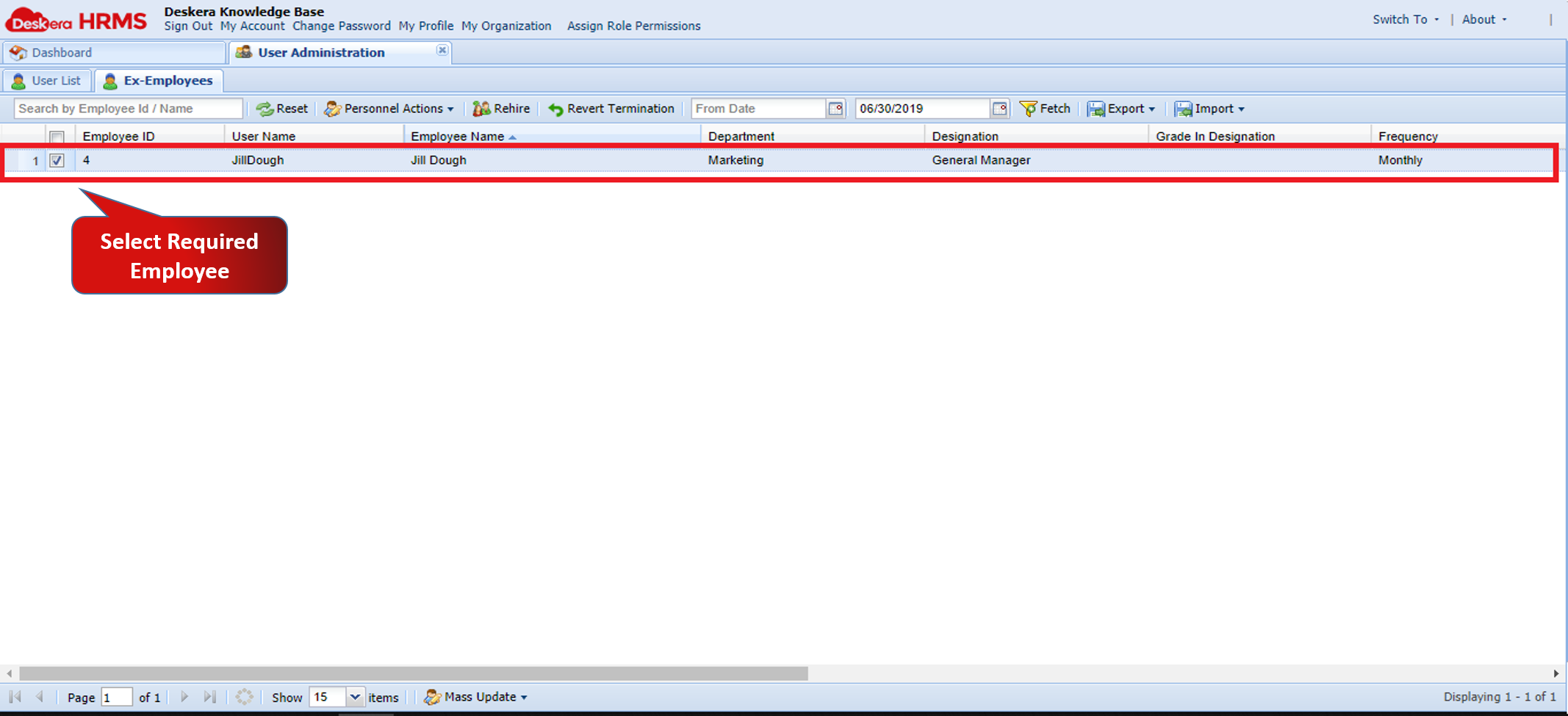
Fig.2.1.10.13 Select Employee
Step 3: Click on IRAS Forms to access the various forms under IRAS FormsS
Click on IRAS Forms to list down forms
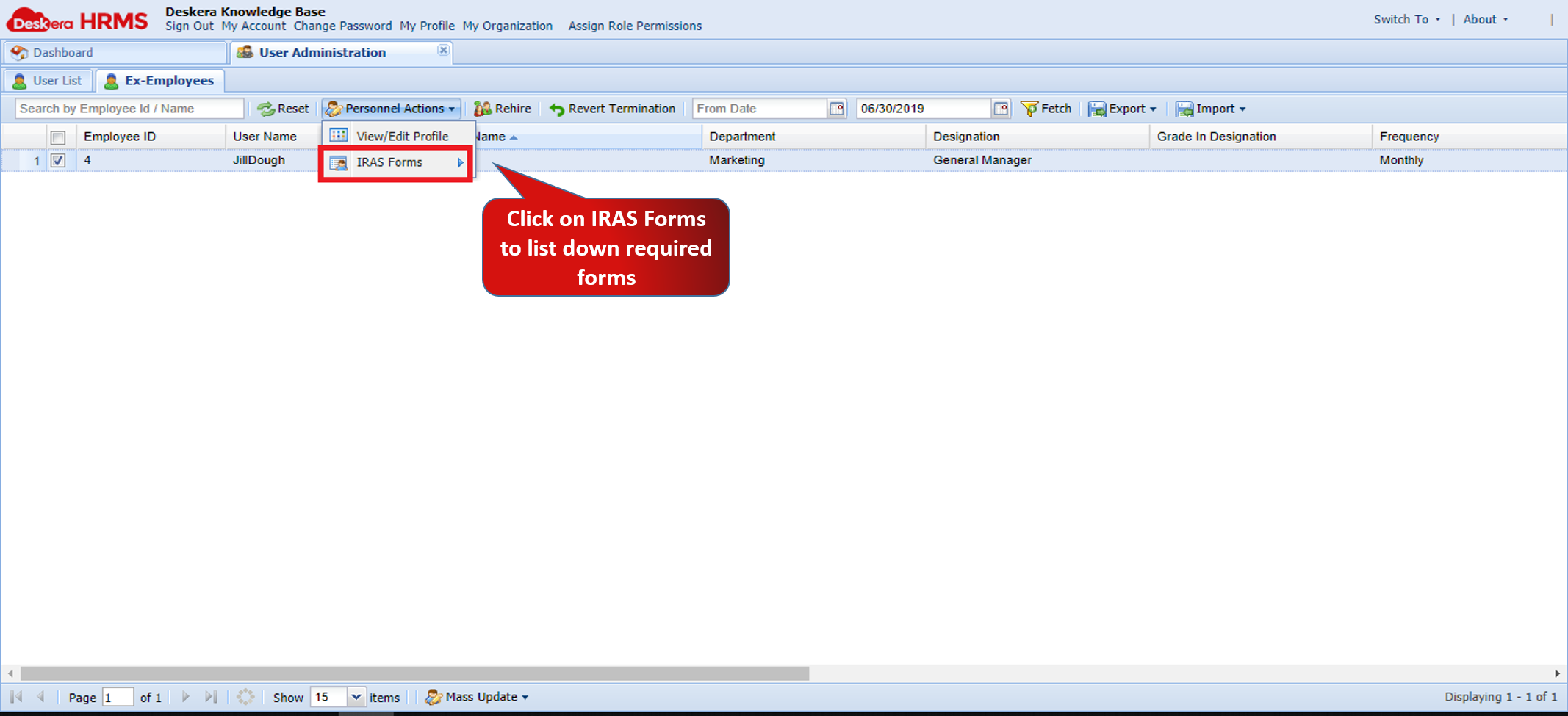
Fig.2.1.10.14 IRAS Forms under Personal Action
Comments
0 comments
Please sign in to leave a comment.