
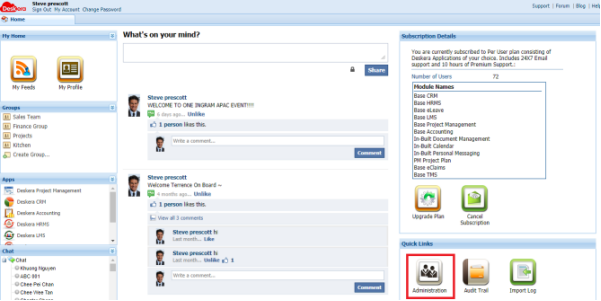
To import list of employees into Deskera system, you need to log in as an admin and go to Administration from the Home page
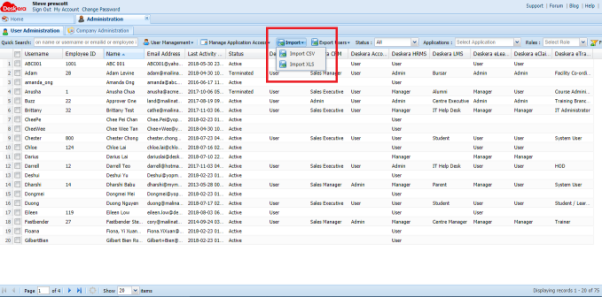
Select Import and choose the format between CSV and XLS.
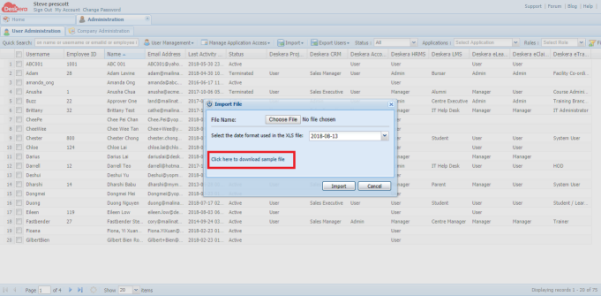
When you select a format, a window will appear and you can download the sample file from here
Fill in the details for all the employees according to the template. Please take note that the following fields are compulsory:
- Username
- Email ID
- First Name
- Last Name
- Gender
The remaining fields are not compulsory to fill in at this stage, you can edit and update after import

Please note that the date format need to be: YYYY-MM-DD
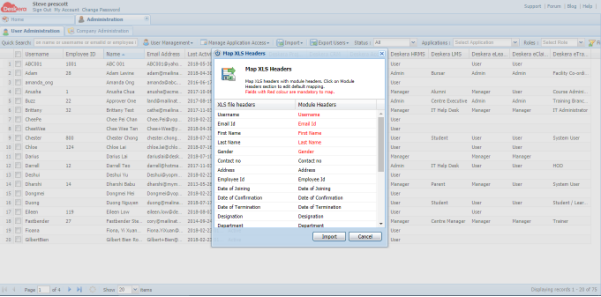
After you fill in the sample file, then you can proceed to import into the system, a window will appear to map all the headers. Since you are using sample file, the headers would be automatically mapped.
After you import, you can edit the profile by selecting the employee from the list and go to User Management -> Edit User Profile
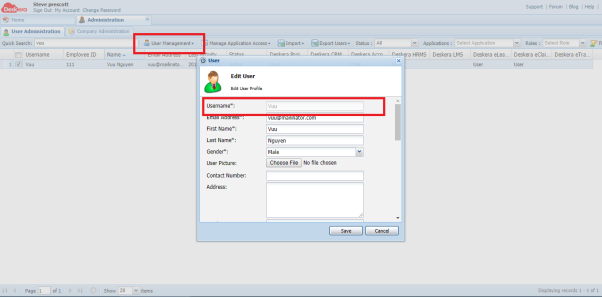
Please note that, once the employee is created, the Username cannot be edited anymore.
 |
Run Your Business with Deskera |
Comments
0 comments
Article is closed for comments.