
Use this Method to contra between multiple Sales Invoices/Purchase Invoice/Debit Note/CN Note.
A/ Contra Sales Invoice of customer A to Purchase Invoice from Vendor B:
Consider this Scenario: We need to contra off amount from Sales Invoices from customer A and Vendor B
- Customer A: Sales Invoice 1: $3000due
- Vendor B: Purchase Invoice 3: $2000 due
Contra Account provide a more flexible way to contra between several documents (Sales Invoice, Purchase Invoice, Debit Note, Credit Note, etc.). However, Initial Set-up will be required.
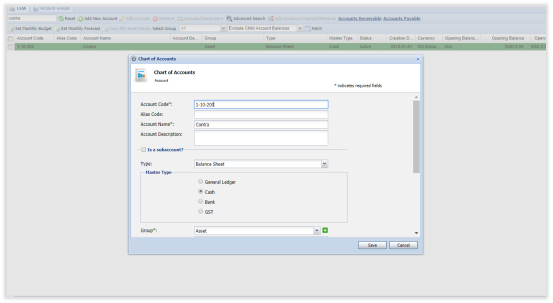
1/ In the Chart of Account (COA), create an account called Contra Account as a Cash or Bank Master Type
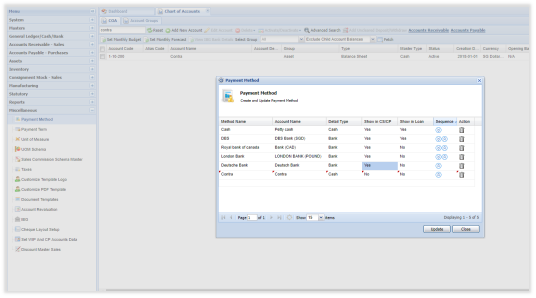
2/ Set up a Payment method (In Miscellaneous -> Payment Method) called Contra.
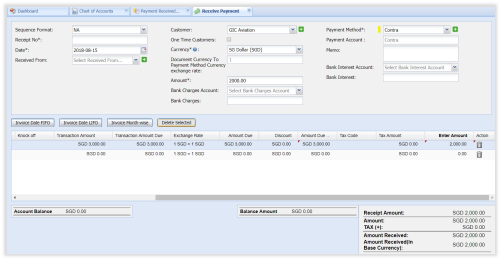
3/ Create a Customer Receipt using Contra as Payment method to Customer A:
Contra Dr 2000
Account Receivables Cr 2000
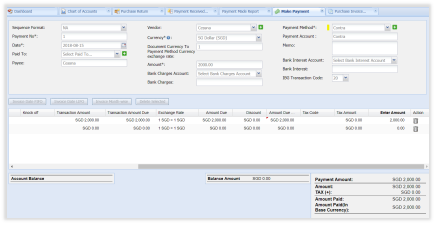
4/ Create a Vendor Payment using Contra as Payment method to Vendor B
Account Payable Dr 2000
Contra Cr 2000
5/ By doing this:
- Contra account amount will be 0. NOTE: Please be cautious when you use this method. The Contra Account MUST BE zero after the contra has been done.

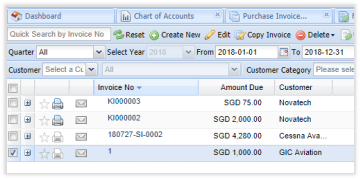
- Sales Invoice from Customer A due amount is 1000
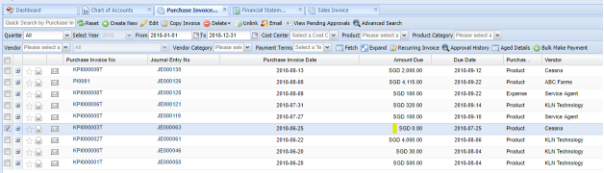
- Purchase Invoice from Vendor B due amount is knocked-off by 2000, amount due is now 0.
B/ Contra Sales Invoice of customer A to Credit Note of customer B:
If you wish to apply CN from other customer to other customer (Parent and child companies.)
Use Contra payment method to receive from A and Pay to B.
C/ Contra Purchase Invoice of customer A to Debit Note from vendor B:
Use Contra payment method to receive from B and Pay to A.
 |
Run Your Business with Deskera |
Comments
0 comments
Article is closed for comments.