
Compensatory off is Time off with pay in lieu of overtime pay for irregular or occasional overtime work. Compensatory Time Off can be Initiate by administrator (or employees if allowed, subject to approval) and the employees can apply their compensatory off balance to their Leave Application.
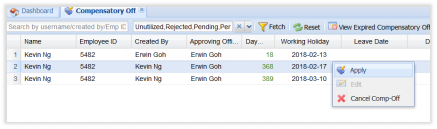
- Click to enable Compensatory Off functionality
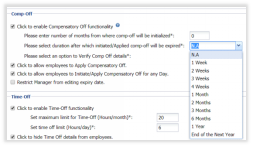
- Please enter number of months from where comp-off will be initialized*:
Enter number of months before today that compensatory of can be initialized.
If number of month(s) for comp-off initialization is 0, the comp-off will get initialized from the start of the previous financial year.
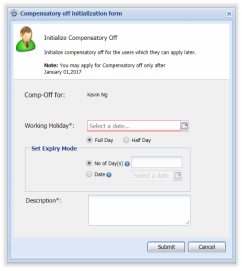
For Example: If today is Feb 12 2018
|
Number of months |
You may apply for Comp-Off only after |
|
0 |
Jan 1, 2017 |
|
1 |
Jan 10, 2018 |
|
2 |
Dec 10, 2017 |
|
4 |
Oct 10,2017 |
|
5 |
Sep 10, 2017 |
|
8 |
Jun 10,2017 |
- Please select duration after which initiated/Applied comp-off will be expired*: This is the duration that Compensatory Off will expire after initiation. By Default- N.A is selected. If we select 1 Week , Compensatory Off will be expired in 1 Week from Working Holiday. Leave has to be taken between that duration itself.
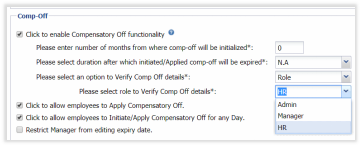
- Please select an option to Verify Comp Off details: By Default - N.A is selected, which means this is normal flow where in User initiates/Applies compensatory off, and Manager Approves/Rejects it based on Verification. If option is selected as Role, Nested option to select Role to Verify Compensatory Off details is enabled.
- Please select role to Verify Comp Off details:By Default- HR Role will be selected where in Compensatory Off initiated / Applied by User/Manager/Admin/HR are sent to HR for Verification. (Status- Pending Verification) HR can Approve/Reject Verification. Once HR Approves it, It is sent further for Manager's Approval.(Status- Pending). Manager can then perform further action on Compensatory Off.
- Click to allow employees to Apply Compensatory Off.
Allow Employees to Apply for Compensatory Off (Initiate Compensatory Off) by themselves. Subject to approval from assigned Administrator/Manager
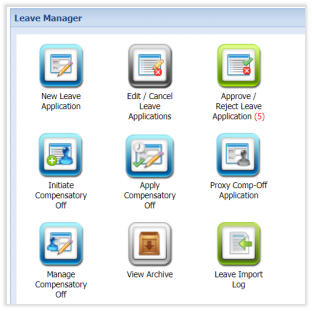
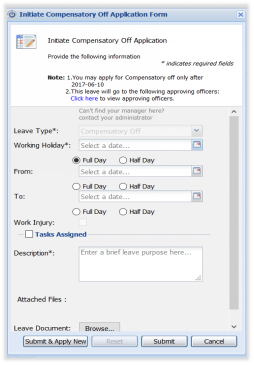
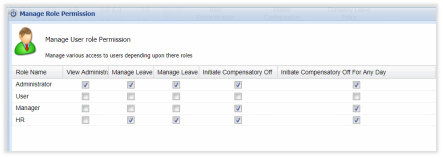
- Click to allow employees to Initiate/Apply Compensatory Off for any Day.
This will enable Administrator to allow employees to Initiate Compensatory Off For Any Day in User Permission settings.

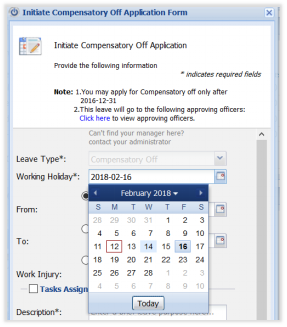
Usually, When Applying for Compensatory Off Time, If the Selected day is not Working holiday/Public Holiday then the system will not allow creation of Comp-Off Time based on that date.
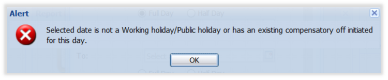
If this permission is enabled, Comp-Off time can be created based on any day. In the case below, no Alert appear when employee apply for Comp-Off based on Friday, which is not a day-off or Public Holiday.
- Restrict Manager from editing expiry date.
Mangers will not be able to edit expiration date of Compensatory Off.
- Click to enable email notification to consume unutilized compensatory off before expiry
When enabled, the system will generate email notifications to the users to remind them about unutilized compensatory off. You can set the number of days before the expiry date to send the notification and how many alerts to be sent.
- Click to allow employees to apply leave against Compensatory Off From New Leave Application:
When enabled, new Leave Application shows Leave Type as "Compensatory Off" in Leave type drop down.
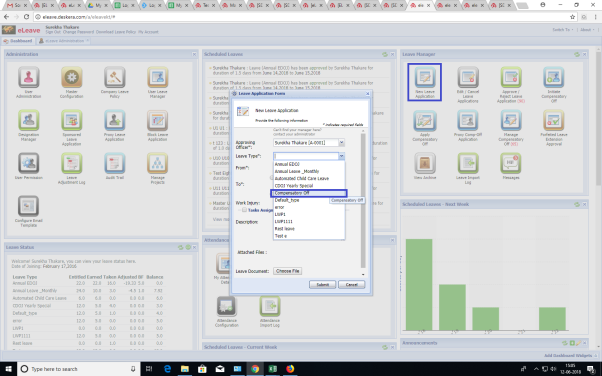
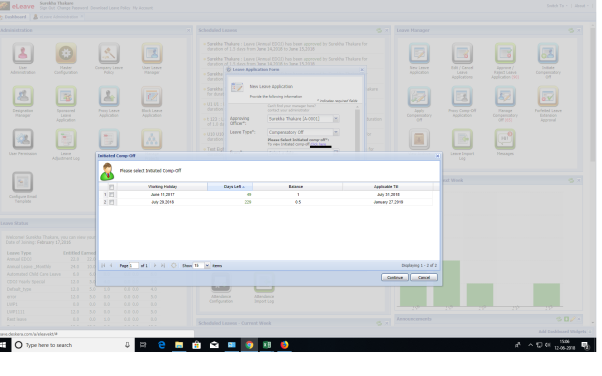
Select Initiated Compensatory off to apply leave against them (Only Approved and Unutilised comp-off are shown)
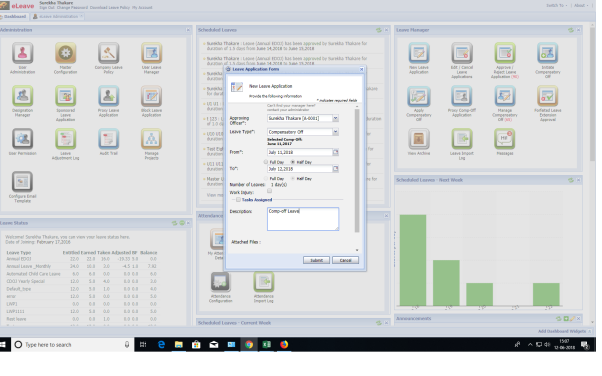
Select Leave dates to apply leave against comp-off
 |
Run Your Business with Deskera |
Comments
0 comments
Article is closed for comments.