
To set access right privileges for Reports, please follow the steps as below or view the video:
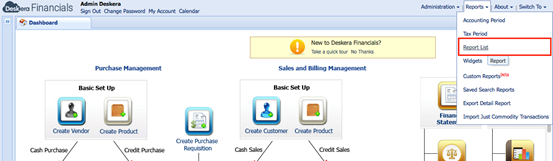
1) Open the Report List
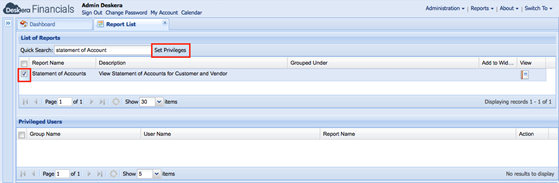
2) Select the related report and click Set Privileges
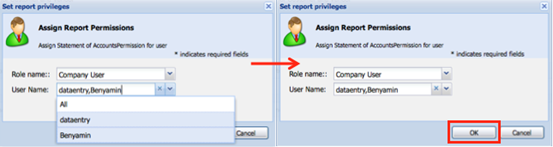
3) Select the Role & Users that are allowed to view this report and click OK. You may set access by role and/or specific users.
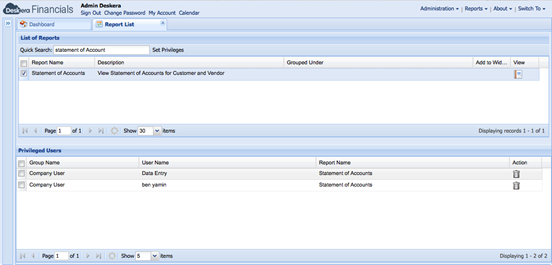
4) The result will be as below and Users/Roles selected will have access to the report
 |
Run Your Business with Deskera |
Comments
0 comments
Article is closed for comments.