
Deskera allows integration across the various applications of the Deskera suite to improve efficiency and smoothen the process of running your business. The eLeave-PM Integration article describes the various points of integration between PM and eLeave applications.
Prerequisites:
1. Ensure you have your Deskera eLeave application URL in place
2. Ensure you are the administrator of the eLeave application
3. Ensure a good internet connectivity
How to enable integration across eLeave and PM?
Step 1: Go to Master Configuration under Administration Module.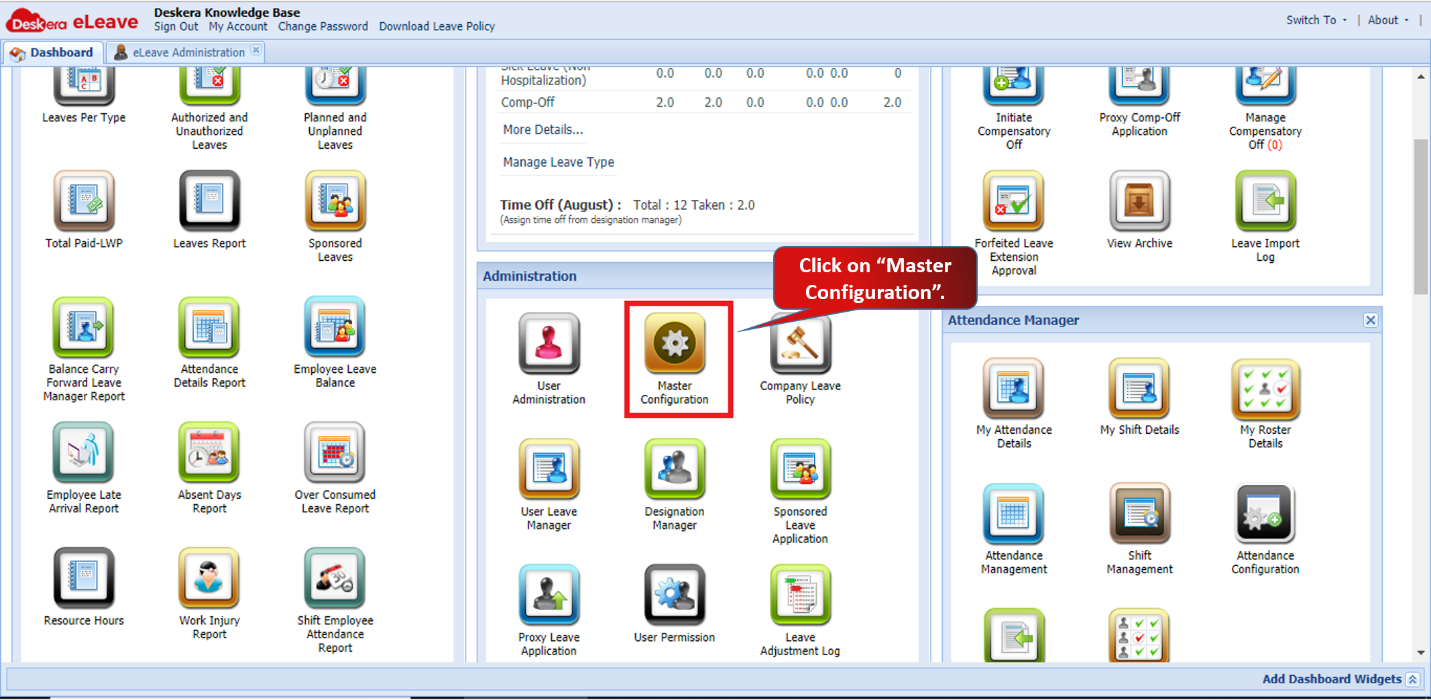 Fig.3.7.1.1 eLeave Dashboard
Step 2: Under Company Preferences, enable the checks for Integration with Project Management. Click on Save.
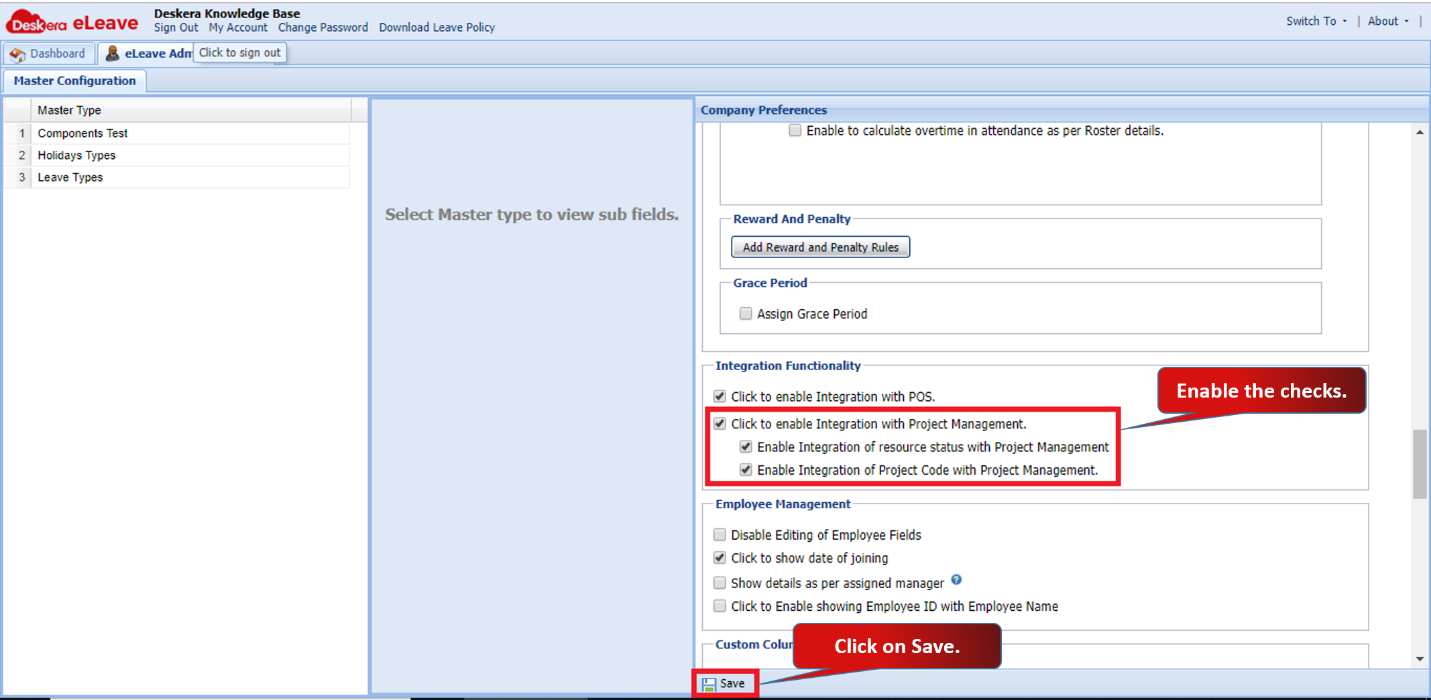 Fig.3.7.1.2 Company Preferences
1. Sync Project Details
Once you enable the integration, all the projects available in PM will automatically sync in eLeave. You can view the synced projects under Manage Project widget. You can also Add, Edit and Delete projects in eLeave under Manage project widget as well.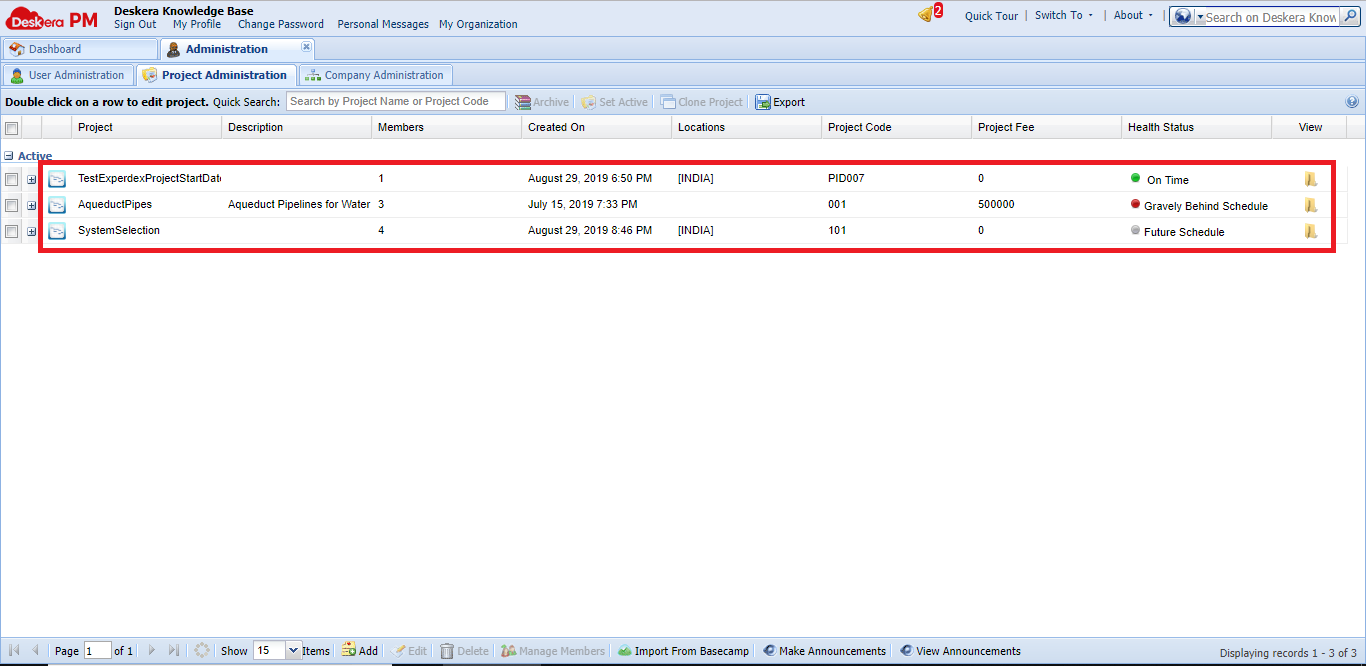 Fig.3.7.1.3 Project Management
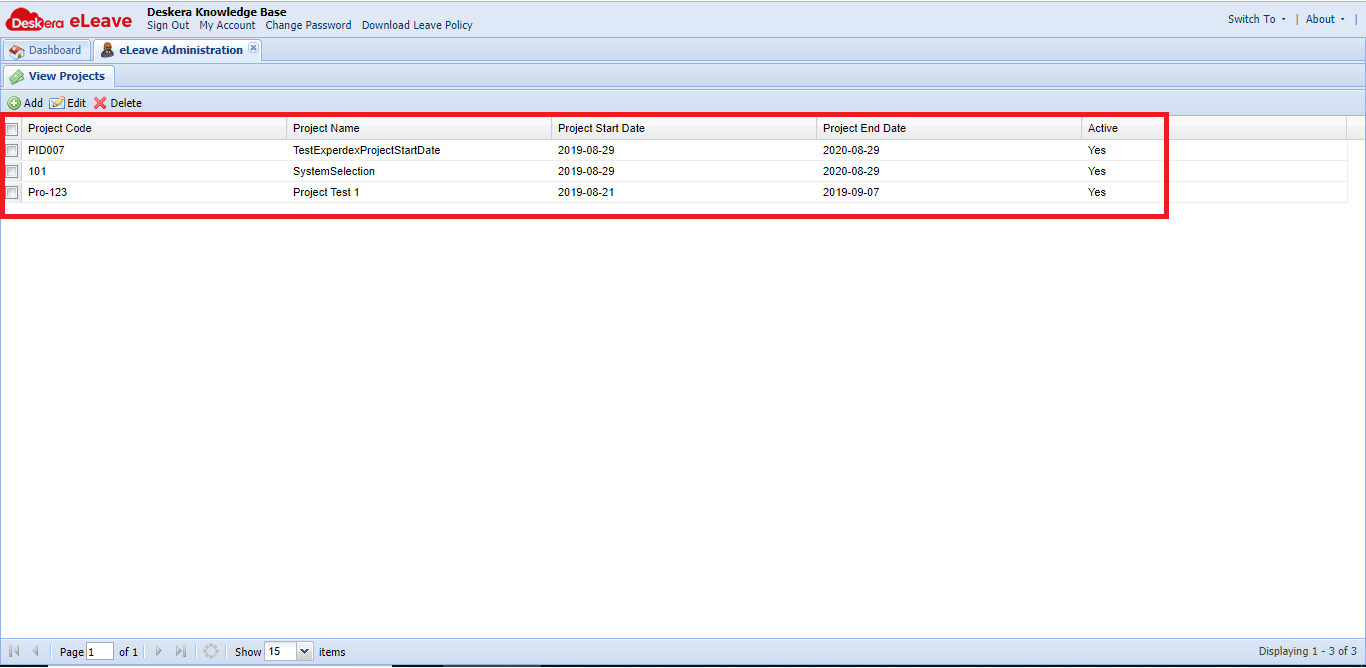 Fig.3.7.1.4 eLeave -Manage Projects
2. Sync Employee Task Details
You can assign resources to every task in project management. Once you assign a task to an employee, it will be synced with eLeave. 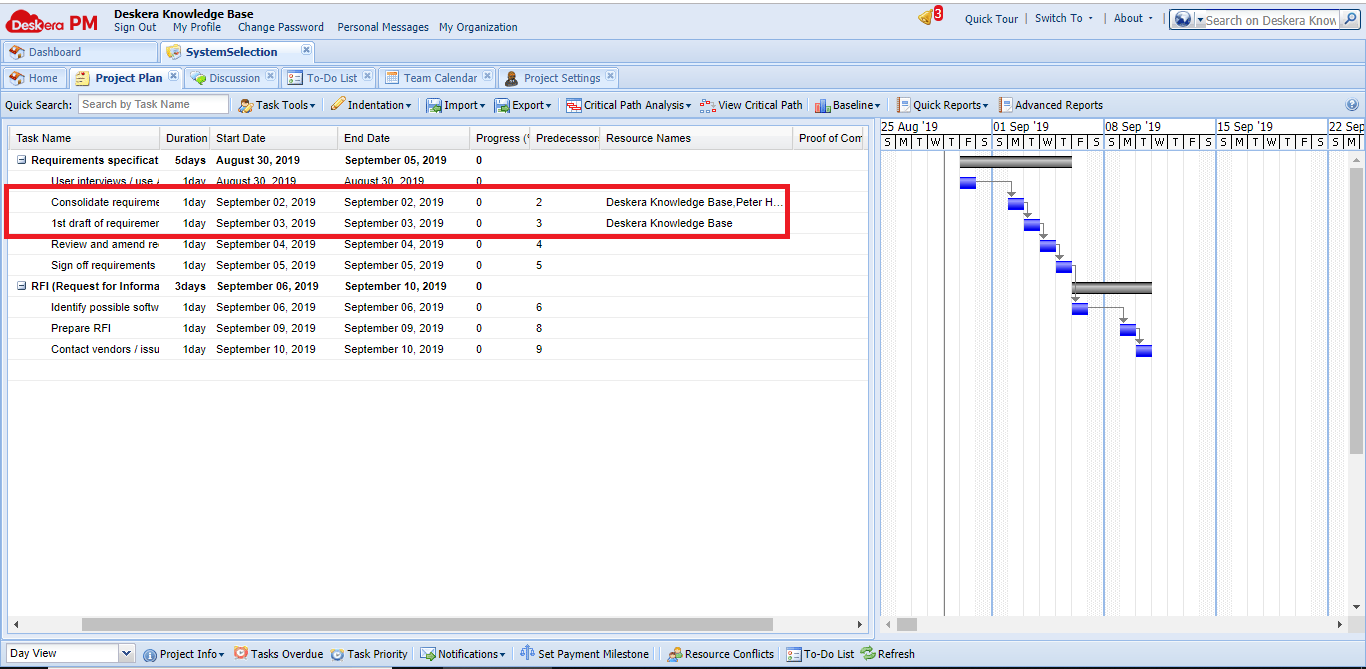 Fig.3.7.1.5 Project Management
When the employee applies for a leave, he can view his tasks assigned when he enables the option.
Also, once he applies for the leave for a task allocated day, his leaves will be highlighted in red. You can also hover the icon on the date and see the task details as well.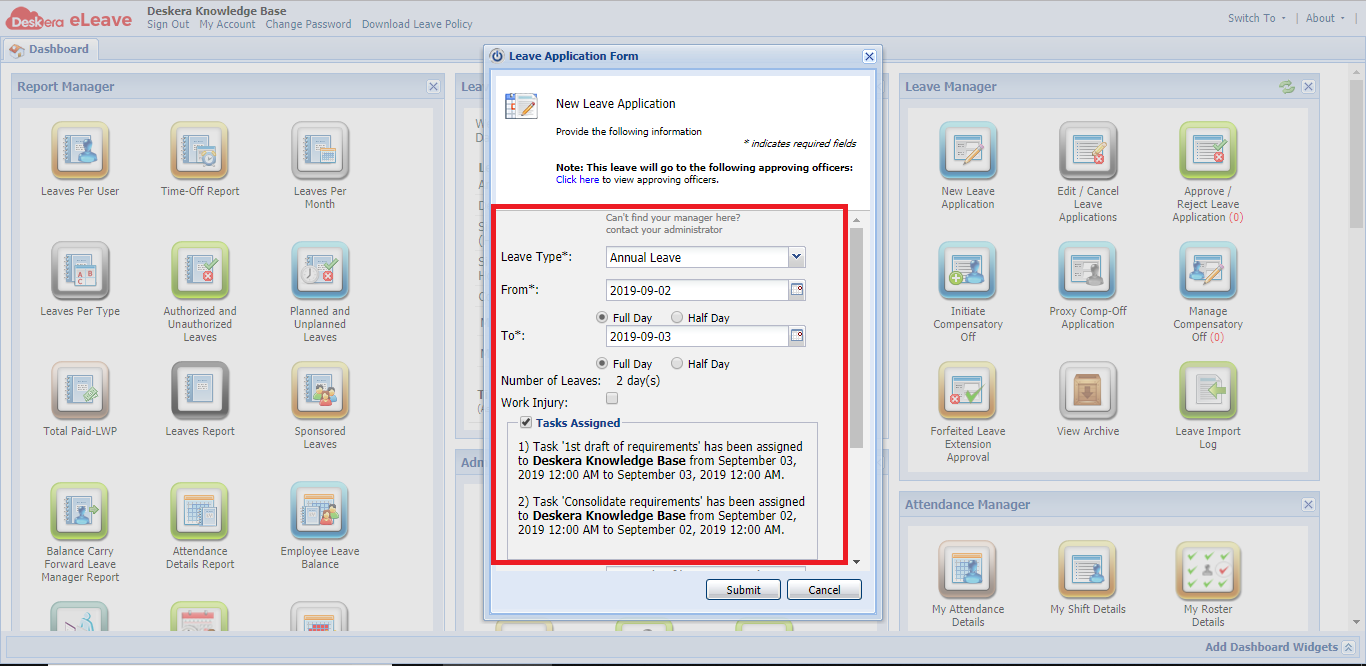 Fig.3.7.1.6 Leave Application
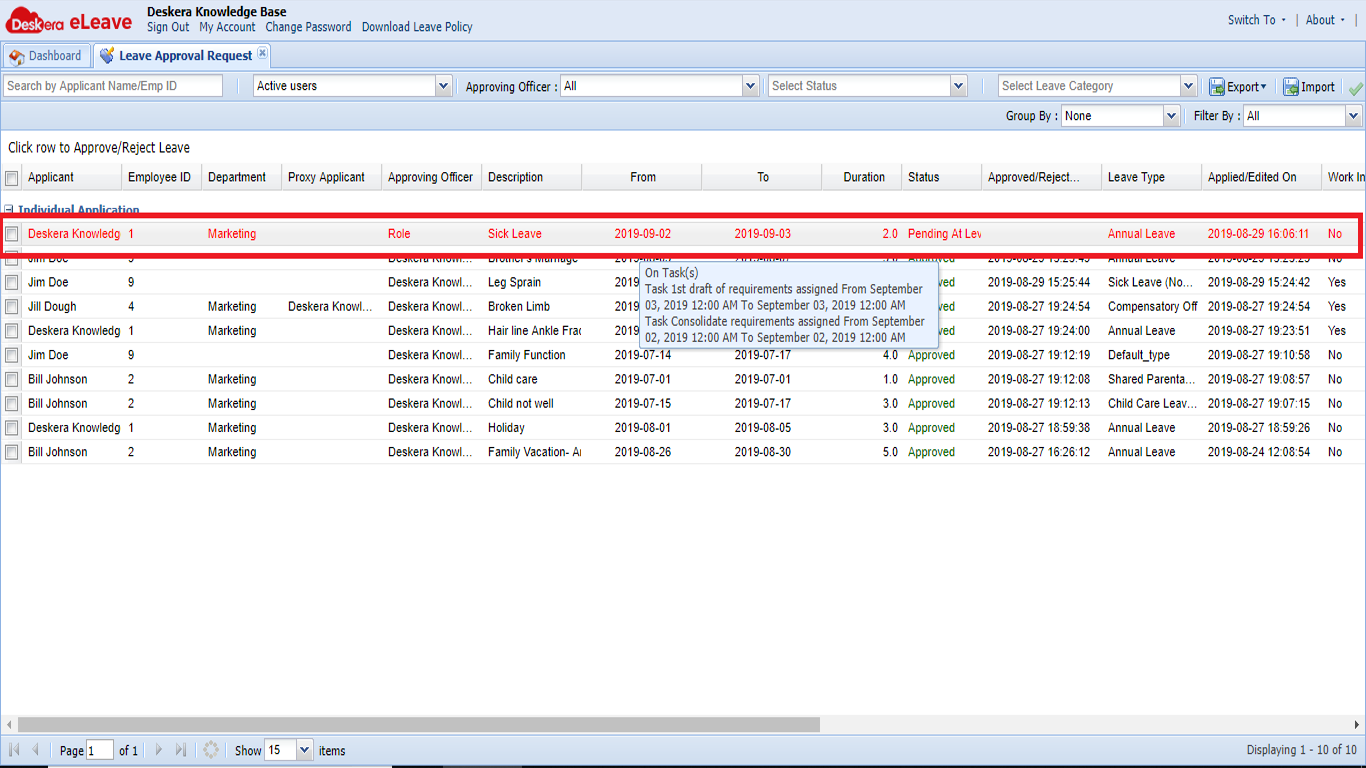 Fig.3.7.1.7 Leave Application
Comments
0 comments
Please sign in to leave a comment.