
CRM integration with eClaims enables you to link the cost centers created in eClaims with CRM. Cost Centers can be assigned when creating new leads or editing a present lead in CRM.
Prerequisites:
1. You have your Deskera eClaims application URL in place.
2. You are the administrator of the eClaims application.
3. Ensure good internet connectivity.
Step 1: Go to Manage Cost Center under Master Setting’s widget in eClaims.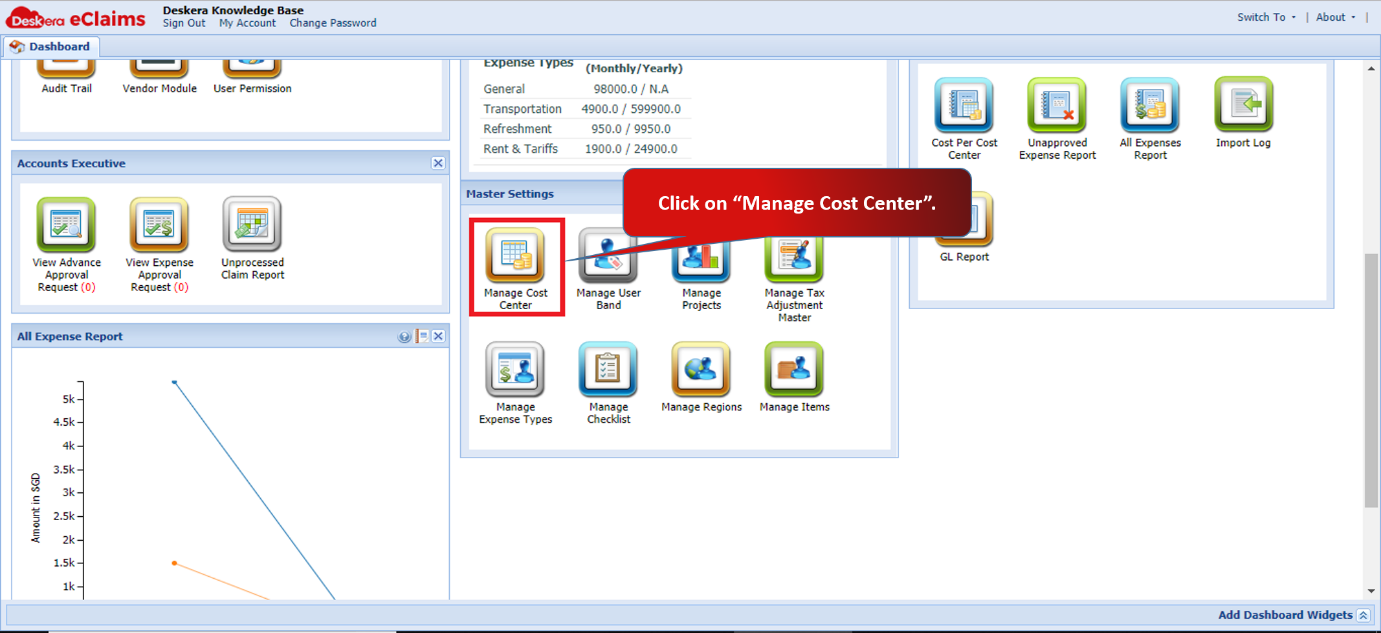 Fig 4.8.2.1 eClaims Dashboard
Step 2: Click on New under Manage Cost Center.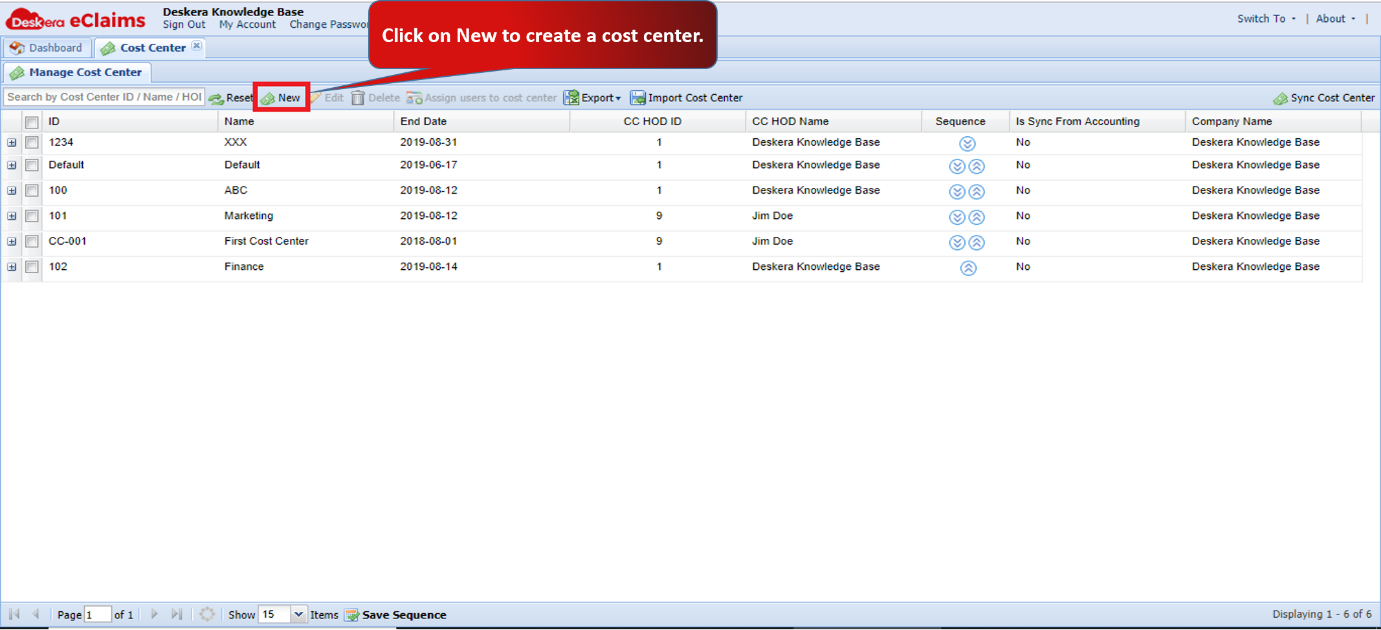 Fig 4.8.2.2 Manage Cost Center
Step 3: Fill in the required details to create a new cost center and then click on Save. Cost Center will be added.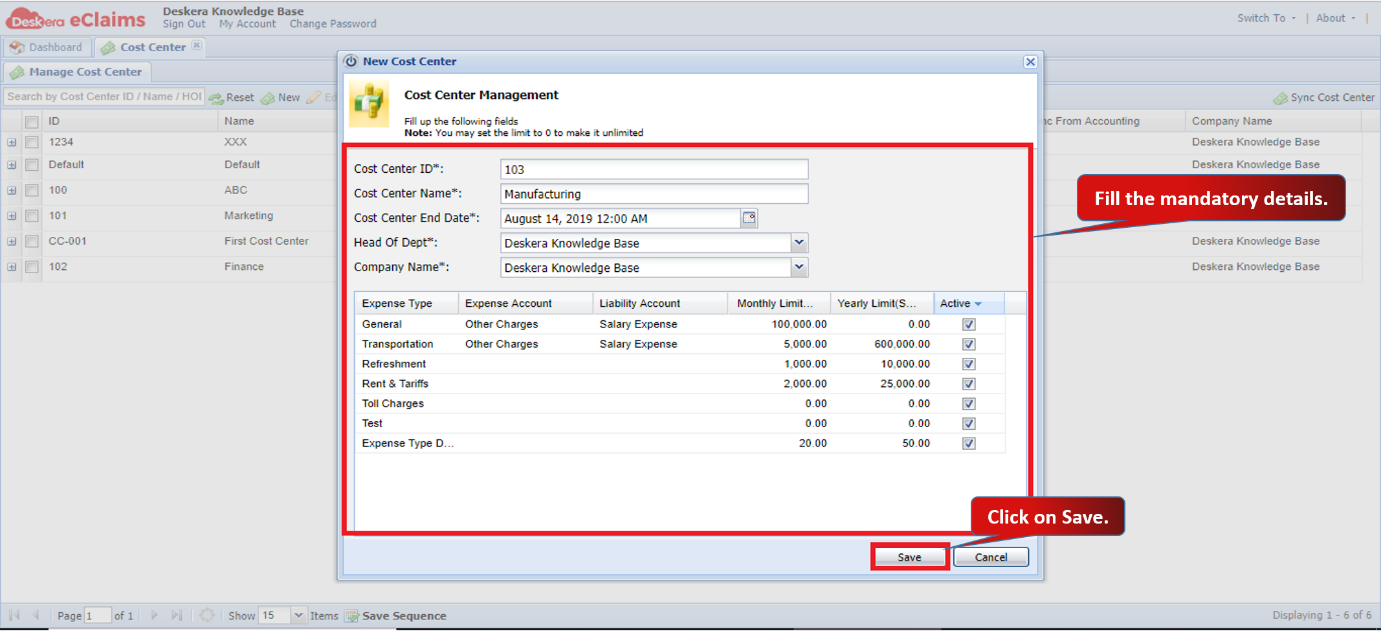 Fig 4.8.2.3 New Cost Center
Step 4: Go to Deskera CRM and click on Master Configuration under Administration. 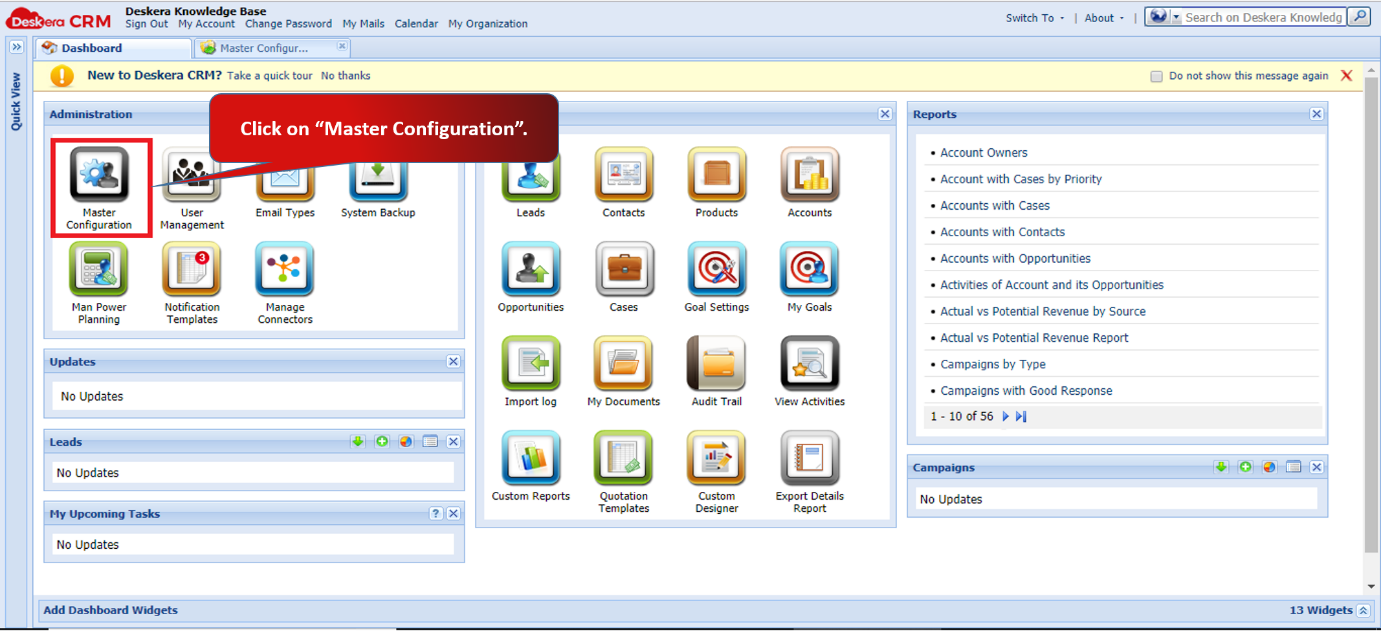 Fig 4.8.2.4 CRM Dashboard
Step 5: Under Integration with Deskera Applications, check mark Deskera eClaims options and click on Update to save the settings. 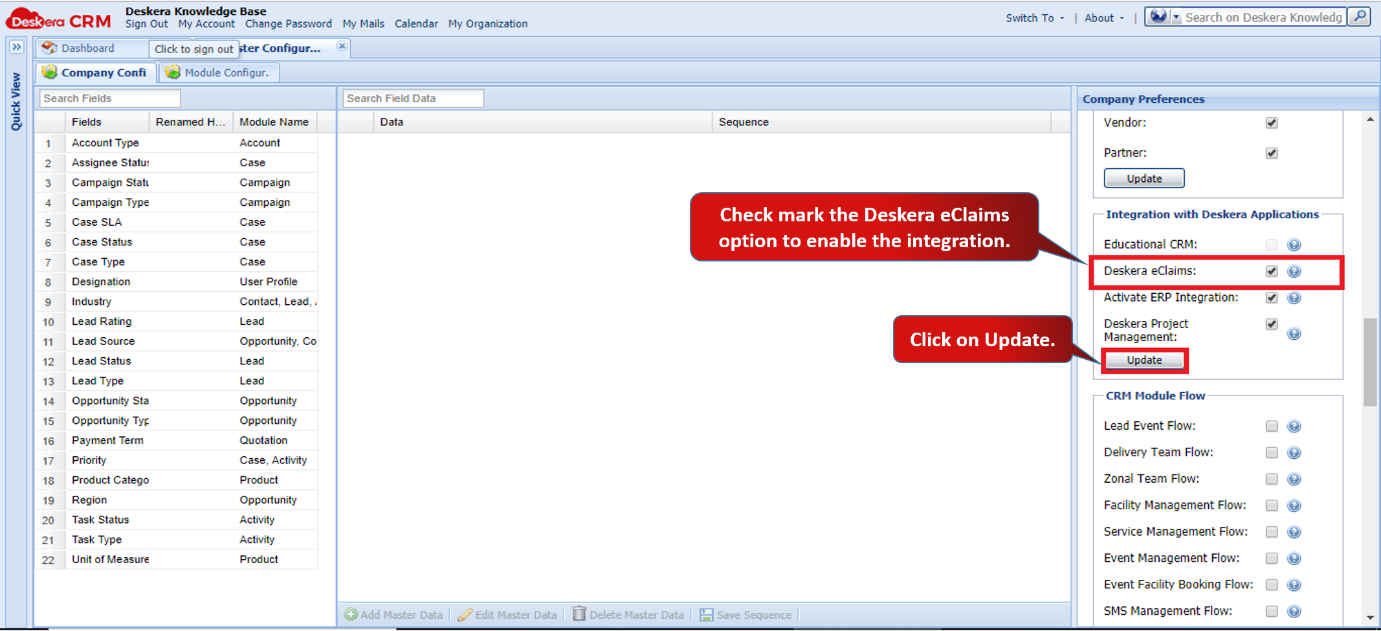 Fig 4.8.2.5 Master Configuration
Step 6: Under Leads, when you go to Add Record, you can see the cost centers created in eClaims linked with CRM.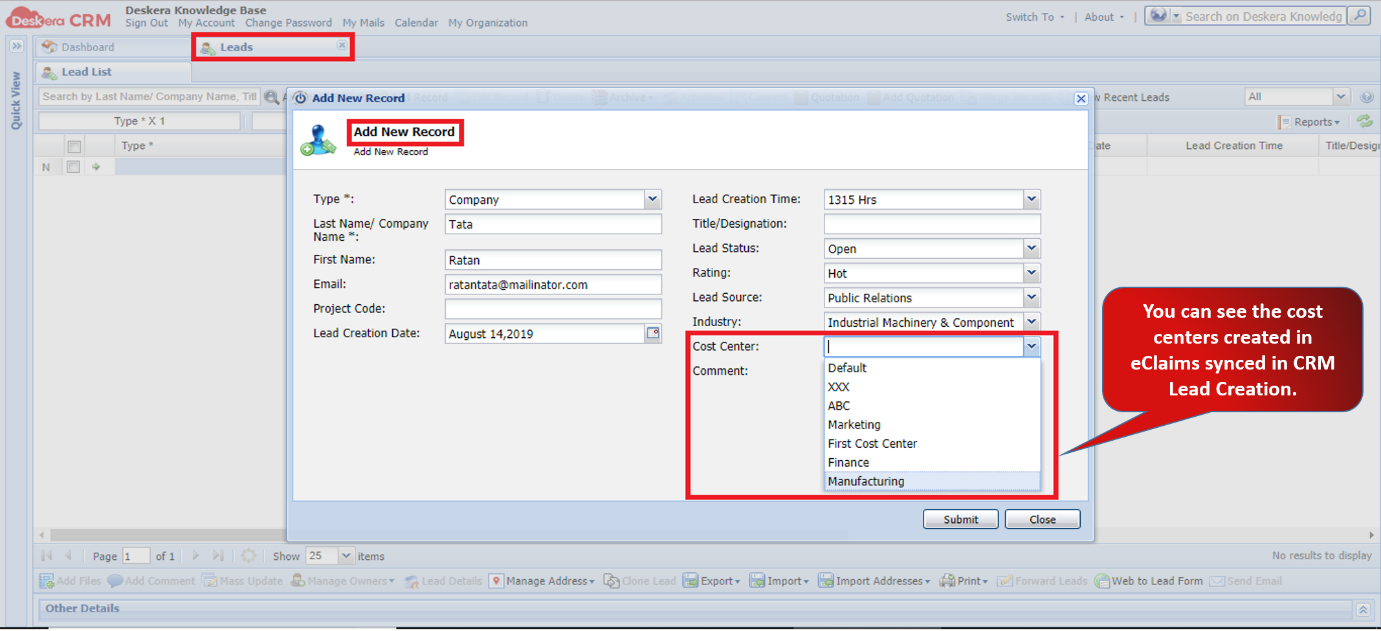 Fig 4.8.2.6 Leads
Comments
0 comments
Please sign in to leave a comment.